Summary
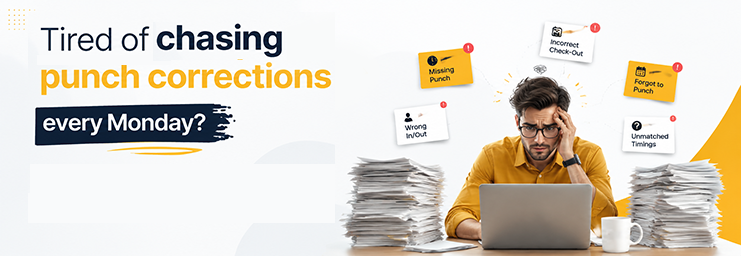
Every HR inbox in India has a Monday ritual. “Sir, I forgot to punch out on Friday.” A missed punch here, a biometric glitch there, a field visit that never reached the system. Each one becomes an attendance regularization request. Each one becomes an email, a walk to HR’s desk, or a WhatsApp message someone has to chase.
In short, a self-service mobile app halves the work of attending to regularization in two ways. Staff see their own records daily. They fix gaps with a one-tap request that goes straight to their manager. And punch reminders, geofenced check-in, and a clear daily view mean many requests aren’t needed at all. A cut of up to 70% is possible. The number depends on your rules, your approval flow, and how well your team adopts the app.
Key Takeaways
- Most requests stem from a few familiar causes: missed punches, device issues, fieldwork, and shift changes.
- Manual handling costs real time. 100 people raising 2 requests a month, at 5 minutes each, eats 2 full HR days monthly.
- Self-service moves requests from HR’s inbox to a mobile flow. HR touches only the odd cases.
- The bigger win is prevention: a live view, reminders, and mobile check-in stop many requests at the source.
- The 70% figure is a possible outcome, not a promise. Adoption, rules, and automation decide where you land.
What Is Attendance Regularization?
Attendance regularization is the process of correcting an attendance record after the fact, with approval. Someone was present, but the system says otherwise. This process fixes the record so payroll matches reality.
A quick distinction helps. Attendance correction is the broad act of fixing any wrong entry. Attendance regularization is the formal, approval-based version of it. The person raises a request and gives a reason. A manager or HR approves the change. That approval step keeps it clean and traceable.
People needed it when they worked, but the record shows they were absent or off for half a day. A punch that never happened, a device that was down, a client visit that kept them off-site. The work was real. The data wasn’t.
Why Do Employees Submit So Many Attendance Regularization Requests?
The causes repeat in almost every company:
- Missed punch-in or punch-out. The most common one. People rush in late or leave in a hurry, and the punch never happens.
- Forgotten check-out. The day ends, the mind is on the bus home. The system shows a half day.
- Biometric device failure. A finger that won’t read, a device that hangs, a power cut at the entrance.
- Mobile or network issues. The app punch didn’t sync. The signal died inside the basement office.
- Field visits and remote work. The employee was at a client site all day. The office device never saw them.
- Shift changes. The roster moved someone to the evening shift, but the attendance rules still expected a morning punch.
- Incorrect records. An incorrect shift mapping or a policy misfire marks a present employee as absent.
- Late attendance sync. Data from a branch device arrives at the server a day late, triggering queries.
Notice something. Almost none of these are discipline problems. They’re data problems, which is exactly why a better data workflow, not stricter memos, is the fix.
How a Self-Service Mobile App Reduces Regularization Requests
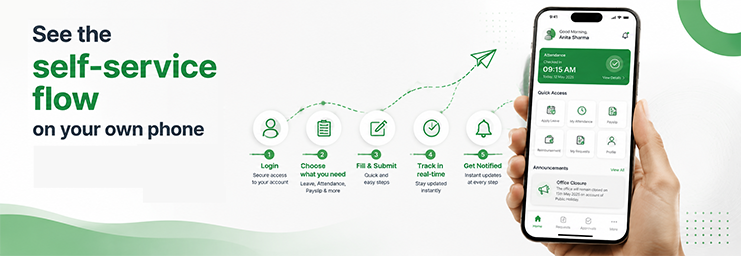
Here’s the flow when staff hold the process in their own hands:
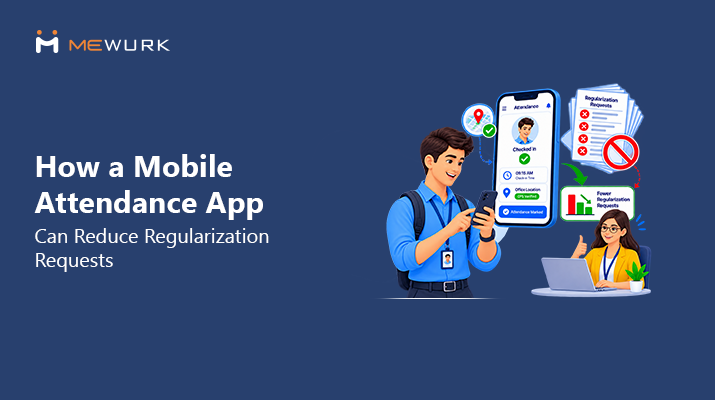
- The person opens the app and sees their record. Today’s status, this month’s punches, right on the phone.
- They spot the gap themselves. A missing punch-out from yesterday is visible the same week, not at month-end.
- They submit a correction request in a tap: date, missing entry, done in under a minute.
- They add the reason. “Client visit at Servico, returned 6:30 PM.” Supporting detail travels with the request.
- The manager reviews it on their own phone. Approve or query, with the record and reason side by side.
- The approved change updates the record. No re-typing, no separate register.
- The person gets an alert. Status closed. Nobody follows up with anybody.
Count HR’s touches in that flow. Zero, unless a case needs a closer look. That’s the entire idea. The request still happens. But receiving it, logging it, chasing the manager, updating the record, and telling the person? No longer HR’s job.
7 Mobile Self-Service Features That Reduce HR Workload
- A live view of records. Staff see their own punches daily. Gaps get caught the same week, fixes stay small, and the month-end pile never forms. HR stops being the only pair of eyes on 100 people’s data.
- One-tap requests. A set form replaces free-text emails. Every request arrives complete, in one queue, not scattered across inboxes and chats.
- Reason-based requests. The reason field is a must, so approvers get context without asking. Patterns also show up. Ten “device not reading” notes from one branch is a repair ticket, not ten separate mysteries.
- Manager approval flows. Requests route to the right approver on their own. HR leaves the middle of the chat and handles only odd cases and policy calls.
- Push alerts. Sent, approved, or queried, everyone knows the status without asking. The “any update on my request?” follow-up dies out.
- History on the phone. Staff answer their own doubts about “was I marked present on the 12th?” A big share of HR’s daily pings are exactly this.
- Mobile access for field and remote teams. A geofenced check-in from a client site creates a correct record in the first place. The field team is no longer the biggest source of fixes.
How Much HR Time Can Attendance Self-Service Save?
Run the math for a 100-person company.
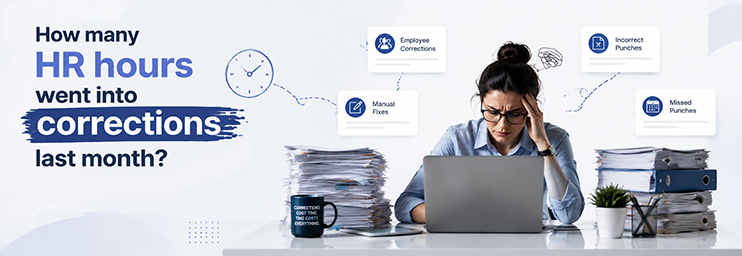
Say each person raises 2 requests a month. That’s 200. HR spends 5 minutes on each: receiving, checking, chasing the approval, updating, replying. That’s 1,000 minutes. Nearly 17 hours. More than 2 full working days, every single month, spent on corrections alone. And that ignores the staff side. The walk to HR. The follow-ups. The waiting.
Now move the same 200 requests to self-service. Filing, routing, record updates, and alerts need no HR minutes at all. Managers approve in seconds from their phones. HR’s share shrinks to real odd cases, maybe 15 or 20.
Then prevention kicks in. Punch reminders, a same-week view, and mobile check-in for field staff stop a good share of requests from ever existing. This is where a 70% cut in regularization work can come from — fewer requests raised. Near-zero HR touches on the ones that remain. Where your number lands — 40, 60, or 70 percent — depends on three things. Adoption. Clear rules. And how much of your team works in the field. Measure your own baseline first. Compare after ninety days.
Manual Attendance Regularization vs Mobile Self-Service
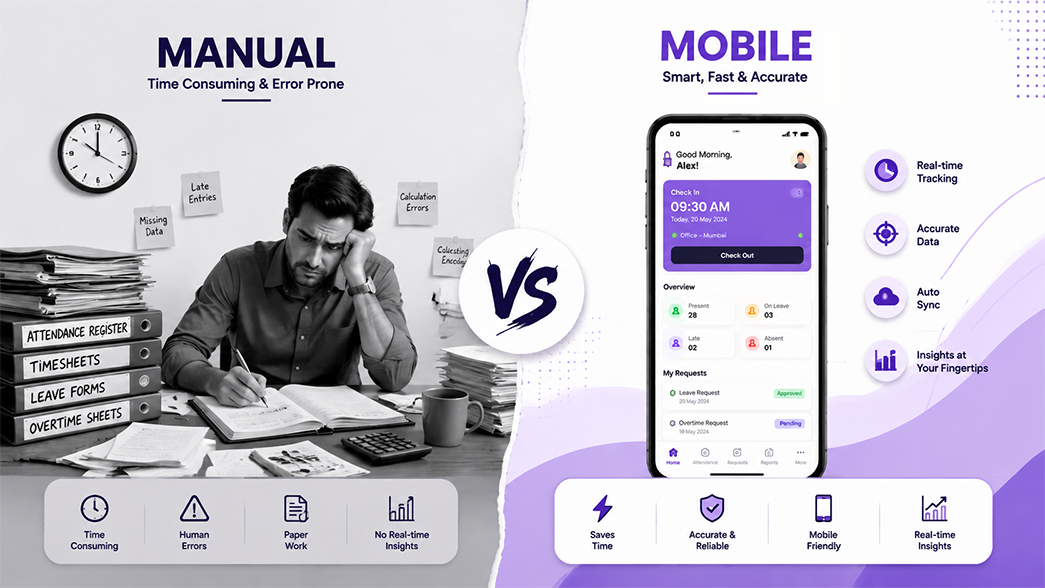
| Aspect | Manual process | Mobile self-service |
|---|---|---|
| Request submission | Email, WhatsApp, or a walk to HR | One-tap request in the app |
| Employee visibility | Month-end surprises | Own record, checked anytime |
| HR workload | Every request is an HR task | Only exceptions reach HR |
| Approval process | Chased over calls and messages | Auto-routed to the manager’s phone |
| Notifications | “Any update?” follow-ups | Automatic status alerts |
| Record tracking | Registers and scattered emails | One request log per employee |
| Accessibility | Office hours, HR’s desk | Anywhere, any time |
| Processing time | Days, sometimes till payroll cutoff | Often same day |
| Audit trail | Partial, spread across inboxes | Complete: who, what, when, why |
How to Reduce Attendance Regularization Requests at the Source
Handling requests faster is half the job. The better goal is needing fewer of them:
- A live daily view, so people catch their own gaps early.
- Punch reminders at shift start and end, which stop the most common miss.
- Geofenced mobile check-in where it fits, so field work creates records instead of corrections.
- Mobile punches for remote staff, removing the office device from the equation.
- Shift-aware rules, so a roster change never wrongly marks someone absent.
- Reliable biometric devices, with their health watched, since one flaky reader can create a branch’s worth of requests.
- Clear, written rules on what qualifies for a fix and what doesn’t.
- Alerts for odd entries, flagging a missing punch the same day instead of at month-end.
- Manager dashboards, so approvers see team patterns and fix root causes, not just single entries.
Track your request count monthly. The cause that keeps topping the list is your next project.
How Mewurk Helps Simplify Attendance Regularization
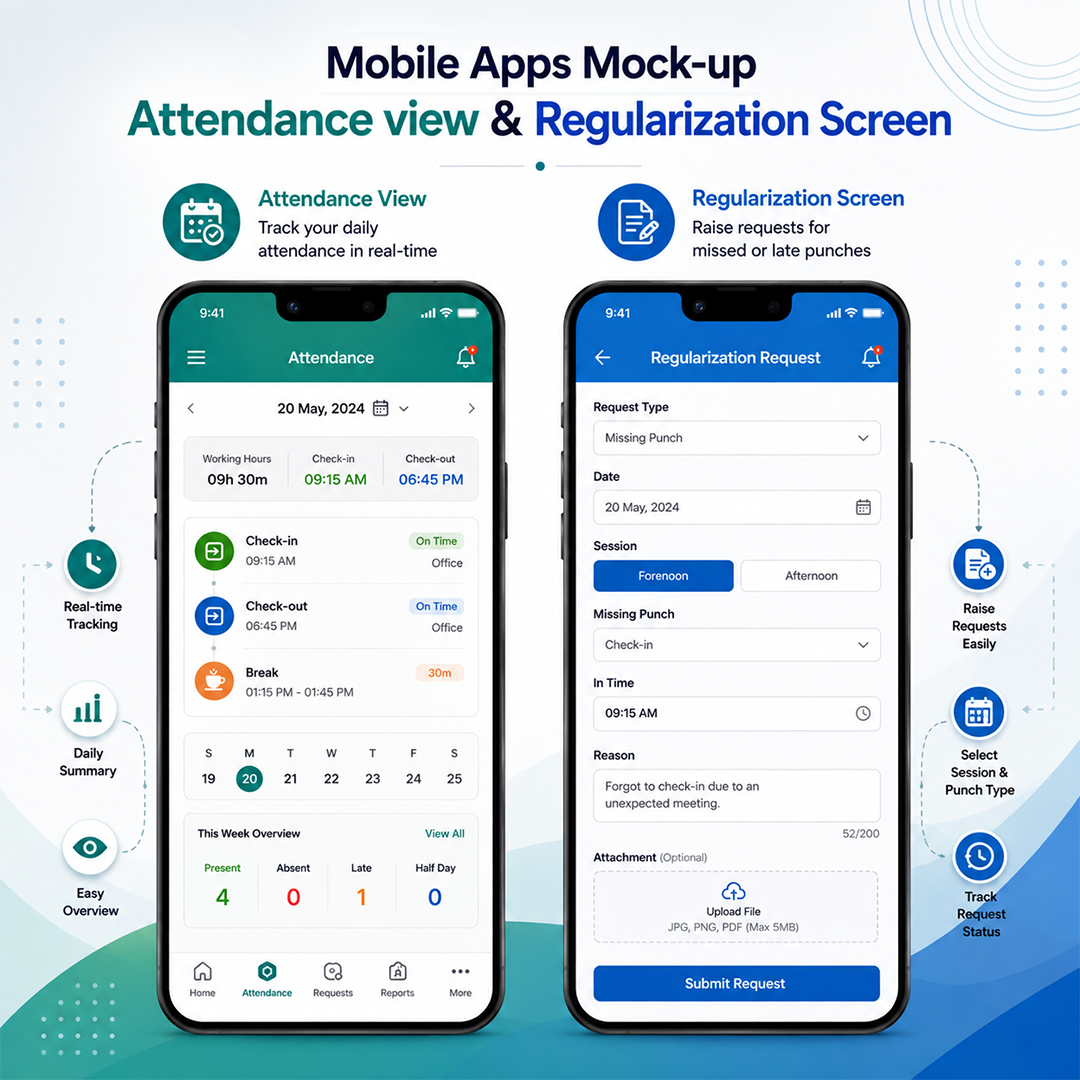
The problem, said simply: records go wrong in familiar ways, and fixing them by hand eats HR’s month. Mewurk works on it from both ends.
- Flexible capture. Biometric attendance devices with face recognition at the office — a mobile app with geofenced attendance for field and remote teams. The right records get created the first time.
- An easy regularization window. Fix gaps fast: missed clock-ins and clock-outs, work-from-home days, and changes when shifts move.
- Custom policies. Your rules on late marks, grace time, and who qualifies live in the system, not in memory.
- Live sync across devices. Branch records stay current, not a day late.
- Reports. Mismatches and patterns show up fast, so repeat causes get fixed at the root.
- A payroll link. Approved records flow into salary without re-entry.
The attendance management system and the app share one record. That’s what lets the self-service loop close cleanly.
Best Practices for Implementing Mobile Attendance Self-Service
- Make the process obvious. If raising a request takes more than a minute, people will go back to WhatsApp.
- Set clear rules. What qualifies, what proof is expected, and how many requests a month are normal.
- Define who approves what — manager first, HR for odd cases. Fuzzy lines here rebuild the old chaos on a screen.
- Train once, briefly. A ten-minute session and a one-page guide cover it. Include supervisors, because they’ll field the questions.
- Use alerts with intent. Reminders at shift edges stop misses. Status alerts kill follow-ups.
- Watch repeat cases, kindly. A person with eight requests a month usually has a device problem or a shift-mapping problem. Not an honesty problem.
- Review reports monthly. Request count, top causes, approval speed.
- Track the trend, not just the total. Falling requests mean prevention works. Rising approvals with falling HR touches means self-service works.
Conclusion
Attendance regularization will never reach zero. Punches get missed. Devices fail. Fieldwork happens. The question is who carries that load. In a manual setup, HR does, one email at a time. With a self-service app, staff fix their own records in a tap. Managers approve on the go. And prevention quietly shrinks the queue itself.
The result is cleaner records, faster payroll cycles, and an HR team with its month back. If fixing issues is eating up your team’s time, explore a modern attendance management system with built-in employee self-service. A short demo with your own cases, your field staff, your shifts, your rules will show where your 70% can come from. Book a free Mewurk demo and run that test.
Frequently Asked Questions
1. What is attendance regularization?
It’s the approval-based way of fixing a record after the fact. The person raises a request with a reason. A manager or HR approves it — the record updates to match the real work done.
2. How does a mobile attendance app help with regularization?
It moves the whole flow to the phone. Staff see their records, raise a fix in a tap, and the request routes to their manager. HR stops handling routine requests and touches only odd cases.
3. Can employees regularize attendance from their phones?
Yes. In a self-service setup, staff view their records, file requests with reasons, and track approval status fully from the app.
4. How can HR reduce attendance correction requests?
Prevent them at the source. Punch reminders, a live view of records, geofenced check-in for field staff, and healthy devices remove the most common causes. Shift-aware rules close the rest.
5. What is an employee self-service HR app?
A mobile app where staff handle their own routine HR tasks. Viewing punches, raising fixes, applying for leave, checking payslips. Nothing routes through HR first.
6. Can attendance regularization be automated?
The flow can be. Filing, routing, record updates, and alerts all run without HR. The approval call itself should stay with a manager. That keeps the process traceable.
7. Is mobile attendance suitable for field employees?
Yes, it’s built for them. Geofenced check-in from a work site creates a true record on the spot. That’s exactly what field teams lack with office devices.
8. Can attendance regularization be linked with payroll?
Yes, and it should be. When approved fixes flow into payroll automatically, salary matches reality without re-entry. Month-end matching shrinks.