Summary
A biometric attendance kiosk is a device that verifies each employee's identity via facial recognition or fingerprint and automatically records their punch. This buying guide for Indian SMEs covers how a kiosk works, the 10 features that matter, and face recognition vs fingerprint. It also breaks down cost layers, a 10-step selection framework, and the mistakes to avoid before you sign a purchase order.
How does your company mark attendance today? A register at the gate, a shared Excel sheet, or an old punch-card machine that jams every Monday?
For a growing SME, that answer decides more than you'd think. Attendance feeds pay. Pay feeds trust. And every gap between the two lands on HR's desk as a dispute. Manual registers invite proxy entries. Spreadsheets drift from reality. Old card machines record a card, not a person.
A kiosk closes that gap at the door itself. This guide walks you through everything an Indian SME should check before buying one. That runs from speed during the 9 AM rush to the device's cost over three years, not just on the invoice.
Key Takeaways
- A kiosk checks the person, not a card or a code, which is what stops proxy punching.
- The device is half the decision. The attendance software behind it decides the real value.
- Face recognition and fingerprint fit different workplaces. Neither wins everywhere.
- Judge cost over three years: device, software, installation, integration, and upkeep.
- Buy for the headcount you'll have in two years, not the one you have today.
What Is a Biometric Attendance Kiosk?
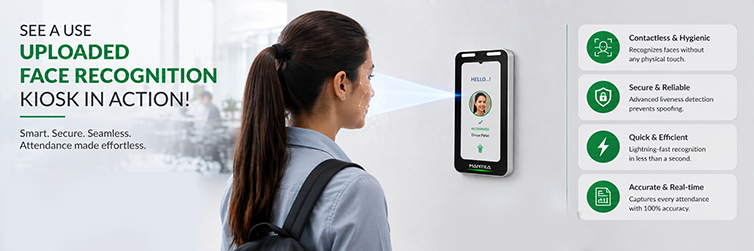
A biometric attendance kiosk is a self-service device at the entrance, wall-mounted or on a stand. Employees mark attendance on it with their face or fingerprint. The person walks up, the device verifies their identity, and the punch is recorded with a timestamp. No cards, no registers, no typing.
How is that different from a traditional attendance machine? An old card or PIN machine records a token. Whoever holds the card gets marked present. A kiosk records a person. The check is tied to the person's own features, which a colleague can't carry in for them.
The second difference is what happens after the punch. A modern employee attendance kiosk connects to cloud-based attendance software. Punches sync to a central record, show up on HR's dashboard, follow your attendance rules, and flow toward payroll. An offline standalone machine just stores entries until someone downloads them with a pen drive.
How Does a Biometric Attendance Kiosk Work?
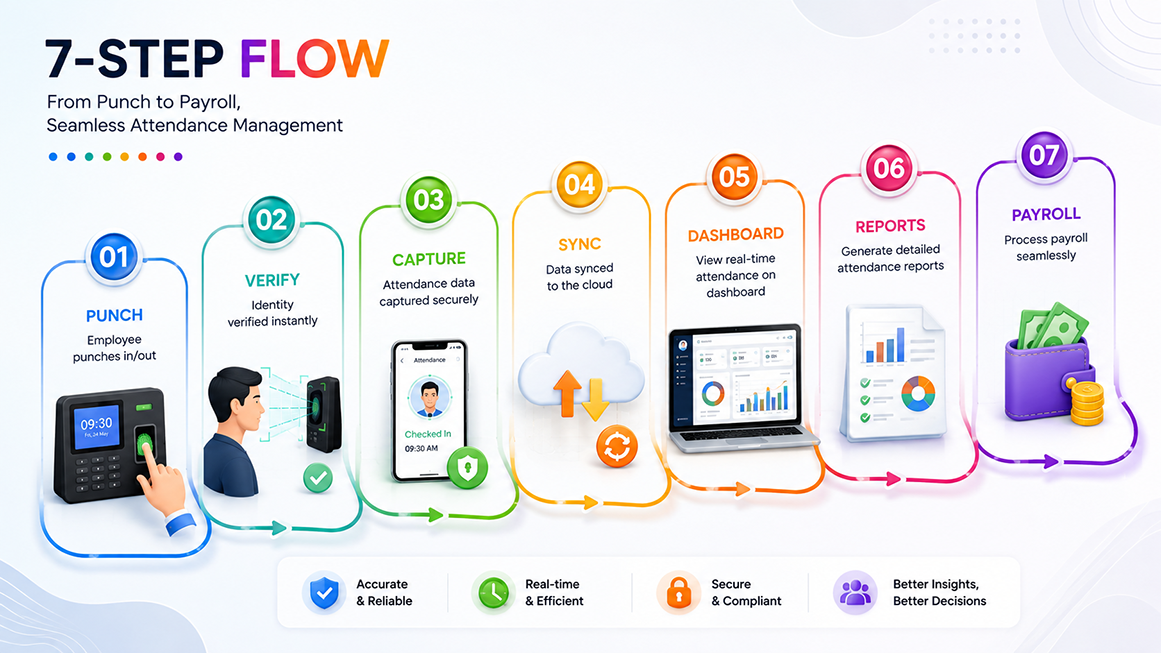
The flow is simple from the employee's side and busy behind the scenes:
- The employee approaches the kiosk. No card or phone needed.
- The device checks them. Face recognition or a fingerprint scan matches them against enrolled records.
- The punch is captured. In or out, with an exact timestamp.
- Data syncs to the attendance software. On cloud systems, this happens in real time.
- HR and managers see it live. Who's in, who's late, who hasn't punched.
- Reports build themselves. Daily presence, late marks, overtime hours.
- Payroll picks it up. Verified hours flow into pay processing without re-entry.
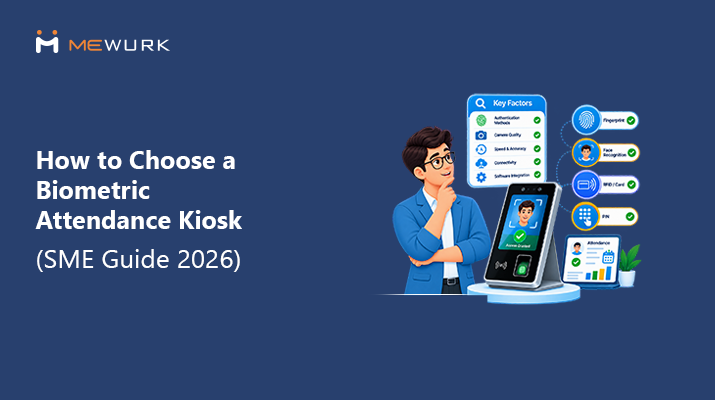
For identity checks, most kiosks support one or more of these methods. Face recognition scans facial features, works without contact, and is suitable for high-traffic entries. The fingerprint matches a stored print and remains reliable in most office settings. PIN or employee ID serves as a fallback when a biometric read fails, though it should remain a fallback, since codes can be shared.
Why Should Indian SMEs Consider a Biometric Attendance Kiosk?
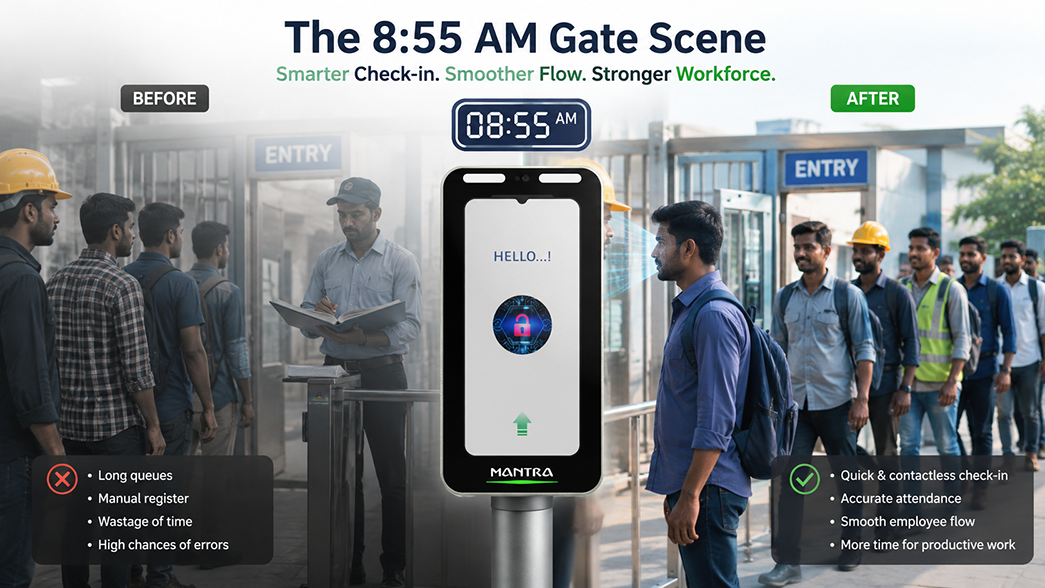
Picture a 120-person machining unit in Rajkot at 8:55 AM. Two supervisors used to stand at the gate with a register. Now workers walk past a kiosk, each taking half a second, and the shift starts on time.
That's the everyday case. The full list of reasons runs deeper:
- Manual attendance work drops. Nobody compiles registers or chases missing entries at month-end.
- Records get accurate. The punch happens at the moment of entry, not from memory at day-end.
- Proxy punching stops. A friend can't mark you present. That single change protects real money.
- Check-in gets faster. A verified punch takes moments, even with a queue at shift start.
- Records live in one place. Every branch and gate feeds the same central record.
- Shifts get easier to run. Punches map to shift schedules, so late marks and no-shows surface on their own.
- Payroll gets cleaner. Salary is based on checked hours, which means fewer disputes.
- Accountability improves quietly. When presence is recorded fairly for everyone, arguments fade.
The environments that benefit most are exactly where Indian SMEs live: factories, offices, warehouses, retail counters, clinics, and logistics hubs. Anywhere people walk through a door to start work.
10 Features to Check Before Buying a Biometric Attendance Kiosk
- Face recognition. Contactless, fast, hygienic. But test it against your reality: helmets, spectacles, the dim stretch near the gate at 7 AM. Ask the vendor for a week's trial at your own expense.
- Fingerprint authentication. A dependable second mode. The catch is the fingers themselves. Machinists, loaders, anyone working with dust or grease. Worn prints fail more often than vendors admit, so ask what happens when a finger won't read.
- Fast verification. The queue length at 9 AM is determined right here. A demo with three people proves nothing. Get the punches-per-minute rate in writing, then watch it handle a real shift start.
- Touchscreen and a screen people understand. Your staff shouldn't need training for this. Check it in bright light. Check it in the language mix your floor actually speaks. If prompts can't be shown in regional languages, that's a real gap.
- Cloud connectivity. This is the line between a device and a system. Wi-Fi, LAN, SIM. Which does it support, and which does your site actually have? Both questions matter.
- Real-time attendance sync. Same-minute sync means HR sees reality as it happens. Vendors say "real time" loosely, though. Pin down the actual interval. A punch should reach the dashboard before the person reaches their desk.
- Offline support. Power cuts happen. Networks drop. That's Indian workplace reality, not a corner case. The kiosk must store punches locally and sync later without losing one. How many offline punches can it hold? Get a number.
- Shift and attendance integration. Punches should map to your shift rules automatically. Night shifts are the test. Ask them straight: what happens to a punch that crosses midnight?
- Payroll integration. The whole point is attendance flowing into pay. "We integrate with payroll" is easy to say. Make them show it: a punch on screen becoming a payslip entry, live, in front of you.
- Reporting and admin dashboard. HR needs answers, not raw logs. Daily presence, late marks, overtime. Which reports come built-in? Can you export them? Five minutes inside the actual dashboard beats an hour with the brochure.
Face Recognition vs Fingerprint: Which Is Better for SMEs?
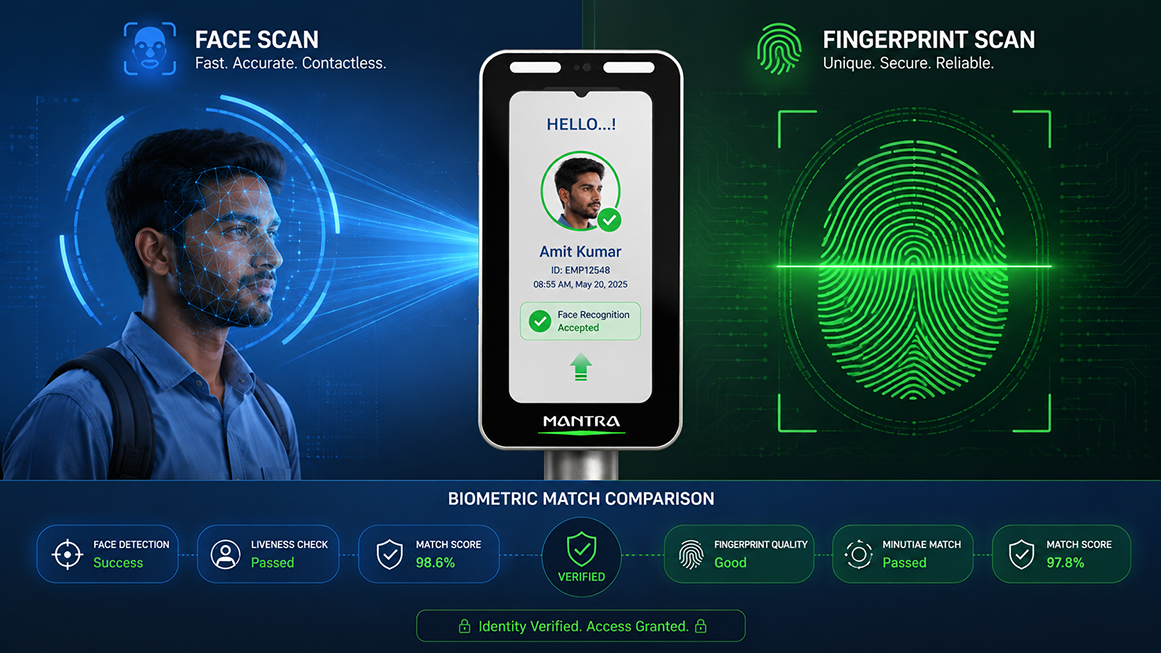
Both do the same job through different doors. Here's how they compare in practice:
| Factor | Face Recognition | Fingerprint |
|---|---|---|
| Contact | Fully contactless | Requires touch |
| Speed | Very fast, walk-up verification | Fast, one finger placement |
| Hygiene | No shared surface | Shared sensor needs cleaning |
| Ease of use | Look at the screen, done | Simple, but placement matters |
| Environment | Needs decent lighting at the entry | Struggles with dusty, oily, or worn fingers |
| Employee convenience | Works hands-free, even with items in hand | Familiar to most workers |
| Best-fit workplaces | Factories, hospitals, food units, high-traffic gates | Offices and moderate-traffic sites with clean-hands work |
There's no universal winner. A food processing unit where gloves and hygiene rules apply will use face scans. A 40-person office may find fingerprinting perfectly adequate. Match the tech to your floor conditions, lighting, and traffic. Many SMEs choose a kiosk that supports both and let each site use what fits.
What Should SMEs Check Before Buying a Biometric Attendance Machine?
Run this pre-purchase review before you shortlist anything:
- Your workforce: headcount today, headcount in two years, and peak traffic at shift start.
- Your sites: how many locations and gates, and who looks after the devices at each one.
- Your setup: internet reliability, power backup at the entry point, and the dust, heat, or moisture the device must survive.
- The tech: the ID methods you need, face, fingerprint, or both, and speed under real load.
- The software works with an attendance management system, offers cloud access, and can connect to your other tools.
- Your rules: attendance policies, shift patterns, and how punches should map to them.
- The money flow: payroll integration, so checked hours reach pay without retyping.
- The safeguards: how data is secured, what support covers, and what the warranty includes.
- The real price: the total cost of ownership over three years, not just the device invoice.
Biometric Attendance Kiosk vs Traditional Attendance Machine
| Aspect | Biometric Kiosk | Traditional Machine |
|---|---|---|
| Verification | The person, by face or fingerprint | A card, token, or code |
| Tracking | Automatic, timestamped | Depends on card discipline |
| Cloud access | Built for it | Rare, mostly standalone |
| Real-time sync | Punches appear live | Manual download, often weekly |
| Remote monitoring | Any branch, from anywhere | Physical access needed |
| Shift handling | Maps punches to shift rules | Manual matching |
| Payroll link | Direct flow to salary | Re-entry into spreadsheets |
| Reporting | Built-in dashboards | Build your own in Excel |
| Scalability | Add devices, same record | Each machine is an island |
| HR workload | Exceptions only | Compile, verify, re-enter |
How Much Does a Biometric Attendance Kiosk Cost in India?
Honest answer: it varies, and any article quoting one flat number is guessing. Pricing depends on the device type and build, the technology inside, and employee capacity. It also moves with bundled software features, the number of locations, the cloud platform, integration needs, and the support plan.
What you can do is understand the five layers every quote hides:
- Device cost. The hardware itself, per unit, per gate.
- Software or subscription cost. The attendance platform is usually licensed per employee per month or annually.
- Installation cost. Mounting, wiring, network setup, and staff enrollment.
- Integration cost. Connecting attendance to payroll and any existing systems.
- Maintenance cost. AMC, sensor cleaning, repairs, and replacements over the years.
Here's why total cost of ownership beats device price. Two quotes land on your desk. Vendor A's device is significantly cheaper. Vendor B costs more upfront but includes the software, payroll integration, and three years of support. By year two, Vendor A's separate software fees, paid integration work, and per-visit repair bills have crossed Vendor B's total. The cheap device was the expensive choice. Always compare the three-year number. Sounds obvious. Plenty of buyers still skip it.
How to Choose the Right Biometric Attendance Kiosk for Your SME
- Step 1: Define your attendance challenges. What's actually hurting? Proxy punching, register chaos, payroll disputes. Name it. You're buying against that problem, not a spec sheet.
- Step 2: Estimate employee volume. Headcount today, headcount in two years, and the crush at each gate when shifts change.
- Step 3: Identify authentication requirements. Face, fingerprint, or both. Let your floor conditions decide, not the brochure.
- Step 4: Check connectivity and infrastructure. Network strength at the entry. Power backup. The mounting spot itself.
- Step 5: Evaluate software capabilities. The dashboard, the rules engine, the reports. This is the half that does the daily work.
- Step 6: Check attendance-to-payroll integration. Checked hours must reach pay without retyping. Non-negotiable.
- Step 7: Evaluate security and data handling. Where does biometric data live? How is it protected? Who can see it?
- Step 8: Compare vendor support. Response time, spare parts, and whether support actually exists near your sites.
- Step 9: Request a demo. At your site. Your people. Your peak hour. A boardroom demo proves nothing.
- Step 10: Calculate total cost of ownership. Device, software, install, integration, upkeep. Three years. One number.
Common Mistakes SMEs Make When Buying a Biometric Attendance System
We've seen all ten of these. More than once.
- Choosing based on hardware price alone. The savings come back as software fees and repair bills.
- Ignoring the software entirely, only to discover the device is a logger.
- Nobody checks the payroll link. The spreadsheets quietly return.
- Peak-hour traffic has never been tested. Then comes the 9 AM queue past the gate.
- Assuming the internet never drops. It does, and without an offline mode, punches vanish.
- Buying for today's headcount and outgrowing the device in a year.
- After-sales support, unexamined until the first breakdown.
- Signing without a trial at their own site.
- Where's the biometric data stored? Many buyers never ask.
- Treating each branch as a separate purchase instead of one connected system.
Is a Biometric Attendance Kiosk Enough for Modern Attendance Management?
No, and it's worth being direct about that. A kiosk solves capture. It proves who came in and when. Everything after that moment depends on software.
The complete setup stacks like this:
- The kiosk at the gate.
- Attendance software as the brain.
- An employee mobile app for field staff and self-service.
- Shift management, so punches map to rosters.
- Leave management, so absences settle on their own.
- Payroll integration, so checked hours become pay.
- Reports, so patterns surface before they become problems.
A standalone device gives you a log. An integrated system delivers outcomes: fewer disputes, faster payroll, and an HR team handling complex cases instead of data entry. When you weigh kiosks, you're really weighing the system each one plugs into.
How Mewurk Helps SMEs Manage Attendance
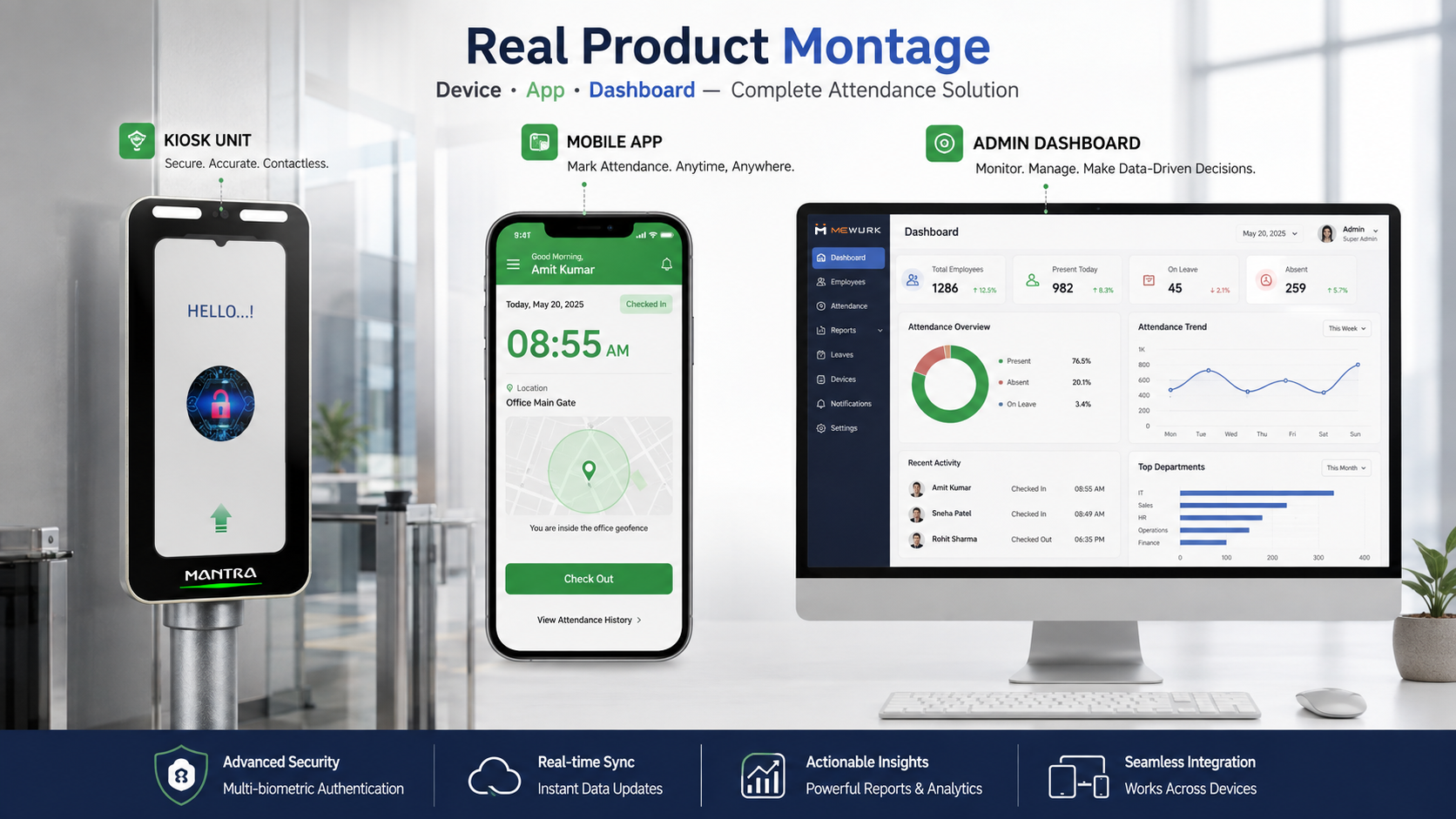
The problem most SMEs bring to us isn't "we need a device." It's "attendance eats our month." The register doesn't match the pay sheet, field staff can't punch at all, and month-end becomes a matching project.
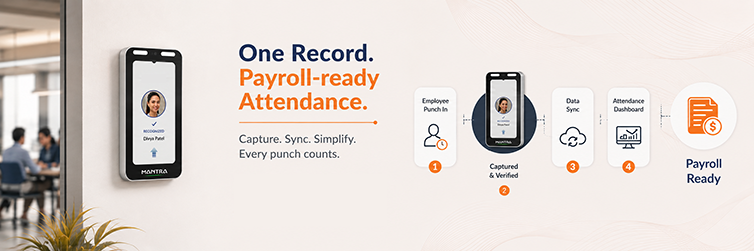
Mewurk approaches it as one connected record:
- Face recognition biometric attendance through the biometric attendance system, so the person is verified at the punch itself.
- Cloud-based attendance tracking in the attendance management system, with punches syncing to one live record. Your custom policies apply on their own.
- An employee mobile app with geofenced attendance. Field and remote staff also create accurate records. They can view their punches or raise fixes themselves.
- Shift management and leave management work off the same record. Rosters, absences, and punches match up without manual work.
- Attendance-to-payroll flow into the payroll engine, so verified hours become salary without retyping.
- Live visibility and reports, so HR sees who's in right now and where the patterns are.
The kiosk checks the person. The platform does everything the register, the spreadsheet, and the month-end scramble used to do.
Biometric Attendance Kiosk Buying Checklist
Save this for your vendor meetings:
Frequently Asked Questions about Biometric Attendance Kiosks
1. What is a biometric attendance kiosk?
It's a device at the entrance where staff mark attendance with their face or fingerprint. It verifies the person, records the punch with a timestamp, and syncs it to the software.
2. How does a biometric attendance kiosk work?
The person walks up. The device matches their face or fingerprint against enrolled records, and the punch is captured. The data syncs to the cloud, shows on HR dashboards, and flows toward payroll.
3. Which biometric attendance system is best for SMEs?
The one that fits your floor conditions, headcount, and software needs. High-traffic or hygiene-sensitive sites lean toward face scans. Smaller offices often do fine with fingerprints. The software and payroll link matter as much as the device.
4. Is face recognition better than fingerprint attendance?
Neither wins everywhere. Face recognition is contactless and faster at busy gates. Fingerprint is familiar and reliable in clean-hands settings but struggles with worn or dusty fingers. Match the method to your workplace.
5. How much does a biometric attendance machine cost in India?
There's no single honest number. Cost depends on the device, technology, capacity, bundled software, locations, and support. Compare the total three-year cost, covering the device, software, installation, integration, and maintenance.
6. Can biometric attendance integrate with payroll software?
Yes, and it should. With integration, verified hours flow straight into salary. Without it, someone re-types data, and the errors you bought the kiosk to remove come back.
7. Can biometric attendance work without the internet?
Good kiosks store punches locally during network drops and sync on their own when the connection returns. Ask the vendor how many offline punches the device can hold, and confirm that nothing is lost in between.
8. Is biometric attendance suitable for small businesses?
Yes. A 25-person team benefits just as much because the fixed monthly grind of registers and matching disappears. Cloud plans keep the software side cheap at small headcounts.
9. What should I check before buying a biometric attendance system?
Speed at peak, cloud and offline behavior, the software, shift and payroll links, data security, support, warranty, and the three-year cost. Then insist on a trial at your own site.
10. Can biometric attendance prevent buddy punching?
Yes, that's its core strength. Attendance is tied to the person's own face or fingerprint, so one employee can't mark another present. Cards and PINs can be shared. Faces and fingerprints can't.
11. Can a biometric attendance kiosk manage shifts?
The kiosk captures punches. Shift handling happens in the connected software. It maps each punch to the person's roster, flags late marks, and handles night shifts. Buy them as one system.
12. What is the difference between a biometric device and attendance management software?
The device captures and verifies the punch. The software applies your rules, runs shifts and leave, builds reports, and feeds payroll. The device is the doorway. The software is the system.