Summary
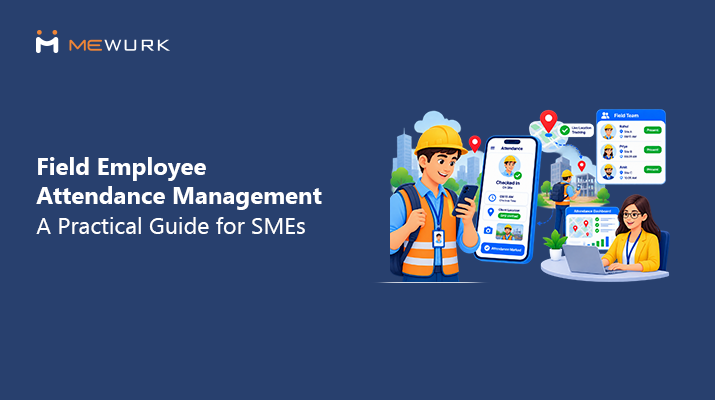
Field employee attendance management works differently from office attendance. Instead of a device at one gate, field staff and sales teams mark attendance from a mobile app. GPS captures the site. Geofencing confirms they're at an approved site. And each check-in flows into one central record. This guide explains each method and how GPS and geofencing really work. It also covers what sales teams need and how Indian SMEs can leave WhatsApp check-ins behind without turning attendance into surveillance.
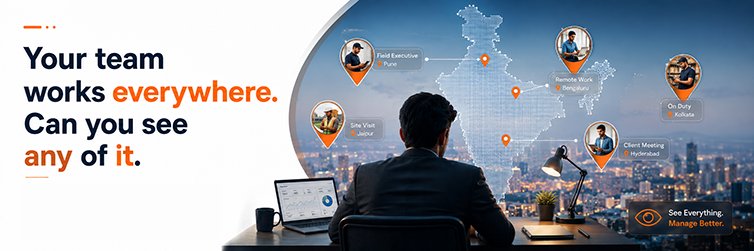
A sales rep starts her day at a client's office in Maninagar, not yours. A service engineer drives straight to a client site in Naroda. A field executive covers three territories before lunch. And at month-end, HR sits with the same three questions. When did they start work? Where did they check in? How many visits actually happened?
Office attendance tools can't answer any of that. A biometric device at your gate is useless to anyone who never passes through it. So teams improvise: a WhatsApp "reached" message, a phone call to the manager, an Excel sheet someone fills from memory. It works, badly, until payroll day proves it didn't.
So, how do you manage attendance for field employees? With a mobile-first setup. Staff check in from their phones. The app records the site, and geofencing verifies approved sites where needed. Managers see status live. The records then flow into payroll without anyone having to retype them. The rest of this guide unpacks exactly how.
Why Managing Field Employee Attendance Is Different
Start with what makes field teams unlike everyone else:
- No single reporting point. The day starts at a client's site, not your office door.
- Multiple locations daily. A medical rep might touch six clinics before evening. Which one counts as "present"?
- Unpredictable schedules. Client meetings move. Routes change. A fixed 9-to-6 punch window doesn't fit the work.
- No live view. The manager knows where people said they'd be. Not where they are.
- Manual reporting layers. Attendance gets reported, not recorded. And reported data drifts.
- Attendance and activity live apart. The check-in sits in one place, the visit report in another. Nobody can connect "present" with "productive."
None of this means field staff are less honest. It means the system was built for a building, and they don't work in one.
Common Problems With Manual Attendance for Sales and Field Teams
If your setup involves WhatsApp, you already know most of this list personally:
- WhatsApp check-ins. A "Good morning sir, reached" message with no location, no timestamp discipline, and no record HR can use.
- Phone-call confirmations. The manager becomes a human attendance register, receiving several calls a day.
- Excel attendance. Filled at the weekend, from memory, by someone rebuilding five days.
- Proxy and fake entries. A message can be sent from anywhere. So can a "reached" photo from last week.
- Delayed updates. HR learns about Monday's absence on Friday.
- Location doubt. "At the client site" can't be checked, and everyone knows it.
- Missed punches. Field days are hectic. Forgetting to report happens even in honest teams.
- Manual matching at month-end. HR merges chats, calls, and sheets into a single attendance record. Hours vanish.
- Payroll disputes. When records get rebuilt, salary gets argued, not computed.
- Managers as full-time followers. Chasing check-ins is not sales management. It just eats the same amount of time.
Each problem is small. Together, they explain why field attendance is usually the messiest record in the company. Sound familiar?
How to Manage Attendance for Field Employees
Here are the methods that actually work, and where each one fits.
1. Mobile attendance
The foundation. Staff check in and out from an app on their own phone. No device, no gate, no office needed. Best for every field role, since the phone is already in their pocket. The consideration: it needs a clear policy on when a check-in is expected, or you've just digitized the confusion.
2. GPS-based attendance
The check-in captures the phone's site along with the time. Now, "reached the client site" comes with coordinates, not just trust. Best for sales visits and service calls at changing locations. Managers get verifiable records. The limit: GPS says where the punch happened, not what happened after, so pair it with visit tracking for the full picture.
3. Geofencing
A virtual boundary drawn around an approved location: your branch, a warehouse, a client's campus. Check-ins are only registered inside the fence. Best for staff assigned to fixed sites, like a technician posted at a client office for a week. It removes the "punched from home" question entirely. Policy note: define fences generously enough that a genuine parking-lot check-in still counts.
4. Location-based check-in and check-out
The daily rhythm: check in at the first work location, check out at the last. Working hours emerge from real movements rather than a fixed office window. Best for roles where the day's shape varies. The consideration is honesty in both directions, since staff also get proof of the 7 PM client call that a register would never show.
5. Field visit tracking
Beyond attendance: each customer visit is logged with location and time. Now the day has a shape. Six visits, four territories, one record. Best for sales and service teams where visits are the core of the work. This is what finally connects "present" with "productive," and it's where managers stop asking for end-of-day summaries.
6. A real-time dashboard
The manager's side of the deal. Who's checked in, who's at which site, who hasn't started. Live, not reconstructed on Friday. Best for anyone running more than a handful of field staff. The chasing calls stop because the answer is already on the screen.
7. Attendance reports
Patterns over time: late starts clustering, visit counts dropping, one territory always thin. Reports turn a month of check-ins into decisions. Best used monthly, at the team level, looking for causes rather than culprits.
8. The payroll connection
The finish line. Verified field attendance flows into salary processing without re-entry. Working days and overtime, where policy allows, computed from records nobody had to rebuild. This is the piece that ends payroll disputes, because the data was never touched by hand.
How GPS Attendance Works for Field Employees
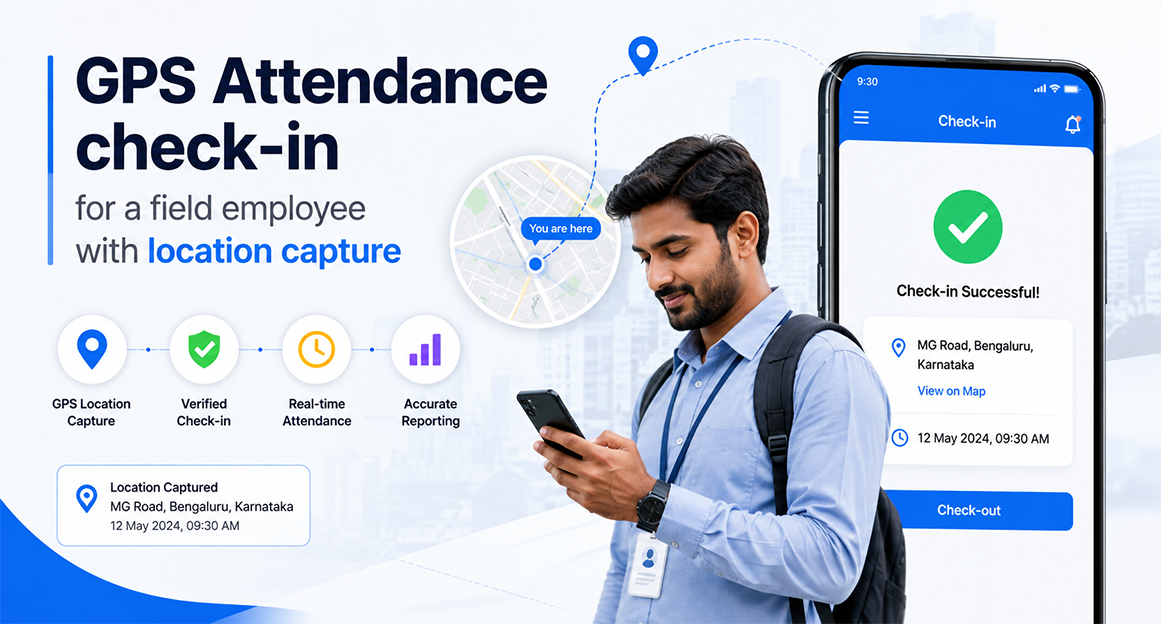
The flow, step by step:
- The employee opens the mobile app at the first work location of the day.
- They tap check-in. One tap. No form.
- The location is captured along with the exact time.
- The attendance record is created instantly in the central system.
- The manager sees the status live. Checked in at 9:12 AM at the assigned site.
- At day's end, the employee checks out the same way, from wherever the day ended.
- The record joins the attendance history, payroll-ready, no reconstruction needed.
One thing worth saying plainly. Location capture should follow a written company policy that staff have seen and understood. Capture the location at check-in. Don't track people throughout the day. Used that way, GPS attendance protects both sides: the company gets true records, and the employee gets proof of every hour worked.
What Is Geofencing Attendance?
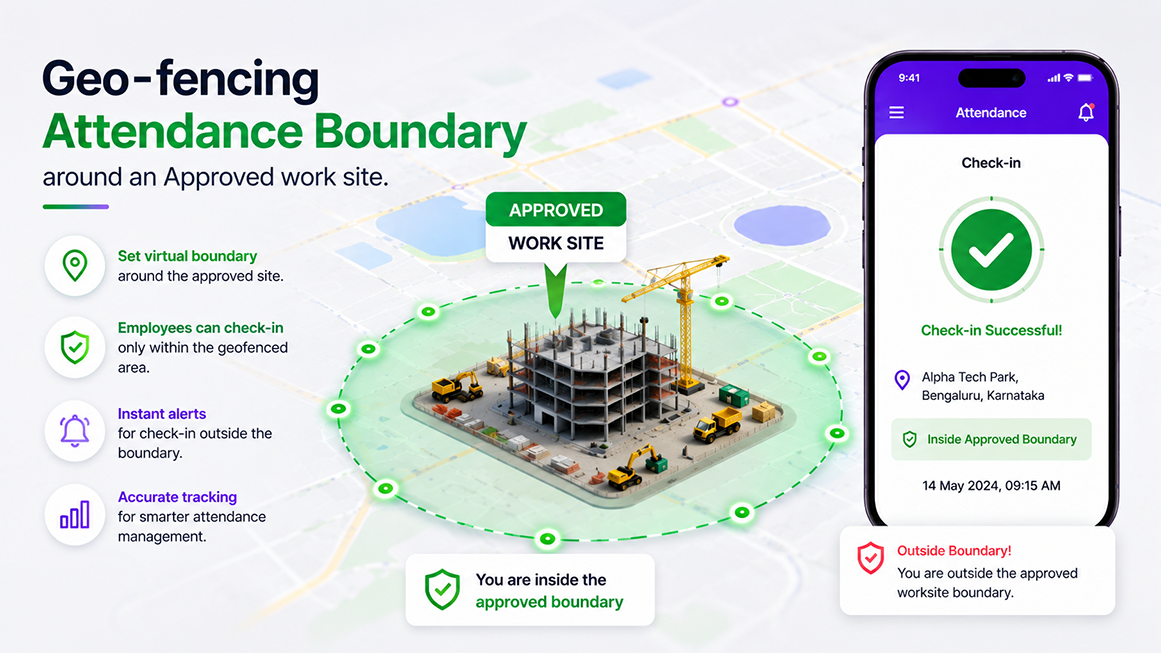
Geofencing draws a virtual boundary on a map around an approved work location. When an employee is inside that boundary, their check-in registers. Outside of it, the app won't accept the punch or flags it for review.
An example: your company assigns a sales employee to a distributor's office in Surat for the week. HR sets a geofence around that address. The employee checks in each morning, and the system confirms they were genuinely on site. Nobody calls anyone to verify anything.
How is that different from plain GPS? Simple:
| Aspect | GPS attendance | Geofencing attendance |
|---|---|---|
| What it records | Wherever the punch happened | Only punches inside approved zones |
| Best for | Changing daily locations, sales routes | Fixed sites, branches, client postings |
| The question it answers | Where was the check-in? | Was the check-in at the right place? |
Geofencing is most useful when work happens at known locations. Its benefit is certainty without conversation. Its policy point is fairness. Fences should be wide enough for real conditions. And there should always be a review path when a genuine punch lands just outside the line.
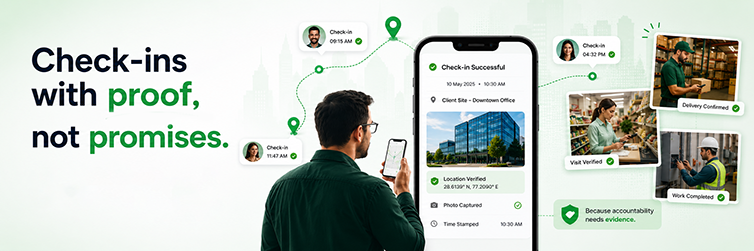
Attendance Management for Sales Teams
Sales teams are the hardest case and the biggest winners. Their whole job is being away from the office.
A mobile-first setup gives a sales team a daily rhythm that fits how they actually work. The day starts with a check-in from the first customer location, not a detour to the office. Client visits get logged as they happen, which builds area coverage into the record itself. The manager's dashboard shows who's active where, so the morning "where is everyone" round of calls simply stops. Working hours are based on actual check-in and check-out times, which matters in a job where days often run past seven.
And at month-end, the reports answer the questions that used to cause arguments. Days worked, visits completed, territories covered. The rep has proof of effort. The manager has visibility without policing. HR has records that go straight to payroll. Nobody negotiates attendance anymore, because nobody has to.
Field Attendance vs Office Attendance
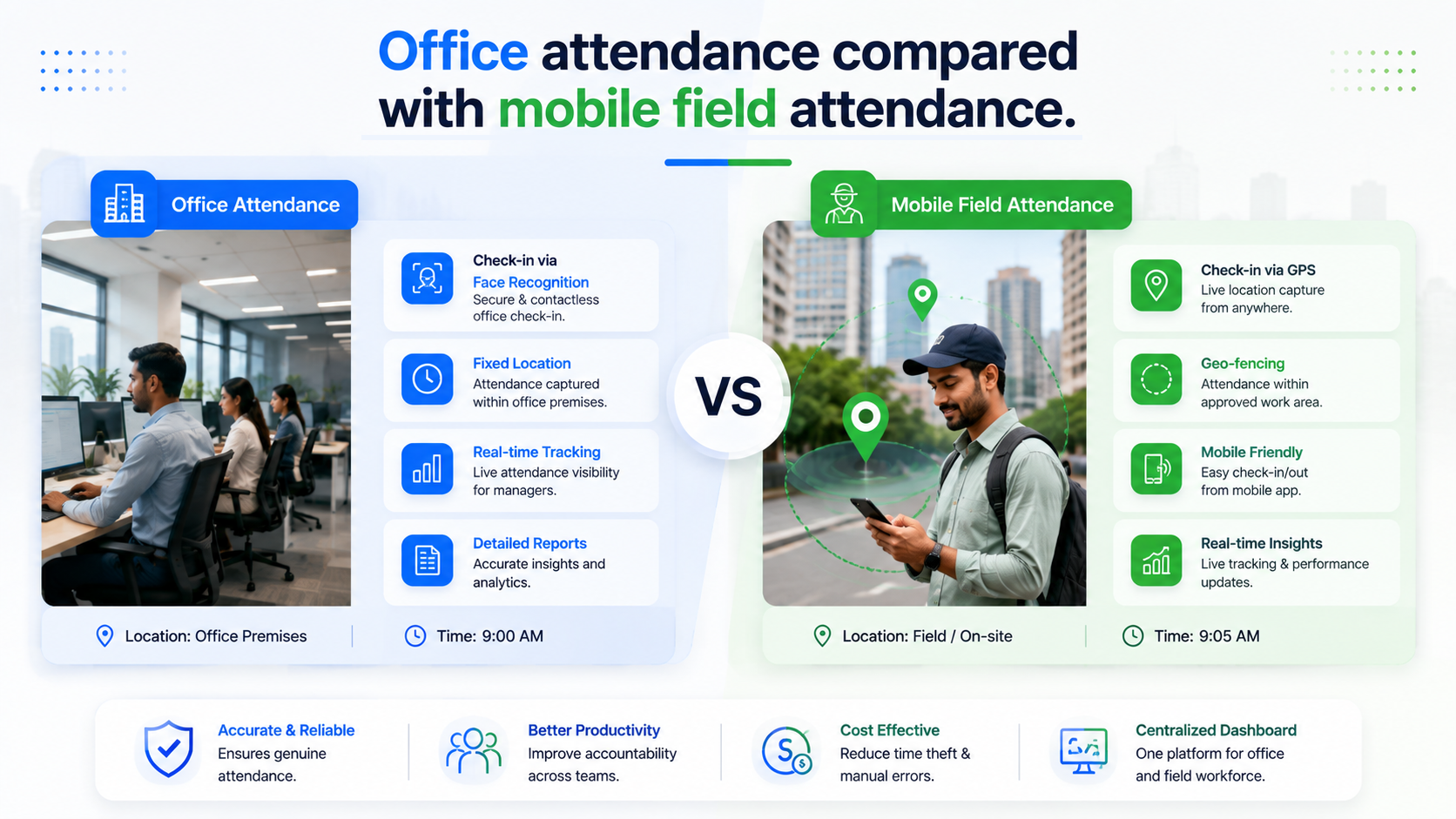
| Criteria | Office employees | Field employees |
|---|---|---|
| Attendance method | Biometric device or kiosk at entry | Mobile app check-in |
| Location | One fixed workplace | Multiple sites, changing daily |
| Check-in method | Face or fingerprint at the gate | Tap in the app, location captured |
| Manager visibility | Physical presence, visible | Live dashboard, or nothing |
| Common challenges | Queues, missed punches | Location proof, delayed reporting, proxy risk |
| Best technology | Biometric capture with central sync | GPS and geofenced mobile attendance |
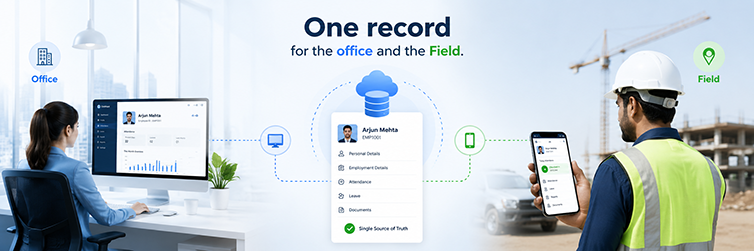
The two aren't competing approaches. Most SMEs need both, feeding a single shared record: devices at the office and mobile devices in the field.
5 Best Practices for Managing Field Employee Attendance
- Write the policy first. When is check-in expected, what counts as a work location, and what happens when a punch fails? Software enforces rules. It can't invent them.
- Go mobile-first. The phone in their pocket beats any process that requires visiting an office.
- Use GPS and geofencing where they fit, not everywhere. Fixed sites suit fences. Roaming routes suit location capture. Forcing one tool on every role creates friction without adding truth.
- Connect attendance with field activity. A check-in plus visit logs tell the whole story. Either one alone tells half.
- Review exceptions, not everyone. The dashboard should surface the five odd cases, so nobody spends the day checking the forty normal ones.
How SMEs Can Choose a Field Employee Attendance Management Solution
Take this list into each vendor talk. Thirteen checks, ten minutes:
- A mobile app your least technical employee can use on day one.
- GPS capture at check-in.
- Geofencing for fixed and client sites.
- Check-in and check-out in one tap each.
- Live visibility for managers.
- Field visit tracking, so attendance and activity connect.
- Reports by person, team, and territory.
- Manager approvals for fixes and odd cases.
- Multi-location support that treats each branch as one system.
- Payroll integration, so records become pay without re-typing.
- Employee self-service, so staff see their own records and raise fixes.
- Reliable on ordinary phones and patchy networks.
- Room to grow when 15 field staff become 50.
If a vendor can't show the mobile experience live on a normal phone using mobile data, keep looking.
When Should a Business Move to Digital Field Attendance?
The signs are usually loud by the time anyone counts them:
- You operate across more than one office or territory.
- Ten or more staff work in the field on a normal day.
- Managers rely on WhatsApp to know who's working.
- HR has no way to verify where anyone checked in.
- Attendance disputes show up every payroll cycle.
- Sales teams submit attendance manually, after the fact.
- Payroll prep includes a day of matching chats against sheets.
- Managers spend real hours following up instead of managing.
Two or three of these, and the move is overdue. The cost of staying manual is already being paid. It's just spread across so many small moments that nobody invoices it.
Where Mewurk Fits for Field Teams
Mewurk treats field attendance as one connected record, not a separate tool. The mobile app handles check-in and check-out with geofenced, location-based attendance. Field and sales staff create verified records wherever the work is performed. Selfie capture adds an identity check where a role needs it. Field service management connects visits and field activity to the same record, and managers get a live view instead of end-of-day guesswork.
Because it's all one platform, the field records sit beside office punches in the same attendance management system, follow the same policies, and flow into payroll together. Staff can view their own records in the app and raise fixes themselves, keeping HR out of the middle. No exaggerated promises needed. The point is simply that the field team stops being the exception in your attendance process.
A Practical Example: 40 Field Staff Across Gujarat
Picture a company with 40 sales and service staff working across Ahmedabad, Surat, Rajkot, and the client sites in between.
Before digital attendance, the day ran on patchwork. WhatsApp messages at random times. An Excel sheet updated when someone remembered. Managers calling to confirm locations. HR spent the month's first week matching all of it, and payroll absorbed whatever disputes survived the matching.
After switching to mobile attendance, the same-day runs themselves. Staff checks in from their first location. GPS verifies it, geofences confirm the fixed sites, and each record lands in one central system as it happens. That's field employee attendance management working as designed. Managers watch a dashboard instead of making calls. Visits get logged where they happen. And at month-end, payroll picks up records that were correct the moment they were created.
Notice what the example claims and what it doesn't. No invented percentages, no guaranteed savings. Just a workflow where the data is born verified instead of reconstructed. The savings follow from that on their own.
Conclusion
Field attendance is a different problem from office attendance, and it deserves a different answer. A device at the gate can't see a sales route. WhatsApp can't produce payroll-ready records. Mobile-first check-ins, GPS checks, and geofencing, set up under a clear written policy, give managers a real view. They also provide staff with proof of each hour worked. That's field employee attendance management done right.
And that's the framing worth keeping. The goal was never surveillance. It's accurate records, fewer disputes, and day-to-day teamwork without the phone calls. If your team works across customer sites, branches, or territories, honestly evaluate whether your current process gives HR and managers sufficient visibility. If the answer involves the word WhatsApp, you already know.
Frequently Asked Questions (FAQs)
1. How do field employees mark attendance?
Through a mobile app on their own phone. They tap check-in at their first work location and check out at the last one. The app records the time and location, and the punch instantly flows into the company's central attendance records, with no office visit or device needed.
2. How can companies track sales team attendance?
With mobile check-ins verified by GPS, plus field visit logging for customer calls. Managers see live status on a dashboard instead of collecting WhatsApp messages, and monthly reports show days worked, visits completed, and areas covered, all from one record.
3. Can field employees mark attendance using a mobile app?
Yes, and for most field roles, it's the only method that fits. The phone travels with the work. A good setup needs one tap to check in, works on ordinary phones and patchy networks, and lets staff view their own records and raise fixes.
4. How does GPS attendance work?
When an employee checks in, the app captures the phone's location and the timestamp, then creates the attendance record instantly. Managers see it live. GPS capture should occur at check-in, per written company policy, not as continuous tracking throughout the day.
5. What is geofencing attendance?
A virtual boundary drawn around an approved work location, like a branch or client site. Check-ins register only when the employee is inside the boundary. It answers "was the punch at the right place" on its own, which suits staff posted at fixed sites.
6. Is GPS attendance suitable for sales employees?
Yes, it's the natural fit. Sales days move across locations, so location-stamped check-ins provide verification without anyone having to call anyone. Paired with visit logging, it also gives reps proof of their effort. That protects them in payroll and review talks.
7. How can HR verify field employee attendance?
Through location-verified records instead of reported ones. GPS confirms where each punch happened, geofences confirm approved sites, and the dashboard shows live status. HR reviews the few flagged cases rather than rebuilding each person's month from chats and sheets.
8. What should SMEs look for in field attendance software?
A one-tap mobile app, GPS and geofencing, live manager visibility, visit tracking, self-service corrections, multi-location support, and payroll integration. Then insist on seeing the mobile experience live on a normal phone before signing anything.