Summary
If you've ever had payroll finalized and then someone from another department messages you about a missed leave request or an overtime approval that should count for this month—you already know why cut-off dates exist.
A payroll cut-off date is simply the day HR draws a line and says, "This is the data we're using for this month's salary run." Everything after that gets picked up in the next cycle or handled as an exception. It sounds like a small administrative detail, but it's actually what keeps payroll from turning into a monthly scramble.
This guide breaks down what a payroll cut-off date actually is, how it's different from your processing date and payment date, what needs to be locked down before you hit that deadline, and how to build a calendar around it that your team can actually follow.
Key Takeaways
- A payroll cut-off date is an internal deadline, not a legal one, and it's not the same thing as the salary payment date.
- Attendance, leave, overtime, and salary changes all need to be checked before the cut-off, not after.
- A clear cut-off reduces the last-minute corrections that cause most payroll errors.
- Larger companies often set separate cut-offs for attendance, leave, and overtime before locking payroll inputs entirely.
- There's no "correct" cut-off date. It depends on your pay frequency, team size, and how long approvals take.
- Late data usually goes one of two ways: an approved exception, or it rolls into next month as arrears.
- HRMS tools can make this easier to manage, but the deadline itself is still a policy decision your company makes.
What Is a Payroll Cut-Off Date?
A payroll cut-off date is the deadline for finalizing payroll-related employee data for a specific pay cycle—things like attendance, leave, overtime, salary changes, and reimbursements. Once that date passes, new changes usually wait for the next cycle or go through an approved adjustment instead.
Someone has to set this deadline, and in most companies, that's HR or payroll, working with finance. The cut-off basically freezes the data. Nothing routine gets added after it. That's what lets the payroll administrator sit down and calculate salaries from numbers they can actually trust.
Three things generally happen right at the cut-off:
- Attendance, leave, and overtime records lock for the month.
- Any pending salary changes, new hires, or exits need to already be in the system.
- Calculation starts—using only what made it in before the deadline.
Payroll Cut-Off Date vs Payroll Processing Date vs Salary Payment Date

People use these three terms interchangeably, which causes more confusion than it should—especially between HR and finance, or between HR and employees asking, "Why haven't I been paid yet?"
| Term | Meaning | Typical Timing | Responsible Team |
|---|---|---|---|
| Payroll Cut-Off Date | Deadline to finalize attendance, leave, overtime, and other inputs | A few days before month-end, set by the company | HR / Payroll Administrator |
| Payroll Processing Date | When payroll gets calculated, reviewed, and approved | After the cut-off, before payment | Payroll Administrator / Finance |
| Salary Payment Date | When employees actually get paid | Usually the last working day, or a fixed date | Finance / Accounts |
Here's the short version: the cut-off is when data gets locked. Processing is when the math happens. Payment is when the money moves. They're rarely the same day, and treating them like they are is how expectations get set wrong.
Why Are Payroll Cut-Off Dates Important?
Without a fixed cut-off, payroll ends up running on whatever data happened to arrive by the time someone hit "calculate." That's how errors creep in—a missed overtime approval here, an outdated leave balance there.
A defined cut-off date fixes that by giving HR a clear point to finalise attendance, leave, overtime, and salary revisions before calculations even start. A few things improve once that's in place:
- Accuracy—payroll runs on verified numbers, not partial ones.
- Fewer last-minute changes—everyone knows the deadline, so fewer requests show up at the last hour.
- Predictability—the same rhythm every month, for HR, finance, and employees.
- Coordination—attendance, leave, and payroll teams stop working off different timelines.
- Faster approvals—management is reviewing a finished dataset, not a moving target.
- Fewer errors—less chance of missed overtime or stale salary figures slipping through.
- On-time payment—nothing's holding up the review-and-approve chain.
What Data Should Be Finalized Before Payroll Cut-Off?

Before the cut-off hits, HR needs a clear picture of anything that touches pay—attendance, leave, overtime, salary changes, deductions, and anyone who joined or left during the month.
| Input | Example | Why It Matters |
|---|---|---|
| Attendance | Daily check-in/out, absences | Feeds directly into salary for attendance-linked pay |
| Leave | Paid, unpaid, leave balance | Affects deductions or leave encashment |
| Overtime | Extra approved hours | Drives overtime pay—has to be verified first |
| Late/early records | Late clock-ins, early exits | Can trigger attendance-linked pay rules |
| Shift data | Shift swaps, night allowances | Needed for shift-based pay components |
| Salary revisions | Increments, promotions | Wrong cycle = wrong pay, and arrears to fix later |
| Arrears | Dues carried from last cycle | Has to be added correctly, not estimated |
| Deductions | Loans, advances, penalties | Directly changes net pay |
| Reimbursements | Travel, medical claims | Needs approval before it's added |
| New joiners | Mid-month hires | Needs the right joining date for pro-rated pay |
| Exits | Resignations, terminations | Full and final settlement depends on this |
| Bank/payroll details | Updated account info | Wrong details = failed transfer |
| Statutory inputs | PF, ESI, TDS-related data | Needed for correct statutory deductions |
How Does the Payroll Cut-Off Process Work?
Every company's version looks a little different, but most follow roughly this sequence from raw data to a paid salary:
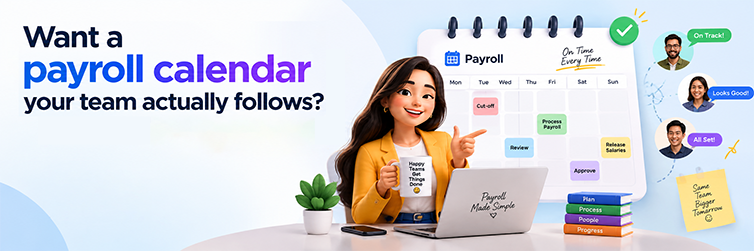
- Build the payroll calendar—decide the dates for attendance closure, leave closure, cut-off, review, approval, and payment.
- Set attendance and leave deadlines—tell employees and managers exactly when submissions and approvals close.
- Collect payroll inputs—pull attendance, leave, overtime, and reimbursement data from wherever it lives.
- Review the data—check for missing punches, unapproved leave, pending overtime.
- Fix discrepancies—sort out mismatches with the employee or manager before the freeze.
- Freeze inputs—this is the cut-off. Data entry for the cycle stops.
- Calculate payroll—gross pay, deductions, net pay, all based on the frozen data.
- Review the results—someone checks the numbers before they go anywhere near approval.
- Get approval—finance or management signs off.
- Process payment—salaries go out.
- Handle late corrections—anything valid that missed the cut-off gets adjusted this cycle or next, depending on policy.
Example of a Monthly Payroll Cut-Off Calendar

| Dates | Activity |
|---|---|
| 1–20 | Attendance and leave collection |
| 21 | Attendance/leave cut-off |
| 22–24 | HR validation |
| 25 | Payroll input cut-off |
| 26–27 | Payroll calculation and review |
| 28 | Management approval |
| 30 | Salary processing/payment |
Some companies run tighter than this—three or four days total between cut-off and payment. Others need more buffer, especially with approvals spread across departments or locations. There's no fixed formula here.
What Happens If Payroll Data Is Submitted After the Cut-Off?
Short answer: it depends on your policy, but it usually goes one of a few ways.
- Fixed before finalization—if payroll hasn't been approved yet, a late change might still get in.
- Approval-based exception—a manager or HR lead signs off on including it anyway.
- Pushed to next cycle—the simplest option, and the most common.
- Paid as arrears—common with salary revisions that land late.
- Manual off-cycle correction—rare, but sometimes necessary.
None of this is universal. It comes down to whatever process your organization has actually agreed on.
Should Attendance, Leave and Payroll Have Separate Cut-Off Dates?
A lot of companies don't use one single deadline—they stagger it. Attendance closes first, then leave, then overtime, and finally the payroll inputs themselves.
Attendance Cut-Off → Leave Cut-Off → Overtime Cut-Off → Payroll Input Cut-Off → Payroll Processing → Salary Payment
The logic here is simple: attendance, leave, and overtime usually come from different sources—biometric systems, manager sign-offs, timesheets—and they need to be reconciled before anyone can call them "final." Trying to validate all of it on one deadline usually means rushing, and rushing is where mistakes happen.
How Should HR Set a Payroll Cut-Off Date?
There's no template you can copy from another company here. What works for a 50-person team won't necessarily work for a 2,000-person one. A few things worth thinking through:
- Pay frequency—monthly, bi-weekly, and weekly cycles all need different spacing.
- Salary payment date—start there and work backward.
- Headcount—more employees usually means more time spent on validation.
- Approval speed—be realistic about how long sign-off actually takes.
- Attendance cycle—set the cut-off where attendance is genuinely finalized, not just "usually."
- Overtime processing—overtime approvals often lag behind regular attendance.
- Salary revisions—leave room for increments to land before the freeze.
- Bank processing time—banks may need a day or two for bulk transfers.
- Statutory requirements—some deductions need finalized data ahead of filing deadlines.
- Weekends and holidays—don't set a cut-off on a non-working day.
- Multiple locations—regional or time-zone differences matter here.
This is a practical framework, not legal advice. Check your own policies—and, where it matters, a payroll or legal professional—before finalizing anything.
Payroll Cut-Off Checklist for HR
Common Payroll Cut-Off Mistakes
- No clearly defined deadline. Submissions come in whenever; every month is different. Fix: publish a payroll calendar and stick to it.
- Collecting attendance too late. No buffer left for corrections. Fix: close attendance well ahead of the final cut-off, not the day before.
- Nobody owns verification. Everyone assumes someone else checked it. Fix: assign clear ownership for each data type.
- Still using spreadsheets. Copy-paste errors, version confusion. Fix: centralize the data wherever you reasonably can.
- Overtime slips through unapproved. It gets counted before a manager signs off. Fix: require approval before the overtime cut-off, not after.
- Salary revisions missed. Increments do not make it into the current cycle, so you are paying arrears every time. Fix: track revision dates against the calendar.
- Late employee changes. Bank details update after the freeze. Fix: communicate the deadline directly to employees, not just managers.
- Weak communication. People forget the deadline exists. Fix: send a reminder a few days out, every cycle.
- No process for exceptions. Legitimate late changes have nowhere to go. Fix: define an approval path in advance.
- No audit trail. Nobody can trace who approved what. Fix: keep a record of approvals and changes for every cycle.
Payroll Cut-Off Process: Spreadsheet vs HRMS
| Area | Spreadsheet-Based Process | HRMS-Based Process |
|---|---|---|
| Data collection | Manual entry, multiple sources | Centralized in one system |
| Attendance integration | Manual export/import | Flows into payroll directly |
| Leave data | Tracked separately, reconciled by hand | Linked to the payroll module |
| Approvals | Email or verbal, hard to trace | Tracked in-system |
| Calculations | Manual formulas | System-calculated from verified inputs |
| Error checking | Manual review | Flags missing or inconsistent data |
| Audit trail | Scattered across files | Centralized history |
| Reporting | Built by hand each time | Generated on demand |
| Scalability | Gets harder as headcount grows | Built to handle growth |
Worth saying plainly: an HRMS doesn't eliminate payroll errors on its own. It reduces manual effort and improves visibility, but accuracy still depends on how consistently attendance, leave, and approvals are managed before the cut-off.
How HRMS Can Simplify Payroll Cut-Off Management
A few practical ways an HRMS helps here:
- Employee data lives in one place instead of five spreadsheets
- Attendance feeds into payroll calculation automatically
- Approved leave reflects in payroll without manual reconciliation
- Payroll workflows route data through review before the freeze
- Approvals are tracked and traceable, not buried in email threads
- Salary revisions get captured in the right cycle
- Reports let you review numbers before they go for approval
- Records stay centralized rather than scattered across files
It doesn't replace the decision of when your cut-off should be—that's still a policy call. But it does cut down on the manual chasing that usually happens in the days leading up to it.
How Mewurk Helps HR Teams Manage Payroll More Efficiently

Mewurk is an HRMS and workforce management platform built to bring attendance, leave, and payroll-related data together in one place. For a team managing payroll cut-offs, that means attendance and leave records sit in the same system that feeds into payroll—not scattered across spreadsheets you're reconciling by hand every month.
With Mewurk, HR and payroll teams can track attendance, manage leave requests and balances, handle shift scheduling, and keep employee records centralized as the cut-off date approaches. That means less time spent chasing corrections and pending approvals in the final few days, and a clearer view of where things stand before payroll gets calculated.

See how Mewurk can help your HR team streamline attendance, payroll and workforce processes.
Payroll Cut-Off Dates in India: What HR Teams Should Consider
Most Indian companies run payroll monthly, so the cut-off typically happens once a month too, ahead of the month-end salary run. Because Indian payroll usually involves statutory components—provident fund, professional tax, and similar deductions—there's often a bit more buffer needed between the cut-off and the actual payment date.
A few things HR teams here tend to factor in:
- Monthly cycles. Attendance and leave closures usually line up with the calendar month.
- Attendance and leave closure. Biometric data and manager approvals often need to be reconciled before the cut-off.
- Salary processing time. Banks and payroll teams need a buffer between calculation and disbursement.
- Statutory inputs. PF, professional tax, and similar deductions need finalized data before processing.
- Salary revisions. Increments need to land in the right cycle, or they turn into arrears.
- Joining and exits. New hires and full-and-final settlements both affect the current cycle.
- Weekends and holidays. Cut-offs get adjusted so they don't fall on a non-working day.
- Bank processing. Some banks need lead time for bulk transfers.
Worth being clear about: a payroll cut-off date is a company decision, not a legal one. Don't confuse it with statutory wage-payment timeline—those are separate and can vary by state and employment category. For anything statutory, check current guidance from the Ministry of Labour & Employment, EPFO, or a qualified payroll professional rather than relying on a general guide like this one.
A Practical Example
Say a company pays at month-end. HR closes attendance on the 20th, checks leave and overtime through the 22nd, freezes payroll inputs on the 23rd, reviews everything on the 24th and 25th, and processes salary once it's approved. That's one way to structure it—not a standard everyone follows. Your own calendar will depend on your size, pay frequency, and how your approvals actually move.
FAQ
What is a payroll cut-off date?
It's the internal deadline for finalizing attendance, leave, overtime, and other payroll inputs for a given cycle. Once it passes, routine changes are no longer accepted, and payroll calculation begins with whatever data made it in on time.
What's the difference between payroll cut-off and salary payment date?
The cut-off is when inputs get locked. The payment date is when employees actually get paid. There's usually a gap of several days between the two—that's the time it takes to calculate, review, and approve.
Why does HR need a payroll cut-off date?
It gives HR a fixed point to work from instead of chasing data indefinitely. That predictability reduces last-minute changes and the errors that come with them.
What happens after the payroll cut-off date?
Payroll gets calculated from the finalized data, reviewed, sent for approval, then paid. Anything submitted after the cut-off usually waits for the next cycle or goes through an exception process.
What happens if an employee submits leave after payroll cut-off?
Depends on the company. If payroll hasn't been finalized yet, it might still get corrected. Otherwise, it typically rolls into the next cycle, or gets handled as an approved exception.
When should attendance be finalized for payroll?
Usually a few days before the final input cut-off, so there's time to review and reconcile before it feeds into salary calculation. The exact timing depends on the company's own calendar.
Should overtime have a separate cut-off date?
It often makes sense to. Overtime usually needs manager approval, which can take longer than regular attendance checks, so a dedicated deadline helps ensure only approved hours get counted.
How do salary revisions affect payroll cut-off?
Revisions need to be updated in the system before the cut-off so the right salary gets used that cycle. Anything finalized after the deadline typically gets paid as arrears later.
Can payroll cut-off dates change every month?
Some companies shift it slightly to account for weekends or holidays. Most try to keep it consistent, though, so employees and managers can rely on the same rhythm each month.
How can HR create a payroll cut-off calendar?
Start from the salary payment date and work backward—leave time for calculation, review, and approval, then set attendance, leave, and overtime deadlines ahead of the final input cut-off.
Can HRMS software help manage payroll cut-offs?
It can centralize attendance, leave, and payroll data so deadlines are easier to track and review. It supports the process, but it doesn't replace the need for a clearly defined policy in the first place.
What should be included in a payroll cut-off checklist?
Attendance, leave, overtime, salary revisions, arrears, deductions, reimbursements, new joiners, exits, and final approval—basically every input that could change what someone gets paid that month.