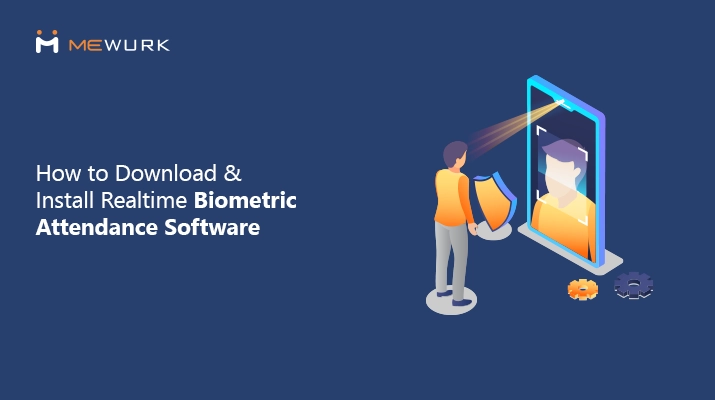
How to Download and Install Realtime Biometric Attendance Software
Are you an HR manager who handles shifts in factories, retail outlets, hospitals or warehouses across multiple locations in India? If so, you may be aware of proxy punching, missing entries and arguments over who came on time and who didn't. All of these happen because you have no live view of your attendance data.
Realtime attendance software fixes most of that. It logs people the moment they reach the office entrance and gives you live updates. HR heads in manufacturing and services now use realtime biometric attendance to deal with disputes and keep their payroll straight.
This guide shows you exactly how to complete the realtime attendance software download and install it using Mewurk. The steps are straightforward and work even if your team is not very tech-savvy.
Why Realtime Attendance Software Matters in Indian Shift Operations
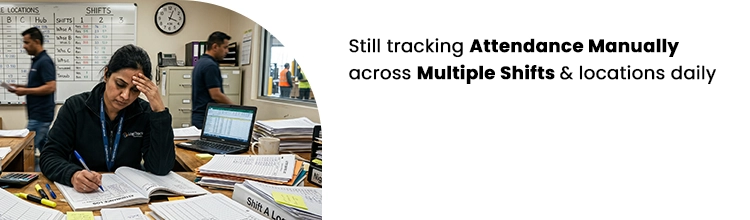
It is estimated that attendance mistakes eat up nearly 3 per cent of payroll in many Indian companies. I have seen it in textile units in Tirupur and logistics hubs in Mumbai. Many supervisors waste their mornings, the peak time they could have done serious work, by matching registers. It directly affects the production targets.
Realtime attendance changes the game. It will help you see who is present the moment you want to. You will also have an immediate view of every late arrival and no-show.
After managing shifts for over fifteen years, I can tell you one thing clearly. If you rely on paper logs and shared cards for employee attendance and time tracking, it will create more fights than solutions.
Realtime biometric attendance software records each employee's entries with proper timestamps and location proof. If you no longer wish your payroll teams to waste their time chasing slips, this is what you need.
When there is any labour inspection, you will have the reports already ready to prove that you are not breaching the Factories Act requirements.
What Does Realtime Biometric Attendance Involve?
Realtime biometric attendance uses face scans or fingerprints to confirm the identity of employees who are clocking in. Since an employee's unique biometric elements are used in the process, it doesn't require any form of cards to carry or pass keys to remember.
Modern realtime biometric attendance machines using face recognition systems can even verify if a person is real through liveness detection, so photos or videos do not work. In many setups, a realtime biometric fingerprint attendance machine is still used at entry points where face scans are not preferred.
All attendance data that is captured goes immediately to the cloud, so you can check it from anywhere.
You will hear terms like photo sync scope. It decides which employees' faces load on each kiosk. Kiosk proximity range controls how close someone needs to stand for a clear scan.
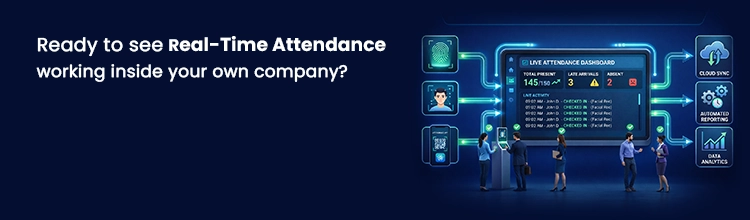
These small settings make a big difference in busy entry points. For instance, when the realtime attendance software is configured to connect with your shift planner, the clock data can be utilised for duty roster preparations and correct pay calculations. Plus, you can have every data snapshot on one dashboard, whether you run one factory in Pune or teams across multiple cities.
Key Benefits Of Switching to Realtime Attendance Software
The advantages of switching to realtime biometric fingerprint attendance machine software are manifold. Most obviously and primarily, you will see payroll becoming more accurate. You won't have to guess overtime because you will have it as actual logged hours. If any employee misses their slot, the concerned shift in charge gets alerts.
Here is a simple side-by-side benefit comparison between old register system and realtime attendance software.
| Point | Old Register System | Realtime Attendance Software |
|---|---|---|
| When you get data | Next day or later | Live, as it happens |
| Accuracy | Many manual mistakes | Over 99 percent with biometrics |
| Proxy punching | Very common | Almost impossible with liveness check |
| Shift link | Separate files | Direct feed into roster |
| Audit time | Days of searching papers | Reports ready in minutes |
How to Pick the Right Realtime Biometric Attendance Software in India
Many tools are available, but you need one that understands Indian shift patterns: rotating duties, night shifts, and contract workers. It should support face recognition kiosks, mobile options and direct payroll feed.
Mewurk fits well here. It is built for Indian SMEs and growing businesses. The platform combines realtime biometric attendance with flexible shift tools in the same system.
Realtime Biometric Attendance Software: Step-by-Step Setup Guide
Step One: Purchase Realtime Biometric Attendance Software with Mewurk
Step Two: Set up your company on the Mewurk platform, add offices, and include employees who need to log in from each location. Make sure to upload clear photos of each employee for use with the biometric system.
Kiosk (Face Recognition Biometric Attendance System) Setup
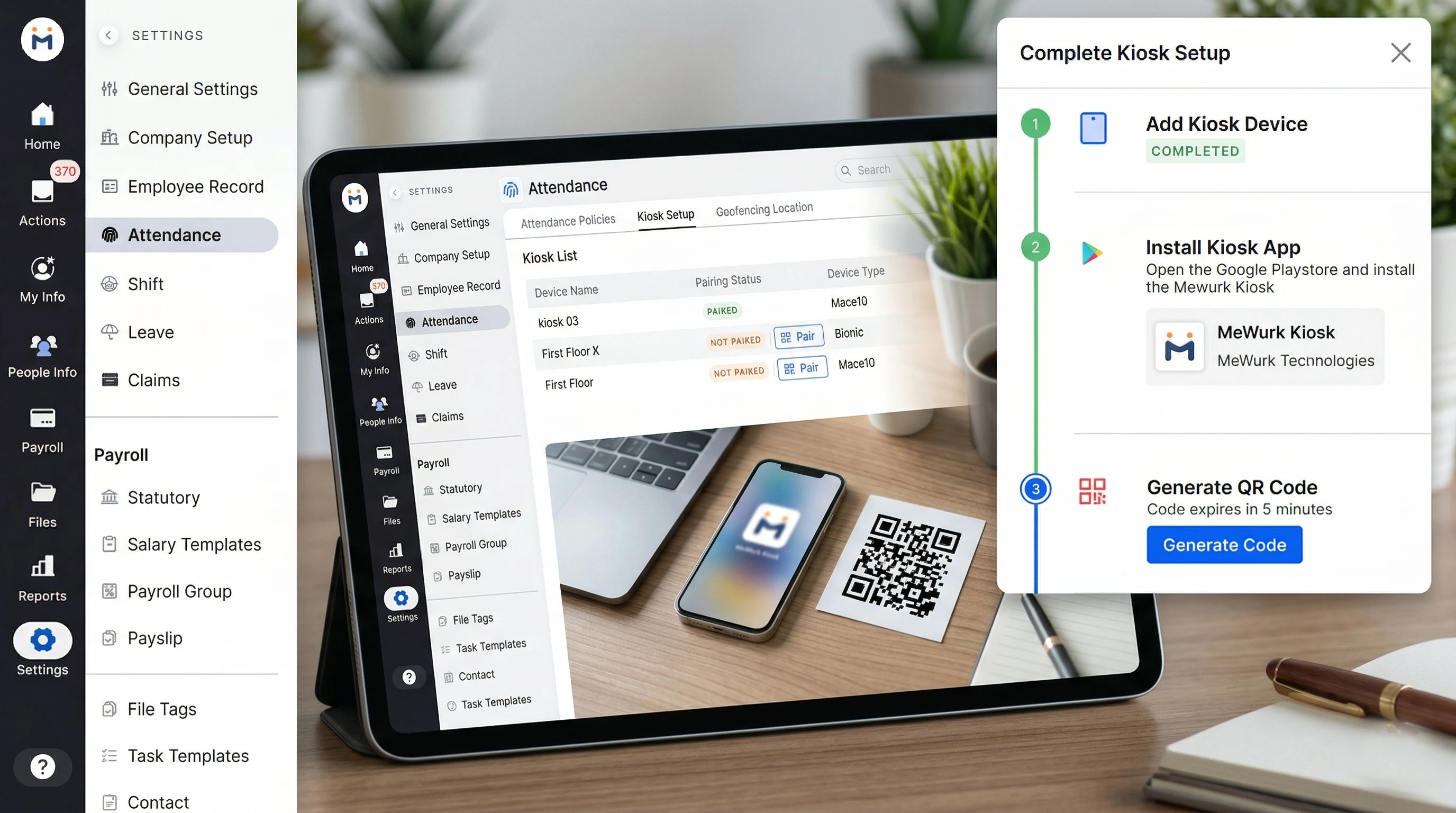
Step 1: Go to Kiosk Setup
- On the Mewurk portal, navigate to Attendance → Kiosk Setup
- You'll land on the Kiosk List page, where all devices are shown
Step 2: Add a New Device
- Click "Add Device"
- The Add New Device form will open
Fill in the details:
Basic Details
- Kiosk Name – Give a clear name (e.g., First Floor Kiosk)
- Device Type – Select the device (e.g., Bionic / Mace10)
- Office – Choose the location where the device will be installed
Step 3: Set Photo Sync Scope
Choose whose face data will be available on the device:
- All Employees – Entire company syncs to this kiosk
- Selected Office – Only employees from that office
Step 4: Configure Device Settings
Attendance Marking
- In – Only check-in
- Out – Only check-out
- Auto – System decides (recommended)
Sleep Mode
- Turn on to save power when idle
- Set idle time (e.g., 10 seconds)
Kiosk Proximity Range
Controls how close a person must be:
- Low – Very close
- Medium – Balanced (recommended)
- High – Detects from farther away
App Restart Schedule
- Set a daily restart time (e.g., 12:00 PM)
Liveness Check & Precision
- Turn ON for added security (prevents fake attendance using photos/videos)
Face Re-enrollment
- Enable to auto-update employee face data when needed
Step 5: Add Kiosk Admins (Optional)
- Click "Add Admin"
- Add up to 3 users
- They'll be notified if the device goes offline
Step 6: Save the Device
- After filling everything, save the kiosk
- Status will show as "Not Paired"
Step 7: Install Kiosk App
- Open Google Play Store on the kiosk device
- Install Mewurk Kiosk App
Step 8: Generate QR Code
- In setup steps, click "Generate Code"
- Note: Code expires in 5 minutes
Step 9: Pair the Device
- Open the kiosk app on the device
- Scan the QR code shown in your dashboard
- Device will get paired instantly
Step 10: Confirm Setup
- Once paired, the device status will update
- Kiosk is now ready for attendance tracking
Once the device is live, managers can track entries through the realtime attendance login dashboard from anywhere.
Pro Tip: Name kiosks based on actual locations like Main Gate, Warehouse Entry, or Floor 2 Exit. It makes reporting and troubleshooting much easier later.
Mewurk's Shift Management System As Extension To Realtime Attendance
Realtime attendance software works even better when shift planning is part of the same platform. Mewurk provides India's most flexible shift management system. You can create fixed shifts, rotating patterns, night duties or fully custom schedules quickly. The platform allows employees to request swaps through the app, and managers to approve them with one tap.
Because attendance data updates happen in real-time, you will always know who is available right now. With this integrated setup, you can evaluate weekly and monthly coverage gaps early.
The payroll module within Mewurk is designed to pull exact hours automatically, so overtime calculations are always correct. Teams in hospitals, factories and retail use Mewurk to get rid of fights over schedules and improve staff satisfaction.
Mewurk is a modern cloud-based attendance management platform that can scale from small workshops to companies with branches in different cities. It is brilliantly designed to stay in line with Indian labour rules. When you pair Mewurk's realtime biometric attendance with its shift tools, daily workforce coordination becomes far less stressful.
Conclusion
Realtime attendance software turns attendance tracking from a headache into something you can actually rely on.
You now have clear steps to get realtime biometric attendance running in your own setup using Mewurk. Start with one kiosk at your busiest entry point, measure the difference in your next payroll cycle and expand from there. The investment in setup time pays back within weeks.
FAQ
1. What does realtime attendance software do?
It logs employees the moment they arrive using biometric scans and sends live data to your dashboard so you know their exact presence without delay.
2. Is Mewurk's realtime biometric attendance easy to install?
Yes. The kiosk setup takes less than an hour. You add the device in the dashboard, install the app and scan a QR code. No special technical skills needed.
3. Can it handle different shift types common in India?
It does. Mewurk supports rotating, flexible and 24x7 shifts. Employees can request changes themselves, and data flows straight into payroll.
4. Will it reduce proxy attendance and disputes?
Face recognition with liveness check stops most proxy cases like buddy punching. Timestamps and alerts make marking fair and reduce arguments over late arrivals.
5. Does it help with compliance and audits?
Yes. You get timestamped records and ready reports that match the Factories Act and other labour requirements. Payroll calculations become straightforward and accurate.
Most Popular Post

Why Accurate Attendance and Leave Management Matters for Business Growth?
Read More →Why Accurate Attendance and Leave Management Matters for Business Growth?
How To Leverage Attendance Data For Better Workforce Management?
Read More →How To Leverage Attendance Data For Better Workforce Management?