Summary
Excel feels free. No subscription, no onboarding call, no learning curve for a team that's used it for years. If you're running HR for five people, tracking attendance and salaries once a month, a spreadsheet is the right tool. Honestly, nobody's arguing otherwise.
The trouble starts once HR is no longer that simple. Headcount grows. Suddenly, one workbook is carrying attendance, leave, payroll, employee records, shift rosters, and compliance notes, sometimes all in the same file, held together with formulas nobody fully remembers writing.
The real cost was never the spreadsheet itself. It's what piles up around it: the hours, the errors, the duplicate entries, the delays, the compliance exposure. All of it sits there quietly. Everyone just tells themselves the sheet is "working fine."
We're going to walk through nine spreadsheet errors that recur in Indian SMEs. Why do they happen? What they actually cost. And when it's worth looking at HRMS software instead of patching the same file for another year.
Why Indian SMEs Still Use Excel for HR
There's nothing wrong with starting on Excel. For many small businesses, it's the sensible choice, not a lazy one. A few reasons it sticks:
It's already installed on every office computer. HR and finance already know how to use it, so no training is required. It costs nothing to start, no licence, no setup budget. At 10 or 20 employees, tracking things by hand is genuinely manageable. Often it's simply inertia. The workflow got built years ago, and nobody's had a reason to touch it since.
None of that is unreasonable. Excel does the job for basic HR admin in a business's early years. What's usually missing is a clear signal for when to stop using it. Most SMEs only notice once payroll has gone wrong two or three times.
When Does Excel Stop Working for HR?
A few signs tend to show up together. Headcount keeps climbing. You're now running more than one branch. Employees are spread across shifts, and some of your team are remote or on the road rather than at a desk. Payroll starts including overtime and variable deductions instead of a single flat number. Attendance corrections stop being occasional and start being weekly. More than one person is opening and editing the same files. Leadership starts asking for numbers today, not at month-end.
If two or three of those match what's happening at your company right now, that's not a coincidence. That's the actual friction of outgrowing a spreadsheet.
Excel Works vs. HRMS Makes Sense
| Situation | Excel Works | HRMS Makes Sense |
|---|---|---|
| Team size | Under 20 employees | 20+ employees, growing |
| Locations | Single office | Multiple branches |
| Shifts | Fixed, single shift | Multiple or rotating shifts |
| Payroll complexity | Fixed salary structure | Variable pay, overtime, deductions |
| HR users | One person managing files | Multiple HR/finance users |
| Reporting needs | Occasional, manual | Frequent, real-time |
| Compliance tracking | Minimal | State- or category-specific |
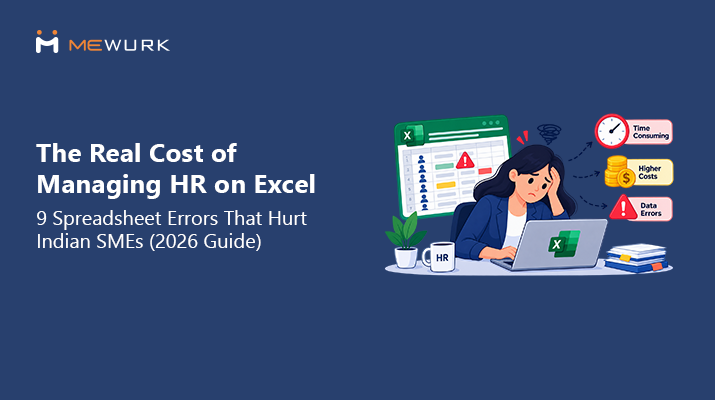
The Real Cost of Managing HR on Excel
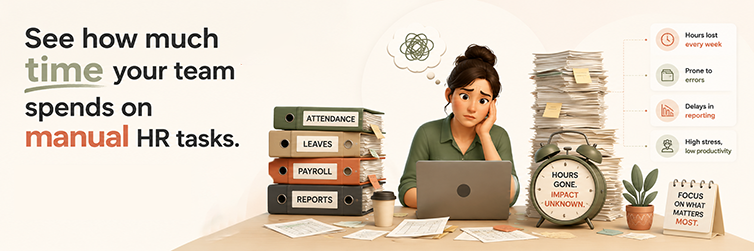
Excel's price tag is zero. That's the whole appeal. But the actual cost shows up somewhere else, in hours nobody's tracking.
HR spends real time formatting and cross-checking sheets that should already be correct. Payroll mistakes get fixed after they've already gone out, which is a much more painful place to catch them.
The same employee data is entered two or three times across different files. Every management report gets rebuilt from scratch because nothing's automated.
Employees email HR asking why their leave balance looks off, or why a payslip doesn't match what they expected. Attendance corrections get chased down after payroll has already run. By then, the damage is done.
We're not going to invent a rupee figure for all this. It genuinely depends on your team size, your salary structure, and how many people touch the files. But the shape of the problem is the same everywhere: the more people leaning on one spreadsheet, the more silent effort it demands in return.
9 Spreadsheet Errors That Hurt Indian SMEs
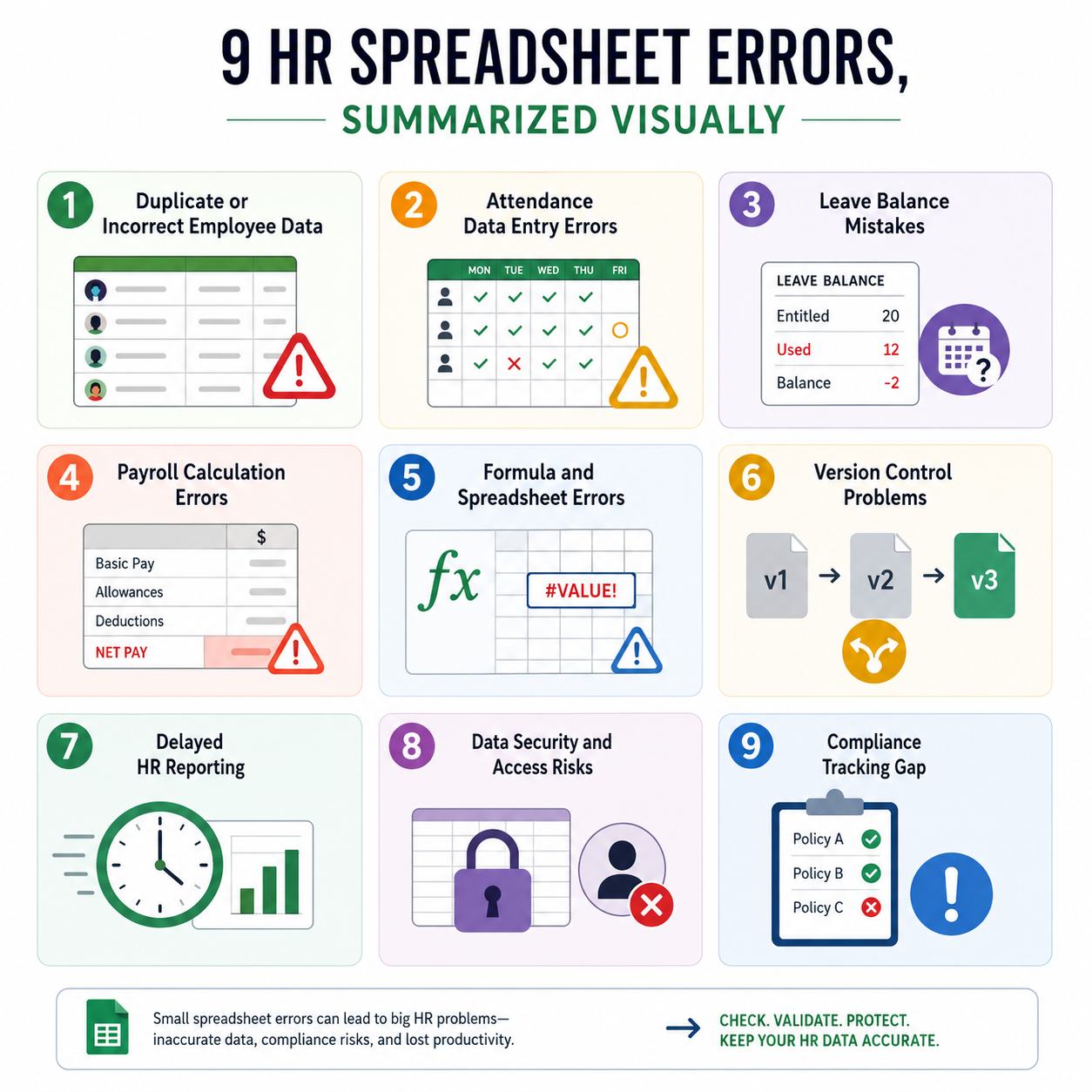
1. Duplicate or Incorrect Employee Data
The same employee gets typed into the attendance sheet, the payroll sheet, and the HR master file separately. Nobody's watching all three at once. Over a few months, a designation or salary figure quietly drifts out of sync.
Here's how that plays out. Someone gets a salary revision. It lands in the payroll sheet, but the master HR file is never updated. Three months later, a report gets pulled from that master file. It still shows the old number, and now someone has to work out which figure is actually right.
One master employee file, referenced by everything else, with one person clearly responsible for keeping it up to date, solves most of this on its own.
2. Attendance Data Entry Errors
Missed punches. Check-ins typed from memory at the end of a long shift. A device that didn't register properly. These small slips cause wrong working-hour totals, incorrect late or absent tags, and arguments with employees over what actually happened that day.
A field employee's check-out gets keyed in wrong, 14 hours instead of 8. That number flows straight into an inflated overtime calculation. Nobody questions it until the payslip lands.
Less manual entry, plus a cross-check before attendance data reaches payroll, closes most of this gap.
3. Leave Balance Mistakes
Leave is tracked manually in accordance with the policy. Carry-forwards don't always get applied correctly, and different departments sometimes end up keeping their own separate sheets. The result is employees getting approved for leave they don't actually have left, or being told no when they're owed the day.
Say someone's sheet shows 5 days available. Last year's carry-forward was never applied, so the real number is 2. Nobody notices until the employee tries to book a week off.
A single, centralised leave file with the rules written down and checked periodically, rather than only when a dispute forces the issue, fixes this at the root.
4. Payroll Calculation Errors
Payroll draws from attendance, leave, and salary sheets. If any of those already have baked-in mistakes, payroll inherits them. Add manual formulas for overtime and deductions on top, and the error rate climbs fast. Employees end up overpaid or underpaid, which nobody likes, and someone spends the next cycle correcting it.
A salary revision approved mid-month sometimes just doesn't make it into that month's run. The employee notices the shortfall before HR does. That's not a great position for HR to be in.
Fewer manual handoffs between attendance, leave, and payroll, plus one review step before anything actually gets disbursed, prevent most of this.
5. Formula and Spreadsheet Errors
Insert a row, delete one, overwrite a cell by mistake, and a formula breaks quietly. The unsettling part is that the sheet still looks fine. Nobody catches it until someone questions a total that's been wrong for weeks.
A SUM formula covering rows 2 through 50 doesn't stretch when three new employees are added in rows 51 to 53. Their salaries simply never get added to the total. Nobody realizes until the headcount math doesn't add up somewhere else.
Protecting cells around formulas, avoiding manual overwrites, and occasionally auditing your key calculation sheets go a long way here.
6. Version Control Problems
Final Payroll.xlsx. Final Payroll Updated.xlsx. Final Payroll Updated 2.xlsx. If any of that looks familiar, you already know the problem. These files get emailed around until nobody's actually sure which one is current.
Two people edit their own copy of the same leave sheet at the same time. One saves over the other. That work is simply gone. Nobody did anything wrong, the system just wasn't built to prevent it.
A single shared, access-controlled file beats emailing copies around every time. Where multiple files really are unavoidable, at least agree on a naming convention everyone actually follows.
7. Delayed HR Reporting
Someone in leadership asks for an absenteeism trend by department. Now HR is piecing it together from four different sheets instead of pulling one button. What should take five minutes eats up most of a working day. Leadership ends up making calls on numbers that are already a little stale by the time they arrive.
Standardizing report formats, and automating the ones that come up every cycle rather than rebuilding them by hand each time, is usually the fix.
8. Data Security and Access Risks
Files get emailed, saved to personal laptops, left open with edit access for anyone who has the link. To be fair to Excel, it isn't inherently insecure. The risk comes entirely from how the file gets stored and shared. A password-protected sheet on a controlled drive is nothing like a file sitting in five different inboxes with open edit rights.
Salary details, bank information, personal data, all of it becomes vulnerable the moment access isn't actually controlled. Restrict who can edit what. Avoid email for anything sensitive. Use a secure shared drive instead.
9. Compliance Tracking Gaps
Statutory registers and category-specific employee records are often spread across multiple files and updated manually. It's easy for one update to simply get missed. That's fine until an audit or inspection happens, and gaps that sat quiet for months suddenly matter a great deal.
Worth being direct here: compliance requirements vary by state, industry, and establishment type in India, and this article isn't legal advice. Check current government notifications relevant to your situation, and loop in a labour law consultant for anything specific to your business.
A compliance calendar, clear ownership of statutory updates, and a periodic review with a professional keep this from becoming a surprise.
Excel vs. HRMS for Indian SMEs
| HR Function | Excel | HRMS |
|---|---|---|
| Employee Records | Manual | Centralized |
| Attendance | Manual entry | Automated tracking |
| Leave | Spreadsheet-based | Automated workflows |
| Payroll | Manual calculations | Automated payroll workflows |
| Reporting | Manual | Real-time dashboards/reports |
| Employee Self-Service | Limited | Available through HRMS |
| Data Access | File-based | Role-based access |
| Audit Trail | Limited | System-based tracking |
| Scalability | Becomes difficult | Designed to scale |
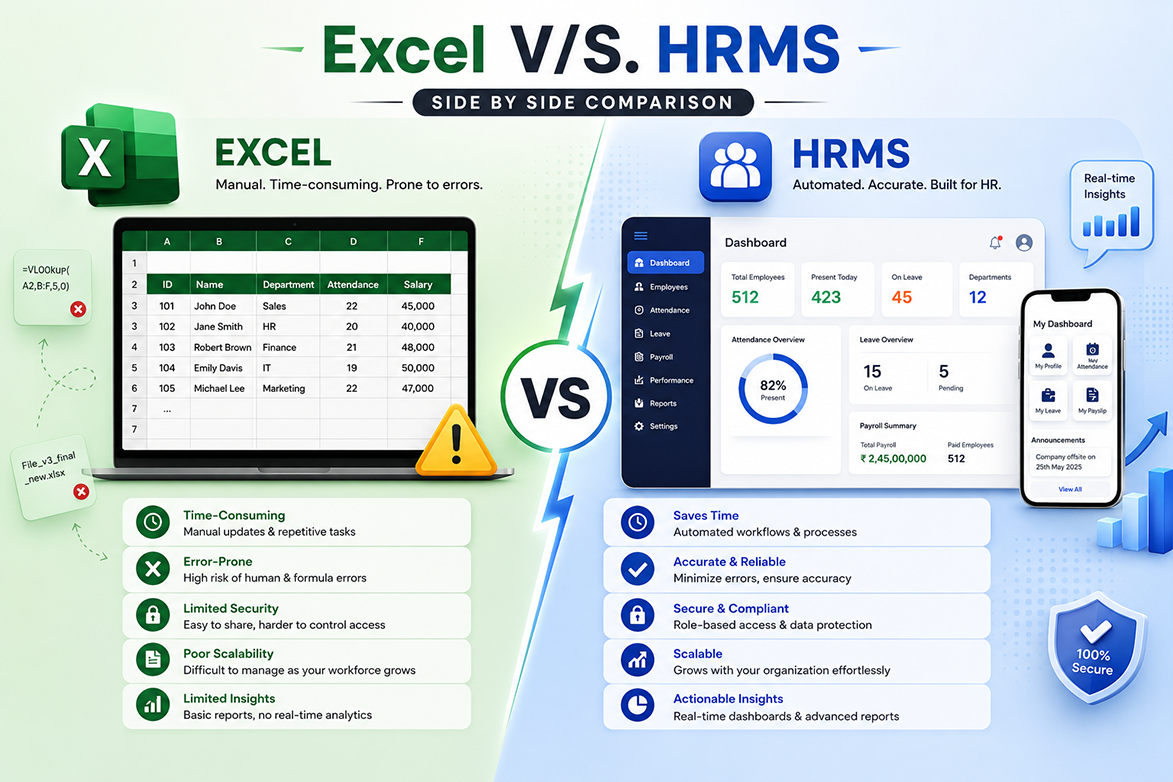
Not every HRMS platform covers every row in that table equally well, capability really does vary by product and configuration. Treat this as a general shift in approach rather than a claim about one specific tool.
How HRMS Software Helps Prevent Spreadsheet Errors
No HRMS eliminates every HR headache. What it does address is the structural cause behind most of the errors above. One employee record instead of five conflicting versions floating around. Attendance is captured automatically rather than being entered by hand. Leave balances are calculated against policy without someone doing the math manually. Payroll that pulls straight from attendance data instead of being re-entered.
Employees checking their own payslip or leave balance means fewer emails landing in HR's inbox in the first place. Reports are generated on demand rather than rebuilt from scratch. Role-based access means the people who shouldn't see salary data simply can't.
When Should an Indian SME Move From Excel to HRMS?
A few situations usually mean it's time. HR is spending more time formatting spreadsheets than actually doing HR. Payroll needs to be corrected nearly every single cycle. Employees keep asking the same questions about leave and pay. Or you're expanding to new locations while your workforce keeps growing. It's rarely a specific headcount number, it's the daily friction that's already visible to everyone on the team, even if nobody's said it out loud yet.
How to Move From Excel to HRMS Without Disrupting HR Operations
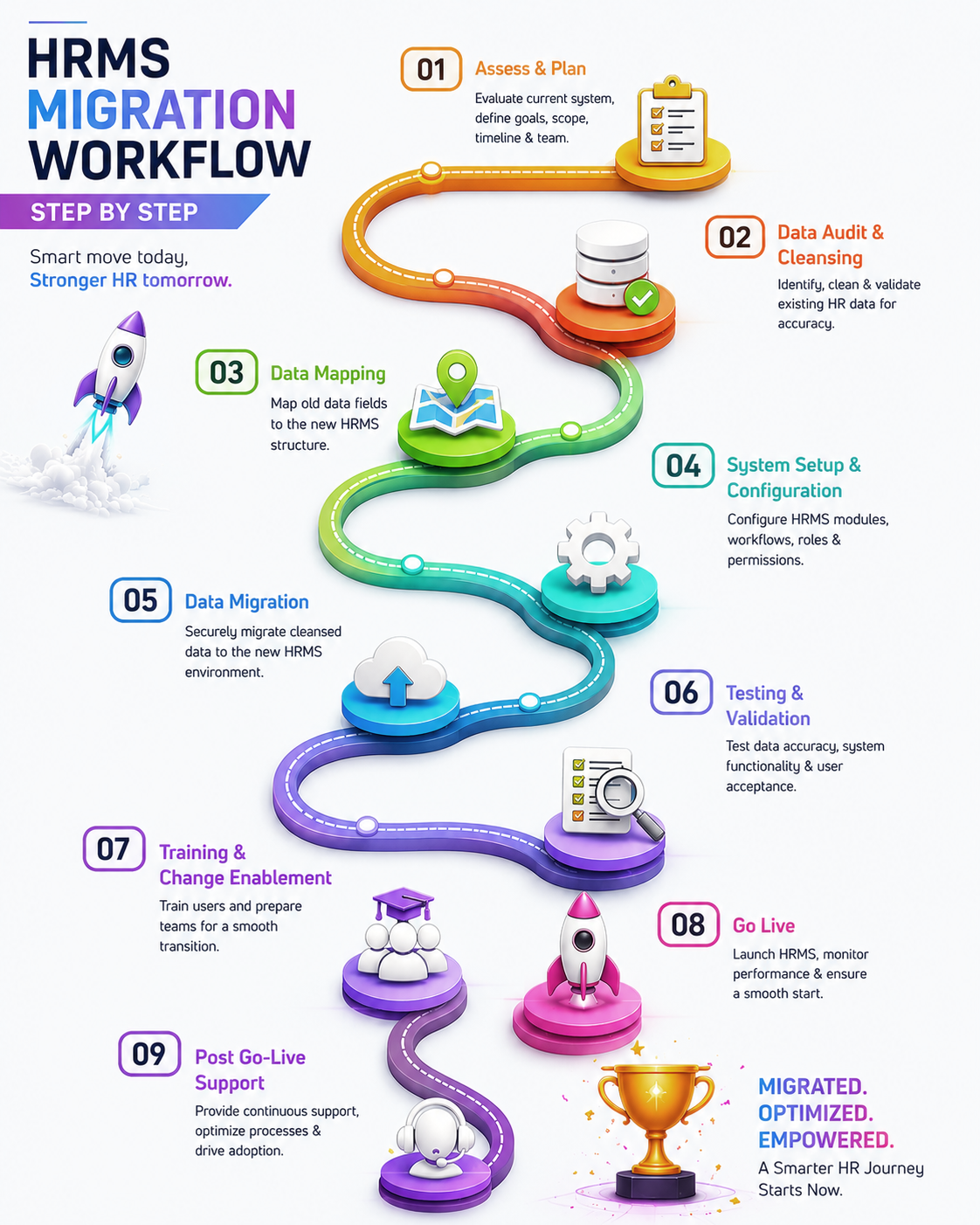
Start by listing every HR spreadsheet currently in use and what each one actually does. You'll likely find more than you expected. Clean up employee data before anything moves, fix outdated fields, sort out inconsistent formats, merge duplicate entries. Write down your leave, attendance, and payroll policies clearly before configuring anything, so the software is built around your actual rules rather than the other way round.
From there, import the cleaned data. Run a full payroll and attendance cycle in parallel with your old process to catch any discrepancies. Only then train the team, both HR and employees, including how self-service actually works. Go live once the parallel test checks out, and keep an eye on the first few cycles so you can adjust configuration as real issues come up.
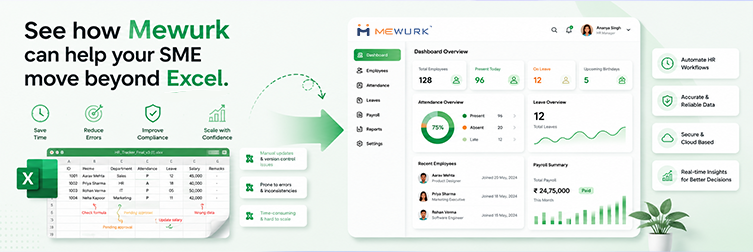
Why Mewurk Can Be a Better Alternative to Excel for Growing SMEs
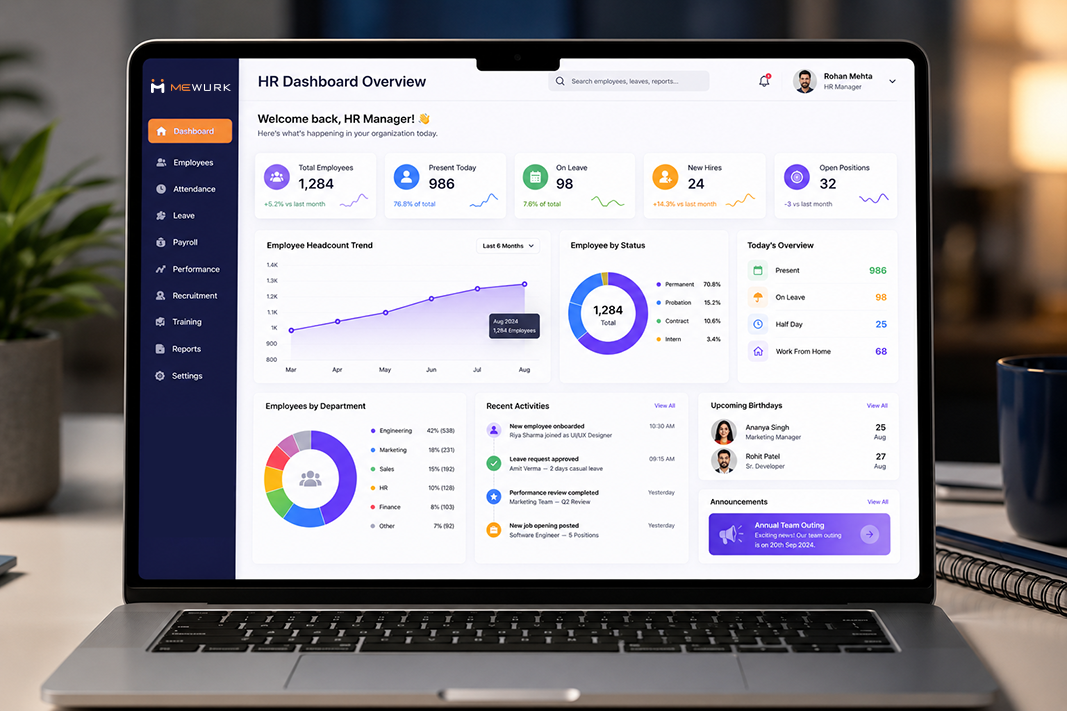
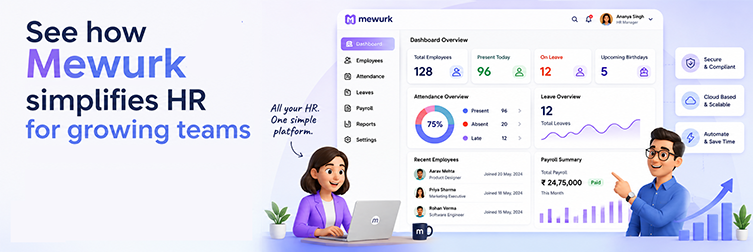
Mewurk is built around the everyday functions spreadsheets tend to struggle with once a business grows past a certain size. Attendance, leave, payroll, and reporting, connected in one system rather than scattered across files.
| Excel Problem | Mewurk Solution |
|---|---|
| Manual attendance spreadsheets | Automated tracking, including mobile and geo-fenced check-ins |
| Attendance fraud or proxy punching | Face recognition attendance for verified check-ins |
| Manual leave calculations | Configurable leave workflows |
| Manual payroll formulas | Payroll is connected directly to attendance and leave data |
| Scattered employee records | Centralized employee management |
| Complex shift rosters in Excel | Shift scheduling tools |
| Repeated employee queries to HR | Self-service for payslips and leave balances |
| Manual report building | Built-in HR analytics and reports |
None of this means switching software fixes every HR problem the day you sign up. Process discipline still matters just as much afterward. But it does close off a lot of the places where mistakes were quietly creeping in before.
HR Automation ROI: What SMEs Should Actually Measure
Skip whatever generic ROI percentage you've seen floating around vendor blogs. It's not measuring your business. Track your own numbers instead, before and after, over a few payroll cycles:
| Metric | Before HRMS | After HRMS | Improvement |
|---|---|---|---|
| HR hours spent per payroll cycle | Track actual hours | Track actual hours | Compare directly |
| Payroll correction requests per month | Count | Count | Compare directly |
| Attendance correction requests | Count | Count | Compare directly |
| Employee queries to HR (leave/payslip) | Count | Count | Compare directly |
| Time to generate a management report | Measure | Measure | Compare directly |
| Manual data-entry hours | Track | Track | Compare directly |
Your own before-and-after numbers will tell you far more honestly whether the switch actually paid off than any industry-wide claim ever could.
HR Excel Migration Checklist
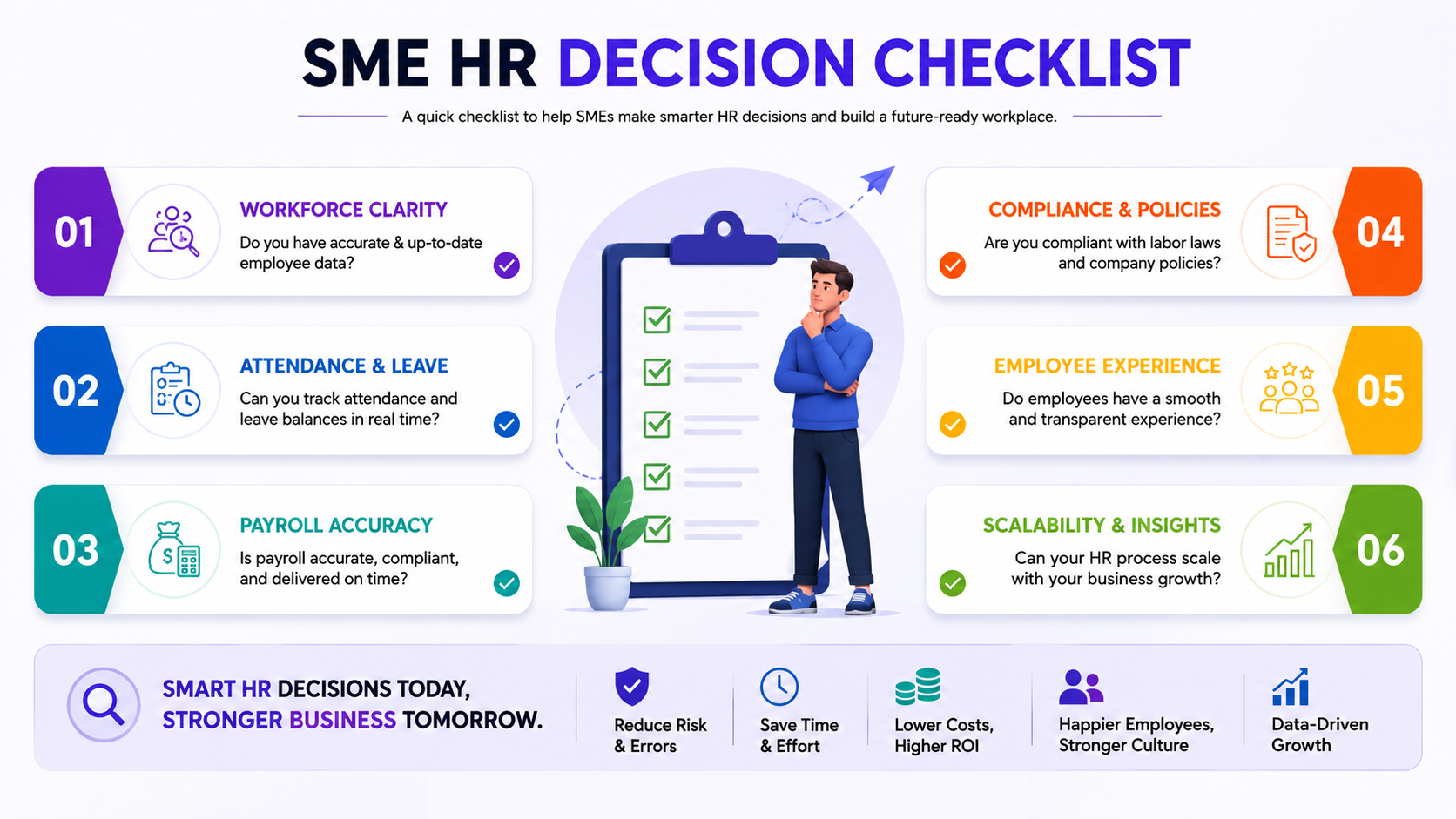
Before migrating, gather the basics:
Conclusion
Excel isn't really the villain in any of this. It's a tool that was never built to hold what most growing SMEs eventually pile onto it. None of the nine problems above show up as one dramatic failure. They build slowly, one missed formula, one file left unsynced, until payroll week turns into something the whole team quietly dreads.
If several of these sound uncomfortably familiar, that's the real signal worth paying attention to. Not a headcount milestone, but the friction your team is already living with every month.
Frequently Asked Questions
1. Is Excel good enough for HR management?
It works well for small teams with simple attendance, leave, and payroll needs. As headcount and shift complexity grow, it gets harder to keep accurate.
2. When should an SME stop using Excel for HR?
Once payroll requires regular corrections, several people end up editing overlapping files, or attendance errors keep piling up faster than anyone can fix them.
3. What are the biggest problems with HR spreadsheets?
Duplicate data, broken formulas, unclear file versions, slow reporting, and manual calculations that eventually cause payroll mistakes.
4. Can Excel cause payroll errors?
Yes. Payroll usually pulls from attendance and leave data entered by hand. Mistakes there, or in the formulas themselves, show up directly in what people get paid.
5. Is Excel suitable for attendance management?
For one location on fixed shifts, it can hold up fine. Add multiple shifts or remote staff, though, and manual tracking slows down fast.
6. What's the difference between Excel and HRMS?
Excel is a general spreadsheet tool. It needs manual entry and calculation for everything. HRMS is purpose-built for HR and automates attendance, leave, payroll, and reporting together.
7. How does HRMS reduce manual HR work?
It automates attendance capture, leave calculation, payroll, and reporting, work that would otherwise get reconciled by hand across spreadsheets.
8. Is HRMS suitable for small businesses?
Yes, plenty of platforms are built specifically for smaller teams. The right time to switch depends more on your workload than your exact headcount.
9. How much does HRMS software cost?
It varies by vendor, feature set, and employee count. It's worth comparing quotes directly against your own requirements rather than a general estimate.
10. Can an SME migrate Excel data into HRMS?
Most platforms support importing employee, attendance, and payroll data from spreadsheets. Just clean and verify it before the migration.
11. Can HRMS manage attendance and leave together?
Yes. In most platforms, approved leave is reflected automatically in attendance records so separate reconciliation is not needed.
12. Can HRMS generate HR reports?
Typically yes, through built-in dashboards for attendance, leave, payroll, and headcount that generate on demand.
13. Is cloud HR software suitable for Indian SMEs?
Often, especially for businesses spread across locations or with remote staff, it's accessible from anywhere. It still depends on your specific data and connectivity needs, though.
14. What should SMEs consider before choosing HR software?
Team size. The features you'll actually use. How easy it is to adopt, plus data security, support quality, and whether it can grow alongside the business.
15. How can Mewurk replace Excel-based HR processes?
By centralizing attendance, leave, payroll, and employee records into one connected system instead of several disconnected spreadsheets.
Key Takeaways
- Excel handles basic HR admin fine early on, but the cracks show as the business grows.
- Manual spreadsheets invite duplicate data, formula errors, version confusion, and slow reporting.
- Attendance and payroll mistakes create extra work for HR and frustration for employees.
- HRMS software centralizes data and automates workflows that repeat each cycle.
- The right time to switch depends on your actual workload, not a fixed headcount number.