Summary
You've been through this before. Appraisals wrap up. The manager sends you a list of proposed hikes. Now it's on you to turn those numbers into real payslips before the payroll cutoff hits.
It sounds simple. Change a number, update the record, done. It isn't. A salary revision touches approvals, effective dates, arrears, payroll inputs, statutory deductions, and the email you eventually have to send to the employee. Miss one piece, and you're fixing it next month instead.
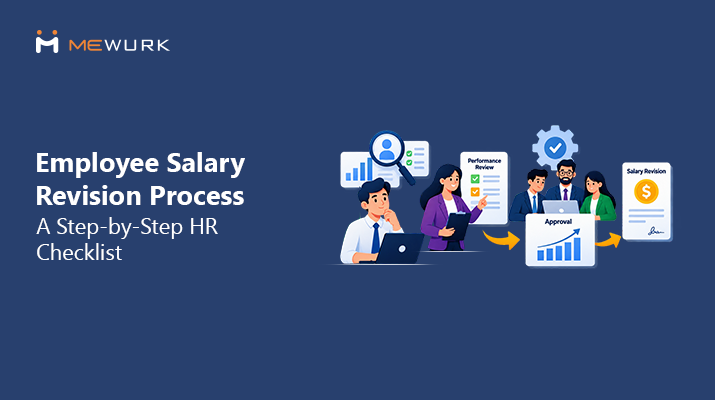
This guide lays out the employee salary revision process as a step-by-step checklist—one you can actually follow during a busy appraisal cycle, not just read once and forget.
What is the employee salary revision process?
It's the workflow HR uses to update an employee's pay. You identify who's due for a change, get it approved, work out the new salary and any arrears, then update payroll and tell the employee. Do it right, and the payslip will reflect the change correctly the first time.
Want the basic definition first? Check our salary revision meaning glossary page. This article is about running the process from start to finish.
Salary revision means changing an employee's pay—base salary, allowances, or overall CTC—from a set date. It's different from a normal payroll run. Payroll pays out what's already on record. Revision is the event that changes what gets recorded.
Why does a company revise someone's salary? A few common reasons:
- An annual or half-yearly appraisal
- A promotion to a higher role or grade
- A role change that adds more responsibility
- A market correction to keep a valuable employee
- A policy update that changes the pay structure
The manager usually starts the process. HR reviews and processes it. Finance signs off if there's a budget angle. Payroll makes it real. And documentation matters here—this revision becomes part of the employee's history, and someone will look it up again, whether during the next appraisal, an audit, or full and final settlement.
Why Salary Revision Becomes Difficult for HR Teams

On paper, this looks easy. In practice, it's one of the messier HR tasks, especially if your team still runs on spreadsheets and email chains. A few things that make it hard:
- Approvals sit with three different people, and one of them is always slow to respond
- Every employee seems to have a different effective date—April 1 for one, promotion date for another
- Calculations get done by hand, which means someone eventually makes a typo
- By the time an approval comes through, two payroll cycles have already run
- Arrears need tracking down to the exact month, factoring in attendance and LOP
- Payroll has a fixed cutoff, so late revisions either get rushed or pushed to next month
- Employees want a clear answer on their new salary, and vague emails just mean more questions
- Old revisions live in scattered spreadsheets and old emails, not one clean record
- Bulk revisions across a team or grade turn into a slow, row-by-row exercise
None of this is unusual. Most HR teams hit these exact problems, especially when appraisal season brings a wave of revisions all at once.
Employee Salary Revision Process: Step-by-Step
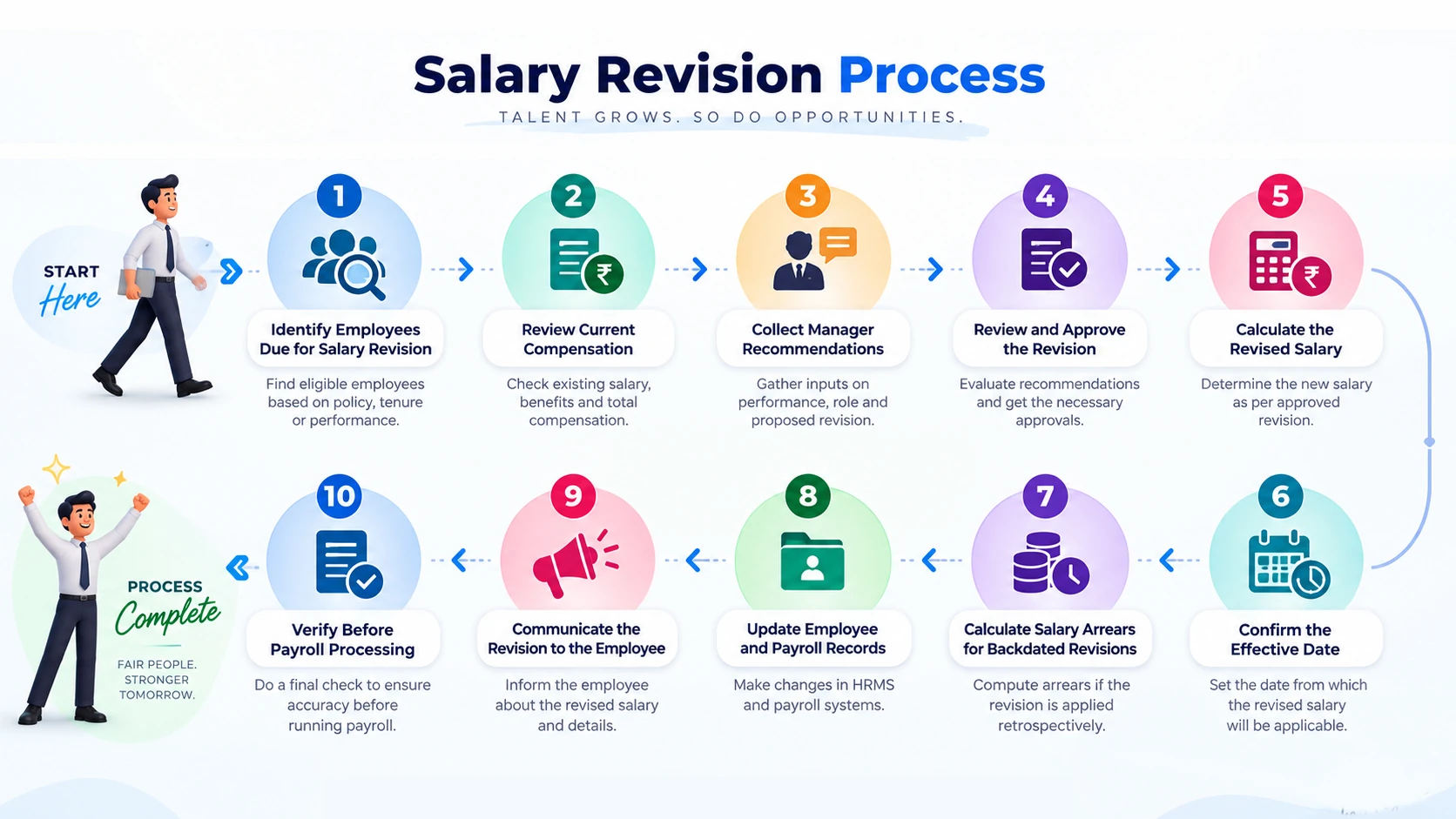
1. Identify Employees Due for Salary Revision
Start with the list—who needs a revision and why. It usually comes from:
- The appraisal cycle (annual or half-yearly)
- A confirmed promotion or role change
- A market correction flagged during a compensation review
- A policy change, like a revised minimum pay band
Write down the reason against each name. It'll save you time when someone asks about it six months later.
2. Review Current Compensation
Before you propose anything, pull up what the employee currently earns:
- Current gross salary and CTC
- Existing structure—basic, HRA, special allowance, and so on
- Deductions that apply today
- Current pay grade or band
- Date and size of their last revision
Skip this step, and you risk calculating the new salary on outdated numbers.
3. Collect Manager Recommendations
The reporting manager typically gives you:
- Feedback on performance during the review period
- A proposed increment—either a percentage or a flat amount
- The business reason behind it
- Confirmation that budget is available
- Any change in the person's responsibilities
Check that the recommendation is complete and fits company policy before you send it up for approval.
4. Review and Approve the Revision
Who actually approves a salary revision? The manager recommends it, reviews it, and—for bigger increases or anything with budget impact—finance or senior management signs off.
A typical approval flow looks like this:
- HR checks the recommendation against policy
- The manager confirms the proposed change
- Finance reviews the budget impact, if there is one
- Management gives final approval
Only move to calculation once every approval is in.
5. Calculate the Revised Salary
How do you calculate a salary revision? Take the current salary, add the approved increment, and you get the new figure. Then redistribute it across the salary structure based on company policy.
Here's a simple example:
| Item | Amount |
|---|---|
| Current annual salary | ₹6,00,000 |
| Revision percentage | 10% |
| Increment amount | ₹60,000 |
| Revised annual salary | ₹6,60,000 |
That's the headline number. The actual payslip depends on how your company splits CTC into basic, HRA, and other components, and whether statutory deduction limits shift with the new salary. So the final in-hand amount can look different from a flat percentage on gross pay.
6. Confirm the Effective Date
What's the effective date of a salary revision? It's the date the new salary actually applies from—and it's often not the same day as approval or the day payroll processes it.
Keep these three dates separate in your head:
- Approval date—when someone signed off internally
- Effective date—when the new salary kicks in (April 1, a promotion date, whatever the appraisal cycle says)
- Payroll processing date—the day payroll actually runs the updated number
When these three dates don't line up—and they often don't—the gap between the effective date and the processing date is exactly where arrears come from.
7. Calculate Salary Arrears for Backdated Revisions
How are salary revision arrears calculated? Simple version: it's the difference between what the employee was paid and what they should've been paid from the effective date, worked out month by month until the revision shows up in payroll.
Say a revision is effective April 1, but it only gets processed in June's payroll. You'd need to calculate the shortfall for April and May separately, then pay it out as arrears with June's salary.
| Month | Salary Paid (Old) | Salary Due (Revised) | Arrears |
|---|---|---|---|
| April | ₹50,000 | ₹55,000 | ₹5,000 |
| May | ₹50,000 | ₹55,000 | ₹5,000 |
| Total Arrears | ₹10,000 |
One caveat: how arrears get taxed can vary depending on which components are involved and the rules in force at the time. Don't treat any single approach as fixed—check with your payroll compliance team, or refer to the Income Tax Department for current guidance.
8. Update Employee and Payroll Records
Once you've finalised the numbers, update:
- The employee's salary record and structure
- The payroll input sheet for the relevant cycle
- The revision history log—old salary, new salary, effective date, approver, reason
- The effective date field in your HR system
- Supporting documents—approval email, revision letter, appraisal form
This is also where things go wrong most often. Miss the payroll cutoff, and the revision rolls into another cycle of arrears.
9. Communicate the Revision to the Employee
Every revision needs a written note, even if the manager already mentioned it in person. A good salary revision letter usually covers:
- The revised salary and effective date
- The increment amount or percentage
- Revised CTC, if that's relevant
- Any notes—for instance, if arrears will be paid separately
- Who to contact with questions
Here's roughly how it might read:
Dear [Employee Name],
We're pleased to inform you that your salary has been revised effective [date]. Your revised annual CTC is ₹[amount], reflecting an increment of [amount/percentage]. This will be reflected in your payslip from [payroll month]. For any questions, please reach out to [HR contact].
10. Verify Before Payroll Processing
Before this goes into the payroll run, run through a final check:
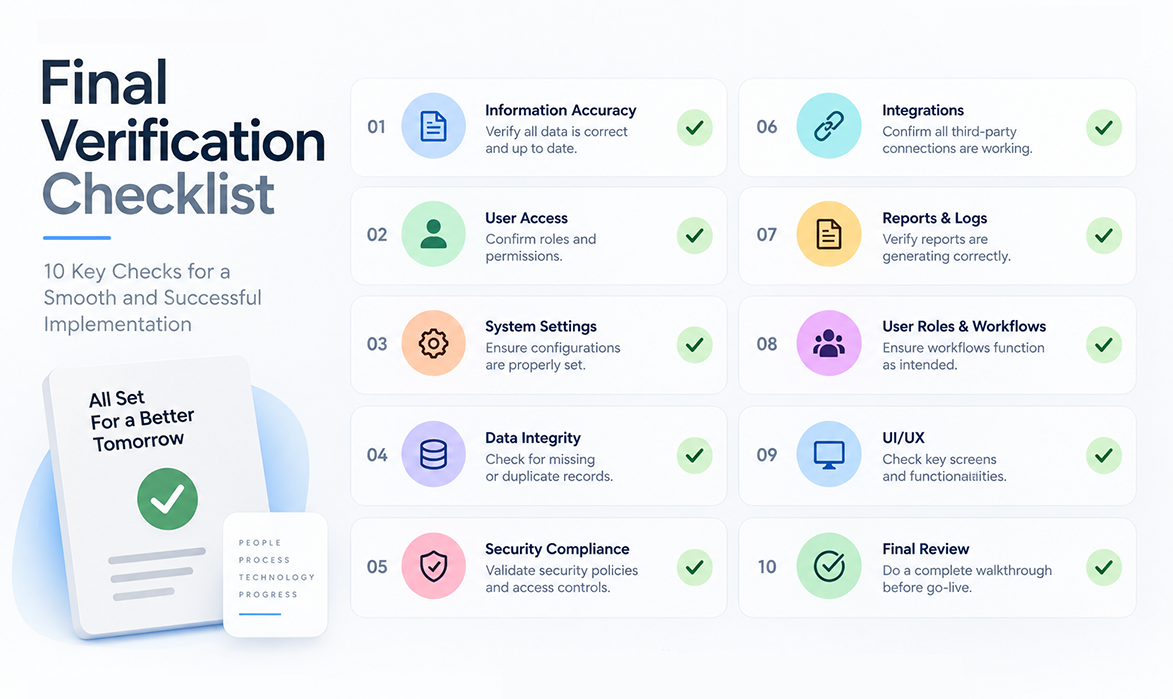
Employee Salary Revision Checklist
| Step | HR Action | What to Verify |
|---|---|---|
| 1 | Identify employees due for revision | Reason for revision is documented |
| 2 | Review current compensation | Existing salary structure is accurate |
| 3 | Collect manager recommendation | Justification and proposed amount are clear |
| 4 | Route for approval | All required approvers have signed off |
| 5 | Calculate revised salary | New salary and structure are correct |
| 6 | Confirm effective date | Approval, effective, and payroll dates are distinguished |
| 7 | Calculate arrears | Month-wise shortfall is accurate |
| 8 | Update records | Revision history and payroll inputs are updated |
| 9 | Communicate to employee | Revision letter is sent and understood |
| 10 | Final verification | All checklist items confirmed before payroll run |
Salary Revision vs Salary Increment: What's the Difference?
People use these two terms as if they mean the same thing. They don't, quite. Increment usually means a straightforward pay increase, most often tied to the annual appraisal. Salary revision is the wider term—it can include an increment, but it also covers promotions, role changes, a restructured pay split, or a market correction, even when the total amount barely moves.
So an increment is often just one kind of salary revision, not something separate. Either way, most companies run both through the same workflow: approval, calculation, effective date, payroll update. The label doesn't really change the process.
Spreadsheet vs HRMS for Salary Revision

| Activity | Spreadsheet Approach | HRMS Approach |
|---|---|---|
| Tracking approvals | Manual email trail, easy to lose track | Structured approval workflow with status visibility |
| Calculating revised salary | Manual formulas, prone to errors | System-calculated based on defined salary structure |
| Handling backdated revisions | Manual month-wise calculation | Automated based on effective date logic |
| Arrears calculation | Separate manual sheet | Calculated against payroll history |
| Bulk revisions | Row-by-row updates, time-consuming | Batch processing for teams or grades |
| Revision history | Scattered across files and emails | Centralised, timestamped record per employee |
A spreadsheet is fine for a handful of revisions each cycle. The trouble starts when volume goes up—several approvers, a few backdated cases, and arrears calculations all happening at once, right when payroll is also due.
Common Salary Revision Mistakes HR Teams Should Avoid
- Getting the effective date wrong, which throws off every arrears number after it
- Calculating the new salary against an outdated base
- Processing a revision before every approval is in
- Forgetting arrears for the gap between the effective date and the processing date
- Updating the employee record but not the payroll sheet, or the other way round
- Not keeping a clear revision history for later reference
- Sending the employee a vague or incomplete note about their revision
- Updating records after payroll has already run for that cycle
- Juggling several disconnected spreadsheets for different teams or locations
- Not actually checking the final payslip once the revision is applied
None of these are complicated mistakes. They happen because revisions get processed under time pressure, close to a payroll deadline, with several people touching the same data.
How HRMS Software Can Simplify Salary Revision Management
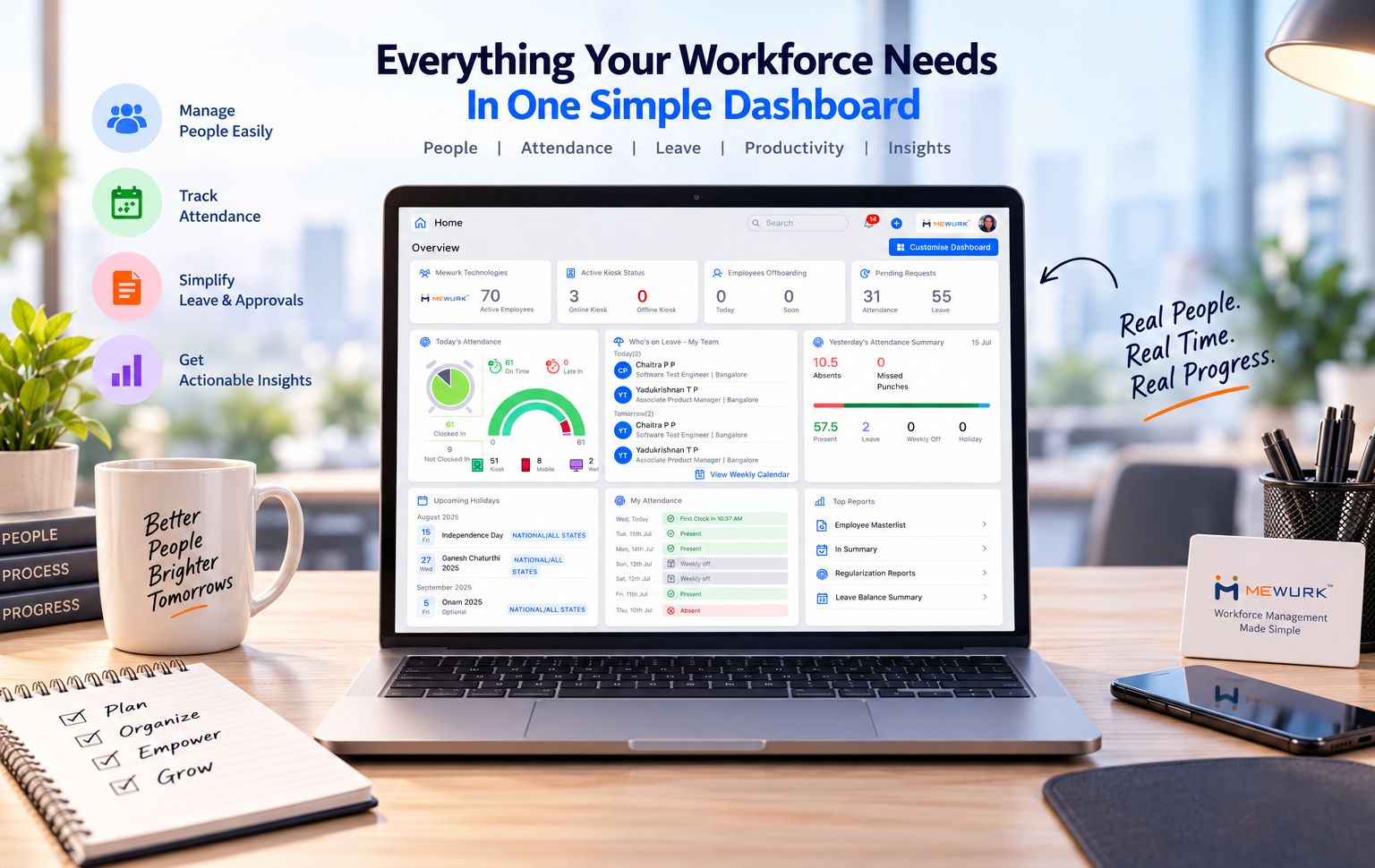
An HRMS won't make approval decisions for you—that's still a human call. What it can do is take the manual, repetitive work off your plate:
- Keep one centralised compensation record per employee, instead of files scattered everywhere
- Route revisions through a defined approval workflow, so nothing sits waiting in someone's inbox
- Maintain a revision history automatically—dates, approvers, reasons, all logged
- Handle bulk salary revisions for a whole team or grade in one go
- Push approved revisions straight into payroll processing, cutting out duplicate data entry
- Work out backdated revisions by calculating the applicable period on its own
- Calculate arrears using the employee's actual payroll history
- Pull reports on revisions processed across a period or department
- Support employee communication by generating the details you need for the letter
Software helps most when the workflow behind it is already clear. It's not a substitute for having one.
Why HR Teams Are Moving Toward Structured Salary Revision Management
Here's the pattern that shows up again and again: it's not that HR teams aren't trying. It's that the process has no single home. Approvals happen over email. Calculations sit in one spreadsheet. Arrears get worked out in another. By the time it all reaches payroll, someone's cross-checking three files against each other.
Mewurk brings this into one place—compensation records, approval routing, and payroll updates, all in the same system instead of scattered across tools. If you're handling revisions across departments or grades, having one place to see what's approved, what's pending, and what's already gone into payroll cuts out a lot of the manual back-and-forth.
Want to reduce manual salary revision work?

Take a look at how Mewurk's payroll management software can help your HR and payroll teams manage compensation changes more efficiently.
Frequently Asked Questions
1. What is the employee salary revision process?
It's the workflow HR follows to update an employee's pay—identify who's eligible, get it approved, calculate the new salary and arrears, then update payroll and employee records.
2. When should an employee's salary be revised?
Most often during an appraisal cycle, on promotion, after a significant role change, or when a market correction gets approved for a role.
3. Who approves a salary revision?
The manager recommends it. HR reviews it for policy fit. Finance or senior management gives final approval, especially if it affects budget.
4. How is a salary revision calculated?
Apply the approved increment—amount or percentage—to the current salary, then split the new figure across the company's salary structure.
5. What is the effective date of a salary revision?
The date the revised salary officially starts, which can differ from both the approval date and the date payroll actually processes it.
6. How are salary revision arrears calculated?
By working out the difference between old and revised salary for every month between the effective date and when the revision actually shows up in payroll.
7. What should a salary revision letter include?
The revised salary, effective date, increment amount or percentage, revised CTC where relevant, and someone to contact with questions.
8. How does salary revision affect payroll?
It changes that employee's salary inputs from the effective date onward, and may mean separate arrears if the revision was backdated.
9. Can HR process salary revisions in bulk?
Yes. When a whole team or grade is being revised, HR can process it as a batch instead of updating each record one by one—an HRMS makes this considerably easier.
10. How can HR software help manage salary revisions?
It centralises compensation records, structures the approval workflow, keeps a revision history, and works out arrears automatically from payroll data—reducing manual reconciliation.
Conclusion

The employee salary revision process isn't complicated in theory. It just needs discipline in practice—clear approvals, an accurate effective date, correct arrears, and payroll updates that happen on time. Follow a consistent checklist instead of handling each case differently, and your revisions stay accurate and easy to audit, cycle after cycle. Whether you're running this through spreadsheets today or considering something more structured like Mewurk, the steps don't change. Get the process right, and the payroll accuracy follows on its own.