Summary
This guide covers how AI facial recognition attendance systems actually work, plus a buying checklist Indian SMEs can run through before signing a contract. Further down, you’ll find a feature-by-feature comparison of 15 face recognition attendance platforms available in India - Mewurk, Keka, BambooHR, and Sage HR among them - along with a comparison chart and recommendations based on team size.
Key Takeaways
- AI face attendance systems use smart cameras to recognise employees’ faces, verify liveness, and sync attendance data to the cloud in real time. This technology helps SMEs replace fingerprint scanners and manual attendance sheets, reduce buddy punching, and improve payroll accuracy.
- Not every “biometric attendance system” vendor actually has native AI face recognition. Some lean on third-party hardware integration (Wallet HR, Qandle); a couple don’t offer it at all in India (BambooHR, Sage HR).
- Pricing in this category is mostly quote-based. Only a handful of vendors - Zoho People, HROne, Zimyo, Keka - publish a starting per-employee rate.
- So which one actually fits? Depends on how many people you’re managing, how many sites they’re spread across, and whether you need a kiosk bolted to a wall, mobile check-ins, or both.
Why SMEs Are Rethinking Attendance in 2026
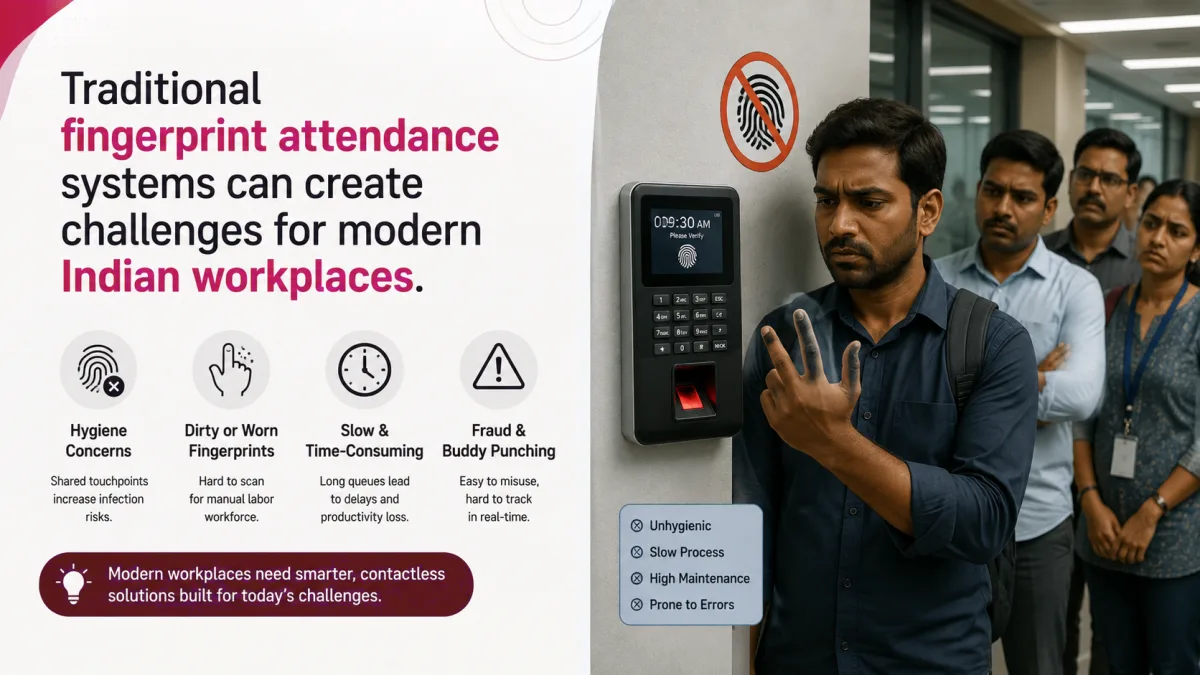
A fingerprint scanner at the factory gate used to be as good as it got. It solved one real problem - no more paper muster rolls - and quietly created a few new ones along the way.
Sensors struggle with callused hands on a garment shop floor. Cold, dusty warehouses across North India make fingerprint machines temperamental every winter. And a scanner bolted to a wall is no use whatsoever to a field sales rep or a delivery fleet that never actually sets foot in the office.
The pandemic changed the timeline for all of this. Almost overnight, touchless stopped being a nice-to-have and became a hygiene requirement, and many HR teams that switched to facial recognition for that reason ended up finding something else along the way - it’s a lot harder to cheat than a fingerprint scanner or swipe card. You can’t hand someone your face the way you can hand over an ID badge.
Manual and half-digital attendance still costs SMEs real money - not just HR headaches. Someone reconciles an Excel sheet against a biometric machine export every month, chases down regularisation requests for missed punches, and every so often runs payroll software on numbers that are simply wrong. Even a modest 2-3% attendance error rate at a 150-person manufacturing unit adds up, whether that shows up as overpayment nobody catches or under-reporting that turns into a real problem the day a PF or ESI inspector walks in.
That’s the backdrop. AI-powered face attendance has evolved from a pilot project to a standard HR technology investment for SMEs in manufacturing, retail, healthcare, logistics, and education.
What is an AI-Powered Face Attendance System?
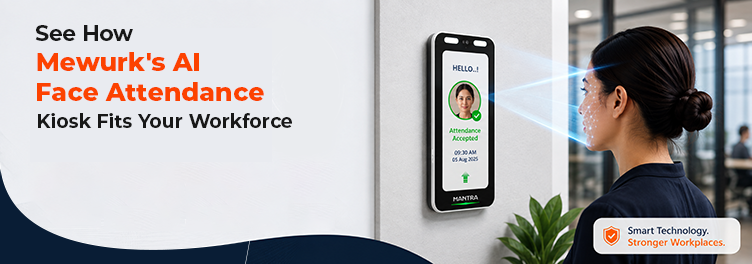
Put simply, it is attendance software that recognises the employee’s face rather than a card, PIN, fingerprint, or signature in a register. A camera does the work - sometimes built into a dedicated kiosk, sometimes a tablet at reception, sometimes just the employee’s own phone.
It captures an image the moment someone checks in, an AI model compares that image against the employee’s stored face template, and within a couple of seconds it confirms who they are and logs a timestamped, geotagged record straight into the HRMS. Here’s the distinction that actually matters when you’re shopping for one of these: a system that just takes a selfie and saves it for a manager to eyeball later is not the same thing as one that does real AI-based matching with liveness detection. The first is a manual verification aid and not much more. The second is genuine biometric automation, and that’s the category this guide is really about.
How AI Face Recognition Attendance Works
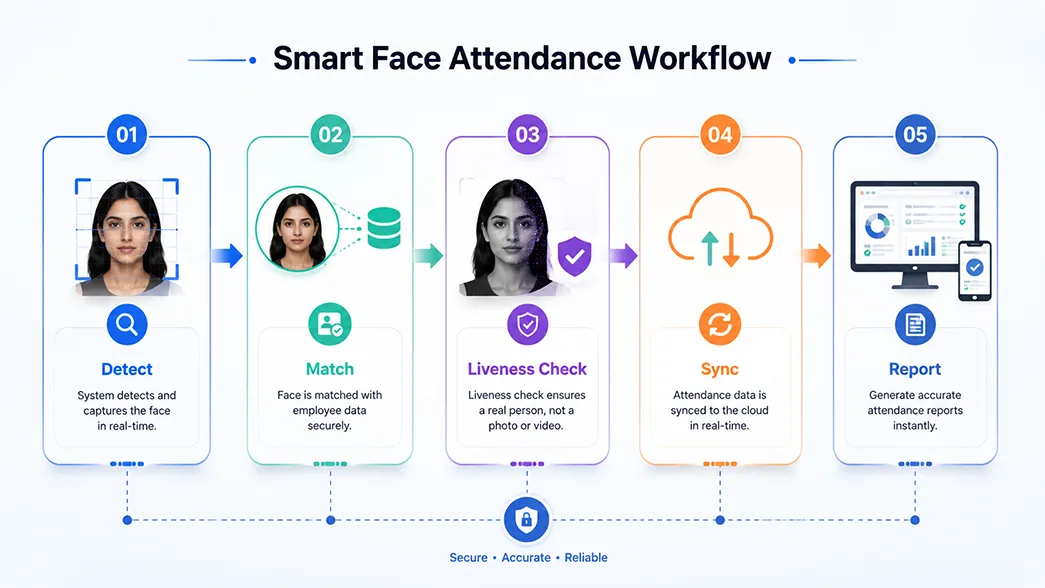
Most platforms in this space follow the same sequence under the hood, even when branding makes them sound different. Keka calls its engine Microsoft Face. Kredily calls its module KredEYE. Zimyo calls its app FaceGo. Different vendors use different names; however, the core concept is the same: AI-based face detection allows the camera to recognise a face and separate it from the background.
- Face matching: facial geometry is transformed into a mathematical template and checked against the employee’s enrolled template. A confidence rating normally comes back within 2-3 seconds.
- Liveness detection: this is where the device checks for a real, live person - blinking, depth, small involuntary movements - so a photo, a video, or a printed mask held up to the camera doesn’t fool it.
- Cloud sync: the punch record syncs to the cloud HRMS on the spot. If the connection drops, most systems queue the data locally and sync as soon as Wi-Fi is back, which matters quite a bit in factories and warehouses.
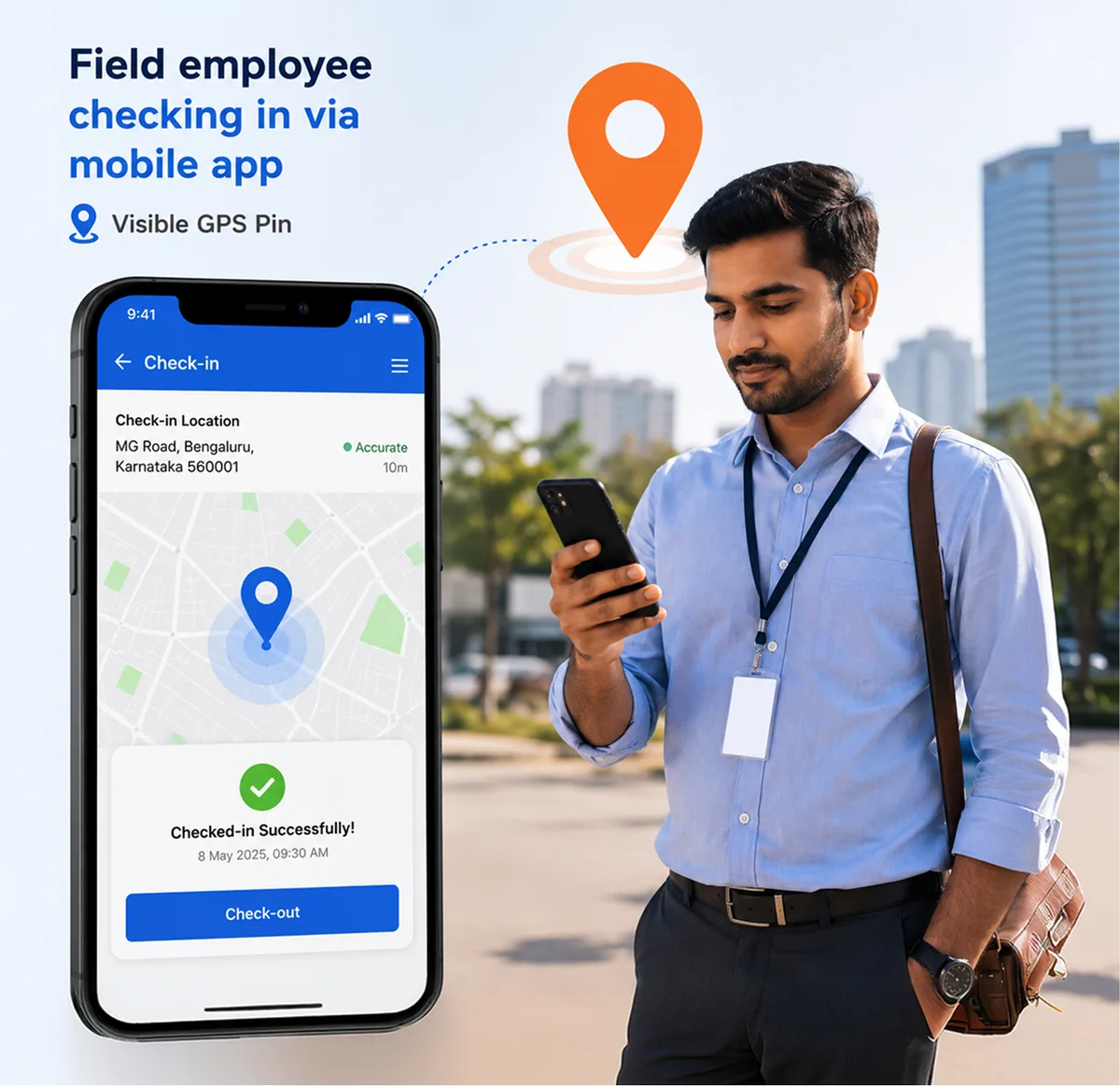
- Mobile attendance: field staff, delivery teams, and hybrid employees can punch in on their own phones, typically paired with GPS, so HR knows they really clocked in from an authorised area rather than from the sofa at home.
- Real-time reports: no waiting around for a month-end export. HR and managers can see who’s in, who is late, and who hasn’t punched in at all on a live dashboard.
Did You Know? Liveness detection is what separates a genuine AI face attendance system from a basic selfie-punch feature. Without it, a photograph held up to the camera can register a false check-in - which defeats the entire point of moving away from buddy punching in the first place.
Benefits of AI Face Attendance for SMEs
- Faster attendance at scale: a face scan takes 2-3 seconds. Compare that to the queue that forms at a single fingerprint machine during a shift change at a 300-person plant.
- Less buddy punching: liveness detection plus 1:1 face matching makes it much harder for one employee to clock in for another - a leak that card-and-PIN systems never really closed.
- Payroll that’s actually accurate: attendance flows straight into payroll with no manual import step in between. That’s one less late night of reconciliation before every salary run.
- Attendance nobody has to touch: no shared surface, no shared device screen. Retail chains and healthcare facilities still care about this a lot, even years on from the pandemic.
- One dashboard for every location: a retail chain running stores across Ahmedabad, Surat, and Rajkot can check attendance for all three from a single screen instead of collecting registers by hand.
- A cleaner compliance trail: timestamped, geotagged, tamper-resistant records hold up far better in a labour audit or a PF/ESI inspection than a signed paper register ever did.
- Hours back for HR: teams that used to burn half a day each week chasing regularisation requests get that time back for work that actually needs a human.
Key Features to Look for Before Buying
Not every vendor here actually builds for Indian SMEs, and “face attendance” doesn’t mean the same thing from one vendor to the next. Before you shortlist anyone, run down this list:
- AI recognition with liveness detection, not just a stored selfie
- A mobile app for employees who aren’t at a fixed desk
- GPS tracking on mobile punches
- Geofencing to restrict check-ins to approved sites
- Shift management for rotational, split, and night shifts
- Leave management that talks to attendance in real time
- Payroll integration so attendance drives salary runs directly
- Employee self-service for payslips, attendance history, and leave requests
- An analytics dashboard, not just export-to-Excel reports
- Multi-location support if you run more than one site
- Offline attendance capture with automatic sync
- Cloud backup so device loss doesn’t mean data loss
- Encryption and data security for biometric templates specifically
- Role-based access so only authorised HR staff see sensitive data
15 Best AI-Powered Face Attendance Systems for SMEs in India
The order below follows how most SME buyers actually shortlist: platforms built specifically around Indian payroll and compliance first, then the larger horizontal HR suites, and finally the global platforms Indian teams sometimes evaluate but that don’t currently offer native AI face recognition in this market.
1. Mewurk
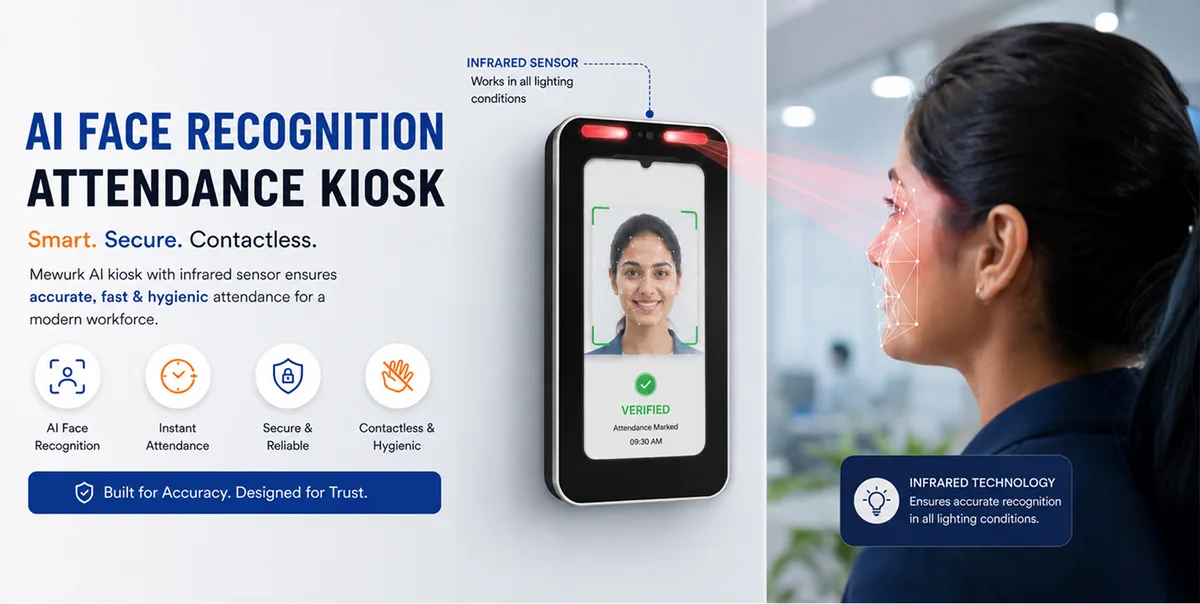
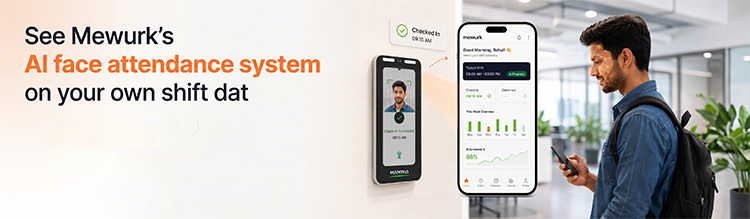
Overview: Mewurk offers Indian SMEs both AI-based facial attendance hardware and HRMS software on a single platform, reducing the need for separate third-party tool integrations.
Best For: SMEs in production, retail, logistics, and field services that want hardware and software under one roof, without a third-party device integration layer in between.
Key Features
- AI face recognition with infrared sensors, tuned for low-light and bright-sunlight accuracy
- Liveness detection to block photo, video, and 3-D mask spoofing
- Offline mode - face templates are stored locally and sync automatically once connectivity returns
- Check-in processing in under 3 seconds; device storage of 1,000-5,000 face templates depending on model
- GPS attendance and geo-fencing for field and multi-location teams
- Shift management, leave management, payroll integration, and employee self-service in the same platform
- Real-time web and mobile dashboards for attendance monitoring
Pros
- One vendor for both the kiosk hardware and the software - no API or middleware layer to cause sync issues with third-party biometric devices
- Claimed go-live in 24 hours or less, with device pairing via QR code taking under 10 minutes
- Built-in PF, ESI, professional tax, and TDS compliance
- Works offline, which matters in factories and warehouses with patchy connectivity
Limitations
- Newer to the market than 10+ year incumbents like greytHR and Keka, so its review base on third-party platforms like G2 is still building up.
- The hardware-kiosk model is built around fixed sites; fully remote-only teams will lean more on the mobile app than the kiosk.
Pricing: Contact Sales.
Rating: Public review platform ratings are still being built; case studies are published directly by Mewurk.
Why Businesses Choose It: The wins customers report are specific, not vague. Mantra Softech freed up roughly 30 HR man-days per month after switching. Mivanta’s HR team reported saving about 10 hours a week. Mefron cut attendance regularisation requests by around 80% after implementation.
2. Keka
Overview: Bengaluru is the home base for Keka, an HR and payroll platform built around the employee experience, which uses Microsoft’s Azure Face API to power facial-recognition attendance.
Best For: Mid-size SMEs willing to pay a premium for a modern, employee-facing interface.
Key Features
- Facial recognition powered by Microsoft Face, comparing 25+ facial attributes
- Integration with 3,000+ biometric hardware devices across vendors
- GPS punch-in, shift planning, and project-linked timesheets
- Integrated ATS, onboarding, and performance management
Pros
- Consistently praised in reviews for ease of use and a clean interface
- Very broad device compatibility - useful for businesses that already own biometric hardware
Limitations
- Entry-level pricing has been cited at around ₹6,999/month for a limited feature set in third-party comparisons, which is a meaningful cost for teams with fewer than 50 employees.
- Performance management and some advanced features are available on higher-priced tiers.
Pricing: Around ₹89-₹99 per employee/month for the entry payroll-and-attendance tier (billed annually vs monthly); higher tiers are Contact Sales.
Rating: 4.5/5 on G2, based on roughly 1,800 reviews.
Why Businesses Choose It: What tends to seal the deal is the combination of a polished self-service experience and near-universal compatibility with biometric hardware - handy if you’re migrating from an existing fingerprint or card system.
3. greytHR
Overview: Used by more than 27,000 companies, greytHR is one of India’s most established payroll-first HRMS platforms, and it’s since bolted facial recognition and Aadhaar authentication onto its attendance stack.
Best For: Compliance-first SMEs on tighter budgets that care more about payroll accuracy than the newest UI.
Key Features
- Facial recognition attendance alongside Aadhaar-based authentication
- 40+ tools spanning core HR, payroll, leave and attendance, and statutory compliance
- AI chatbot for routine employee queries
- Poll and “Kudos” features for lightweight engagement
Pros
- A genuinely free tier for up to 25 employees, which is unusual in this category
- Long compliance track record - recognised in G2’s 2022 Best Software Awards and ranked in G2’s Top 10 Indian Software Products list in 2024
Limitations
- Its generative AI features score lower in head-to-head G2 comparisons with newer platforms.
- The interface feels dated next to Keka or Darwinbox if you weigh UI heavily.
Pricing: Free for up to 25 employees; paid plans are Contact Sales.
Rating: 4.4-4.5/5 on G2, based on 1,200+ reviews.
Why Businesses Choose It: SMEs pick greytHR when statutory compliance and a proven payroll engine matter more than a slick interface, and the free tier makes it an easy first HRMS for very small teams.
4. Zoho People
Overview: As the HR module within the wider Zoho suite, Zoho People added a facial recognition feature to reduce attendance proxies and identity theft at check-in.
Best For: Businesses already on other Zoho products - Zoho Books, Zoho Payroll - that want attendance living in the same ecosystem.
Key Features
- Two facial recognition modes - manual-verification capture, or automatic match against the stored profile photo
- Biometric device integration for offices with existing hardware
- Configurable leave policies and approval workflows
- Employee self-service portal with mobile access
Pros
- Low published starting price and a genuine free plan
- Deep integration if you’re already inside the Zoho ecosystem
Limitations
- No integrated payroll engine - it relies on integration with Zoho Payroll or a third party.
- A few reviewers point out a steeper learning curve navigating its many modules.
Pricing: Starting at $1 per employee/month, billed annually; free plan available.
Rating: 4.4/5 on G2, based on roughly 380 reviews.
Why Businesses Choose It: Low entry price is the primary draw, plus how cleanly it slots into a business already standardised on Zoho tools.
5. factoHR
Overview: factoHR is based in Ahmedabad and offers AI-based face-detection attendance across mobile and web, built around a modular, pay-for-what-you-use pricing model rather than a fixed bundle.
Best For: Multi-location manufacturing and services SMEs that want to pay only for the modules they actually use.
Key Features
- AI-based face recognition combined with geo-fencing
- Shift management, timesheets, and travel and expense management
- HR analytics dashboard
- Automated PF, ESI, and income tax statutory reporting
Pros
- Modular pricing means you’re not paying for modules you don’t need
- Reviewers consistently call out strong statutory compliance automation
Limitations
- No free plan
- Some reviewers flag limited customisation and want more advanced reporting.
Pricing: Contact Sales - modular, quote-based pricing depending on employee count and selected modules.
Rating: 4.6/5 on G2, based on roughly 165 reviews.
Why Businesses Choose It: Businesses pick factoHR when they’d rather start with core attendance and payroll, then add modules like performance or travel management later, without renegotiating the whole contract.
6. HROne
Overview: Built around a “Time Office” module with over 200 biometric device integrations, Noida-based HROne is positioned strongly for field and manufacturing workforces.
Best For: Field-heavy and manufacturing businesses that need offline sync and a structured way to handle edge cases like Aadhaar refusal or GPS drift.
Key Features
- Selfie-with-geotag offline sync for field staff
- 200+ biometric device integrations with real-time push
- Auto-shift allocation with rest-hour compliance
- “Super Inbox” that surfaces pending approvals in one view
Pros
- One of the highest G2 scores in this comparison, with a large review base
- Reviewers specifically praise support responsiveness
- Documented fallback processes for real-world edge cases - fingerprint failure in high heat, GPS drift in basements, Aadhaar consent refusal
Limitations
- A learning curve on deeper modules, per reviewer feedback
- The company’s own review roundup admits the mobile app has trailed the desktop experience on speed and geolocation in the past
Pricing: Basic tier listed from ₹85 per 50 users/month on G2; higher tiers are Contact Sales.
Rating: 4.8/5 on G2, based on roughly 2,000+ reviews (also cited at 4.2-4.4 in aggregate across G2, Capterra, and Gartner combined).
Why Businesses Choose It: Businesses running distributed field teams pick HROne for its depth of biometric device support and its structured approach to the messy, real-world problems that come with attendance across many sites.
7. Darwinbox
Overview: Hyderabad-headquartered and built enterprise-first, Darwinbox is a full-stack HCM platform that’s increasingly showing up on the shortlists of larger SMEs scaling toward enterprise-grade HR.
Best For: Larger SMEs and mid-market companies that expect to outgrow a basic HRMS within a couple of years.
Key Features
- Geo-login with facial recognition, marketed as a “Virtual ID Card”
- Darwin AI analytics layer for attrition prediction and workforce insight
- Goal cascading, compensation modelling, and 360-degree performance reviews
- Branded career pages and full applicant tracking
Pros
- Very comprehensive employee-lifecycle coverage in one suite
- Strong performance-management and engagement tooling
Limitations
- Built for enterprise scale, which can be heavier than a lean SME actually needs
- A Gartner Peer Insights review flagged product and support instability as a concern for some buyers.
- Pricing isn’t listed publicly anywhere
Pricing: Contact Sales.
Rating: 4.4/5 on G2, based on roughly 174 reviews.
Why Businesses Choose It: Companies choose Darwinbox when they want a single platform to carry them from SME to enterprise scale without a future re-platforming project.
8. Pocket HRMS
Overview: Pune-based Pocket HRMS bundles GPS tagging, geofencing, and facial recognition into a single AI attendance module in its “2.0” platform, aimed squarely at reducing buddy punching.
Best For: Remote, hybrid, and field-based SME teams after a lighter-footprint alternative to the larger enterprise suites.
Key Features
- AI attendance combining biometric device integration, facial recognition, geo-tagging, and mobile punch-ins
- “smHRt searcHR” instant global search across the HRMS
- Employee self-service with expense claims, TDS worksheet downloads, and shift rosters
- Integration with biometric devices, ERP, and accounting systems
Pros
- Strong self-service depth that reviewers call out specifically
- Dedicated support positioned around fast issue resolution
Limitations
- Independent review volume and published rating are lower than those of category leaders such as HROne and Keka.
- Pricing isn’t published, so a cost comparison requires a sales conversation.
Pricing: Contact Sales.
Rating: Not consistently published across major review platforms at the time of writing - request current figures directly from the vendor.
Why Businesses Choose It: The self-service depth stands out, and its AI attendance module was purpose-built to address buddy punching rather than bolted on as an afterthought.
9. Zimyo
Overview: Gurugram-based Zimyo offers 50+ modules and a dedicated app, FaceGo, for facial-recognition attendance with built-in liveness detection.
Best For: SMEs that want attendance bundled with employee engagement tools - recognition, surveys, feedback - in one low-cost suite.
Key Features
- FaceGo app: AI-powered facial recognition with liveness detection and geo-location
- GPS attendance and expense management
- Employee engagement tools - recognition, feedback, and surveys
- 50+ configurable HR modules
Pros
- Rare in this category for publishing transparent per-user pricing
- Onboarding includes a dedicated relationship manager, which reviewers cite positively
Limitations
- Some reviewers report a rougher initial setup phase
- In direct G2 comparisons against BambooHR and HROne, Zimyo’s overall satisfaction score trails both
Pricing: Standard tier from $4 per user/month (minimum billing for 25 users); lower Basic tier and higher Premium/Enterprise tiers also available.
Rating: Rating varies by comparison source; no single unified G2 aggregate was consistently published at time of writing.
Why Businesses Choose It: Businesses choose Zimyo when they’d rather get attendance and engagement features in a single subscription than buy an engagement tool separately.
10. Qandle
Overview: Qandle, based in Gurugram, is a modular HRMS covering Core HR, Payroll & Compliance, Talent, and Travel & Expenses, with attendance tracked via biometric integration and geolocation.
Best For: Small-to-mid HR teams after a configurable, modular setup rather than a fixed feature bundle.
Key Features
- Biometric integration with geolocation-based attendance tracking
- Customisable reporting and compliance alerts
- Document management and employee engagement tools (surveys, recognition)
- Expense management with digital receipts
Pros
- Modular configuration lets SMEs pay for what they need
- Reviewers describe it as cost-effective for small-to-mid businesses
Limitations
- No publicly listed pricing
- Some reviewers say the cost feels high relative to the feature depth over time, and mention occasional slow performance and login issues.
- The mobile app is noted as lighter than the desktop version
Pricing: Contact Sales.
Rating: 4.2/5 on G2, based on a smaller review sample (under 30 reviews).
Why Businesses Choose It: Its modular, granular configurability is the main draw - useful when you want to switch specific HR functions on or off as the business grows.
11. Kredily
Overview: Bengaluru-based Kredily is best known for a genuinely free-forever plan, and it pairs that with an AI face recognition module of its own, called KredEYE.
Best For: Budget-conscious startups and small teams that need core HR and attendance at zero cost before scaling up.
Key Features
- KredEYE: AI face recognition with liveness detection and 360° capture to block spoof attempts
- GPS-based check-in/check-out with optional geo-fencing
- Automated PF, ESI, professional tax, and TDS compliance
- Biometric device integration for office-based teams alongside app-based attendance
Pros
- The Free Forever plan is a real, ongoing free tier - not a time-limited trial - which is rare among the platforms on this list.
- No biometric hardware purchase required to get started
- Fast setup; HR only needs to onboard employees on the app
Limitations
- Third-party feature-level ratings for some modules, like self-service, score lower than paid-tier competitors
- Best suited to smaller headcounts rather than large multi-site enterprises
Pricing: Free Forever plan available; paid tiers for advanced features and higher usage.
Rating: Mixed aggregator scores (roughly 3.5-4.1/5 on individual feature ratings via GetApp); no single unified G2 score was found at the time of writing.
Why Businesses Choose It: Startups and very small businesses pick Kredily specifically to avoid upfront biometric hardware costs while still getting AI-based fraud prevention on attendance.
12. Spine HR Suite
Overview: From Mumbai-based Spine Technologies, Spine HR Suite is an enterprise HR suite offered as both cloud SaaS and on-premise deployment, with biometric face recognition and a contactless selfie attendance module.
Best For: Manufacturing, F&B, retail, and logistics businesses that specifically want the option of on-premise deployment rather than being locked into cloud-only.
Key Features
- Biometric face recognition attendance with a contactless selfie module
- AI chatbot (“Spina”) for employee query resolution
- Resource booking (meeting rooms, laptops) and claims management
- Real-time payroll integration via biometric, web login, or batch file import
Pros
- Deployment flexibility - cloud or on-premises - which some regulated or security-conscious industries specifically require
- Broad industry applicability across F&B, retail, manufacturing, healthcare, logistics, and banking
Limitations
- Interface and setup lean more enterprise than some newer cloud-native SME tools.
- Independent public review volume is limited compared to category leaders
Pricing: The attendance/monitoring module has been cited at around ₹40,500/year on third-party pricing pages; full-suite pricing is available upon request.
Rating: Limited independent public rating volume found at time of writing.
Why Businesses Choose It: Businesses that need on-premises deployment for data residency or IT policy reasons choose Spine over cloud-only competitors for that flexibility alone.
13. Wallet HR
Overview: Wallet HR takes a different approach: rather than offering its own native AI face recognition, it’s built around consolidating attendance data captured from third-party biometric hardware, most commonly ESSL machines.
Best For: Businesses that already own biometric hardware and mainly need software to consolidate and process that data.
Key Features
- Attendance data capture and compilation from biometric machines (ESSL and similar)
- Payroll, canteen management, and grievance management
- Digital timesheets integrated with payroll and reporting
- Employee self-service portal
Pros
- Broad feature set relative to price, per reviewer feedback
- Users describe it as straightforward for non-technical HR teams to operate
Limitations
- Native AI face recognition isn’t confirmed in public sources; attendance capture depends on the biometric hardware you already own
- Reviewers note occasional data loss and offline sync issues when the connected biometric device goes offline.
Pricing: A Basic plan is quoted at around ₹800 as a one-time fee; most tiers require a custom quote.
Rating: Rating not consistently published across major review platforms.
Why Businesses Choose It: Businesses that have already invested in ESSL or similar biometric hardware choose Wallet HR to avoid replacing that hardware while still centralising attendance data.
14. BambooHR
Overview: BambooHR is a US-based HRIS best known globally for its clean interface. Time tracking here is an add-on rather than native AI face recognition attendance.
Best For: India-based teams of global or remote-first companies already standardised on BambooHR for HR elsewhere in the organisation.
Key Features
- Centralised employee database and document management
- E-signature collection for onboarding paperwork
- Time tracking add-on and benefits administration
- Reporting and workflow automation across the employee lifecycle
Pros
- Very high overall user satisfaction, and a quick, guided onboarding wizard reviewers consistently praise
- Trusted by well-known global brands and used in 150+ countries
Limitations
- No native AI face recognition attendance found in public sources for the India market.
- No built-in India-specific statutory compliance (PF, ESI, professional tax) - needs a local payroll integration.
- Pricing is in USD and requires a sales conversation for exact figures
Pricing: Starting around $10 per employee/month; exact pricing requires contacting sales.
Rating: 4.4/5 on G2, based on 2,900+ reviews.
Why Businesses Choose It: Global companies with a small India team sometimes choose BambooHR simply to maintain consistency with the HR stack used elsewhere in the organisation, accepting that India-specific compliance and AI attendance will require a separate tool.
15. Sage HR
Overview: UK-based Sage HR is built around modular add-ons for leave, expenses, and performance, with basic time and attendance clock-in rather than any marketed AI face recognition.
Best For: Small international businesses after a simple leave-and-expense-led HR tool rather than a heavyweight attendance management system.
Key Features
- Holiday and leave booking
- Expense management with receipt uploads
- Performance reviews and a shift-scheduling add-on
- Core employee records and reporting
Pros
- Reviewers specifically praise the ease of the holiday-booking workflow
- Transparent, low entry-level pricing
Limitations
- No native AI face recognition attendance found in public sources
- Not built around Indian statutory compliance requirements
Pricing: Starting at £4.40 per user/month.
Rating: 4.3/5 on G2, based on roughly 82 reviews.
Why Businesses Choose It: Small international businesses choose Sage HR for its simplicity and low cost when face-recognition attendance and India-specific compliance aren’t primary requirements.
Comparison Table
| Software | AI Face Recognition | Mobile App | GPS | Geo-fencing | Payroll | Leave Mgmt | Cloud | Best For |
|---|---|---|---|---|---|---|---|---|
| Mewurk | Native + kiosk | Yes | Yes | Yes | Yes | Yes | Yes | Hardware + software combo for SMEs |
| Keka | Yes (Azure Face) | Yes | Yes | Yes | Yes | Yes | Yes | Modern UI, mid-size SMEs |
| greytHR | Yes | Yes | Limited | Limited | Yes | Yes | Yes | Compliance-first, budget SMEs |
| Zoho People | Yes | Yes | Via integration | Limited | Add-on | Yes | Yes | Zoho ecosystem users |
| factoHR | Yes | Yes | Yes | Yes | Yes | Yes | Yes | Multi-location manufacturing |
| HROne | Yes (200+ devices) | Yes | Yes | Yes | Yes | Yes | Yes | Field-heavy workforces |
| Darwinbox | Yes | Yes | Yes | Yes | Yes | Yes | Yes | Larger SMEs scaling up |
| Pocket HRMS | Yes | Yes | Yes | Yes | Yes | Yes | Yes | Remote/hybrid/field teams |
| Zimyo | Yes (FaceGo) | Yes | Yes | Yes | Yes | Yes | Yes | Attendance + engagement bundle |
| Qandle | Via integration | Yes | Yes | Limited | Yes | Yes | Yes | Modular SMB HR |
| Kredily | Yes (KredEYE) | Yes | Yes | Yes | Basic | Yes | Yes | Budget-conscious startups |
| Spine HR Suite | Yes | Yes | Limited | Limited | Yes | Yes | Yes + on-prem | On-premise flexibility |
| Wallet HR | Third-party only | Yes | Limited | No | Yes | Yes | Yes | Existing biometric hardware |
| BambooHR | No | Yes | No | No | Add-on | Yes | Yes | Global remote-first teams |
How to Choose the Right AI Attendance Software
Treat the table above as a starting point, not the final answer. What actually fits depends on your headcount, how many sites you run, and whether your people are desk-based, on the factory floor, or out in the field most of the day. Here’s a rough sizing guide:
- Under 25 employees: look hard at the genuinely free tiers (Kredily, greytHR) before paying for anything. A mobile app is usually all you need at this size - a dedicated kiosk is overkill.
- 25-150 employees, one or two sites: this is where a kiosk starts earning its keep. Factory gates, warehouse entrances, retail back-offices - a fixed device that doesn’t depend on someone remembering their phone works better here.
- 150-500 employees, multiple locations: look for proven multi-location dashboards, offline sync, and solid compatibility with biometric devices. At this size, you’ll almost certainly be running a mix of kiosks and mobile punching across sites.
- 500+ employees, or growing fast: scalability and depth of performance and engagement modules matter more here. Enterprise-first platforms like Darwinbox, or those with broad device integration coverage like HROne and Keka, tend to hold up better as headcount climbs.
Size aside, ask every vendor on your shortlist the same five questions:
- Is this genuine liveness detection, or just a stored selfie someone checks manually later?
- Does attendance sync directly into payroll, or is someone still exporting and re-importing a file every month?
- Does it work offline, and how does it reconcile records once the connection comes back?
- Is pricing per employee and public, or do you need a sales call to get a ballpark number?
- Does it handle PF, ESI, professional tax, and TDS natively, or will you still need a second payroll tool?
Why SMEs Choose Mewurk
This guide keeps circling back to one gap: most “AI face attendance” vendors sell you software and leave you to source, install, and maintain compatible biometric hardware on your own. Mewurk built the kiosk and the HRMS software together, so there’s no middleware layer trying to translate between a third-party device and the platform. One vendor, one support call if something goes wrong.
On the hardware side, the kiosk uses AI-powered face recognition with infrared sensors, so it holds up in low light or bright sunlight, not just under office lighting. Liveness detection blocks spoofing. And if the internet drops - which happens more often than any vendor likes to admit on a factory floor - the device simply stores punches locally and syncs automatically once the connection is back.
From there, that attendance data feeds the rest of the platform: GPS attendance and geo-fencing for anyone in the field, shift management for rotational and night shifts, leave management, and payroll, which runs off the same numbers rather than a file someone reconciles by hand. Employees can check their own attendance history and payslips whenever they want, and HR gets a live dashboard instead of waiting for the month-end export.
To be direct about fit: Mewurk works best for SMEs that actually want hardware and software from one vendor. If your team is fully remote with no fixed site, a mobile-only platform without kiosk hardware is probably a better place to start.
Frequently Asked Questions
1. What makes AI-powered face attendance different from a basic biometric machine?
A basic biometric machine is usually just a fingerprint or card reader with fairly limited software. AI-powered face attendance goes further, layering liveness detection, cloud sync, and analytics on top of face recognition itself. So it’s actively confirming the person is real and physically present, not just matching a stored image.
2. Is facial recognition attendance accurate in low light or with masks?
Depends who you ask, honestly. Systems built with infrared sensors, like Mewurk’s kiosk, are specifically tuned to handle both low light and bright sunlight with minimal trouble. Mask handling is more of a mixed bag - Kredily’s KredEYE explicitly advertises recognition that still works with masks on, but not every vendor does. Worth testing this in a live demo rather than taking anyone’s word for it.
3. How does AI face attendance help with payroll accuracy and statutory compliance in India?
Since attendance gets captured and timestamped automatically, it feeds straight into payroll without anyone manually reconciling a spreadsheet, which cuts down on both overpayment and, just as important, under-reporting. Mewurk, greytHR, factoHR, and Kredily all go a step further and automate PF, ESI, professional tax, and TDS calculations off that same attendance data.
4. Can AI face attendance systems work without internet at factory or warehouse sites?
The stronger platforms here - Mewurk, HROne, and Kredily among them - support offline capture. The device just stores punches locally and syncs once the connection comes back. Don’t assume this by default, though; some vendors need a live connection for every single punch, so confirm it before you sign anything.
5. Is employee facial data stored securely, and is consent required?
It should be, and it should be. Reputable vendors encrypt biometric templates and get documented employee consent before enrolment - that’s good practice no matter which legal framework technically applies. Ask any vendor directly: how are facial templates encrypted, where are they stored, and what happens to that data if you end the contract?
6. How much does an AI-powered face attendance system cost for an Indian SME?
It varies widely, and most vendors quote based on employee count rather than publish a rate card. A few do publish starting numbers: Zoho People from roughly $1/employee/month, Zimyo from $4/user/month, HROne from around ₹85 per 50 users/month. Others, including Mewurk, factoHR, Darwinbox, and Spine HR Suite, want a custom quote based on your modules and headcount.
Final Verdict
There’s no single “best” AI face attendance system here, just a best fit for your headcount, your site count, and how much compliance load you’re carrying. A 20-person startup should start on a free tier and upgrade only once it actually hurts not to. A 200-person manufacturer running two shifts across two cities needs offline-capable kiosk hardware and biometric device support that doesn’t fall over. A company already living inside Zoho, or already global on BambooHR, is working with a different set of constraints entirely.
If you’re an Indian SME that wants attendance hardware and HRMS software from one vendor - AI face recognition, offline resilience, and PF/ESI/TDS compliance built into a single contract - put Mewurk on the shortlist next to the established names in this comparison. The quickest way to know if it actually fits is to see the kiosk and dashboard running against your own shift patterns and site layout, not a generic demo.