Face Recognition Attendance System: Complete Guide for HR & Businesses
Although we live in the year 2026, can you believe that attendance tracking is still a serious problem in many workplaces? In places where RFID cards are used, employees forget them and cause entry delays.
If you have a slightly more advanced system like fingerprint scanning, it's very common to run into problems like sensor malfunctions and hygiene concerns. Manual processes need no explanation. Everyone knows how time-consuming and error-prone they are.
Face recognition attendance systems are stepping in as a contactless, automated solution to do away with these recurring headaches. This guide walks you through everything, from understanding the technology to its workplace implementation.
What Is a Face Recognition Attendance System?
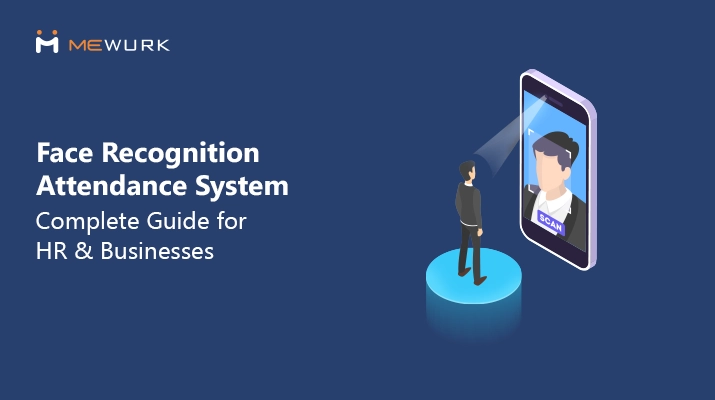
A face-based attendance system is a contactless technology that captures and analyses facial features through cameras to automatically track employee attendance, clock-in times, and work hours without requiring cards, fingerprints, or manual entry.
An attendance system using face recognition stands apart in many key ways. It works from a distance and requires no physical contact. It is far more convenient to process a large number of employees’ attendance during high-traffic periods without leaving any scope for errors or repetitive excuses like forgotten cards, fingerprint glitches, or unintended buddy punching.

Who Uses Face Recognition Attendance System?
Face recognition based attendance systems have become popular in almost all types of business models, industries and workforce scales. Here are the key sectors leading the transition.
Corporate offices:
In corporate office settings, face recognition attendance systems are set up at the entrance for security and attendance tracking. The devices are integrated with HRMS and access control modules to limit access to conference rooms and restricted areas.
Manufacturing facilities:
Manufacturing units rely on these systems to manage shift-based workforces where hundreds of employees need to clock in within narrow time windows.
Educational institutions:
A growing number of educational institutions are switching to face recognition attendance systems as per the latest reports from 2025-26. This smart technology allows them to track their students’ attendance across multiple classrooms and limit intruder access to campus for security purposes.
Retail chains:
Retail chains that have multiple store locations install face recognition biometric attendance system with integrated attendance management software for real-time visibility into staffing levels.
Healthcare facilities:
Healthcare facilities implement face recognition attendance systems to track doctors, nurses, and staff shifts. The contactless attendance verification convenience it offers allows these facilities to maintain infection control standards.
How Does a Face-Based Clock-in System Work?
The working mechanism of a face recognition attendance system begins by capturing a facial scan, converting it into a mathematical template, and then matching live features against the stored data for authentication. Here are the four core operational stages in detail.
Step 1: Adding employee photos
First, you need to add your employees to the system. You can either take quick face recognition attendance system images of each person using devise or simply upload their existing office ID photos into the attendance management software where the device is configured. This creates a master image repository which the system can use later to recognise employees.
Step 2: Creating a digital map
Once all employee images are added, the face recognition system analyses each image and creates a hidden map of unique features, like the distance between the eyes. It then turns this map into a special code, which makes the recognition process both fast and secure.
Step 3: Instant recognition
When an employee walks up to the camera of the face recognition time attendance system to clock in, the system recognises them in less than a second. It works even if they are wearing glasses or if the lighting in the room is slightly dim.
Step 4: Smart data syncing
This is the most important part that simplifies HR work. The time of the face scan is sent instantly to the attendance management software. The software records the attendance and makes it accessible to admins through its real-time dashboards, where HR can easily figure out if the employee is on time, late, or working overtime.
Why Businesses Are Moving to Face Recognition Attendance?
Conventional attendance tracking methods are becoming obsolete as more and more companies prioritise speed and accuracy over familiar, low-change systems. Here is why modern organisations are shifting toward face recognition attendance systems.
- Touchless hygiene: Prevents germ spread with completely hands-free employee clock-ins.
- Buddy punching prevention: Eliminates time theft by verifying unique facial biometric data.
- High-speed processing: Scans and identifies multiple employees in under one second.
- Error-free data: Removes manual entry mistakes by syncing scans directly to software.
- Real-time tracking: Provides instant visibility of on-site staff via live dashboards.
- Hardware durability: Reduces wear and tear since no physical contact is required.
- Simplified payroll: Automatically converts attendance logs into accurate salary-ready data.
- Enhanced security: Prevents unauthorised access by restricted individuals to workplace premises.
- Cost efficiency: Saves money by removing the need for physical ID cards.
Face Recognition Attendance System vs Other Attendance Methods
The following table compares the biometric attendance system face recognition against other common attendance tracking methods and shows why it stands out as the superior choice for modern businesses.
| Feature | Face Recognition | Fingerprint (Biometric) | RFID / Card-based | Manual & Excel |
|---|---|---|---|---|
| Security & Accuracy | Highest. Prevents proxy attendance (buddy punching) via unique facial mapping. | High. Reliable, but can be bypassed with sophisticated silicone moulds. | Low. Cards can be easily shared or swapped between employees. | Lowest. Prone to human error, manipulation, and time theft. |
| Hygiene Factor | 100% Touchless. Crucial for health safety and preventing germ spread. | Contact-based. Multiple users touch the same sensor, raising hygiene risks. | Contactless/Near. Low risk, but cards are often handled and lost. | Variable. High contact if using shared registers and pens. |
| Speed & Efficiency | Instant. Recognition happens in milliseconds; often supports "walk-through" clock-in. | Moderate. Requires precise finger placement; often fails with dry or dirty hands. | Fast. Simple tap-and-go, but physical cards must be retrieved. | Slow. Manual entry creates bottlenecks and wastes productive time. |
| Operational Costs | Low. No recurring costs for physical cards or hardware maintenance. | Moderate. Sensors wear out over time and require cleaning/repair. | High. Ongoing costs for replacing lost, stolen, or damaged cards. | Hidden High Cost. Massive administrative hours spent on data entry and audits. |
| Data Integrity | Automated. Real-time sync with cloud-based HR and payroll systems. | Automated. Syncs with software, but sensor errors can lead to data gaps. | Automated. Syncs well, but "buddy punching" data remains a risk. | Poor. High risk of data loss, damage to registers, or "ghost" entries. |
| Ease of Setup | Easy. Can often be deployed via mobile devices or existing tablets. | Moderate. Requires specialised hardware installation at entry points. | Moderate. Requires card encoders and physical card distribution. | None. No tech setup, but creates a massive administrative burden. |
Accuracy, Privacy, and Compliance: What HR Should Know
Face recognition attendance systems have matured a lot over the past few years. Still, accuracy and privacy remain the two questions HR teams ask first-and rightly so. Understanding what affects performance and how employee data is handled is essential to making informed decisions.

How Accurate Are Face Recognition Attendance Systems Today?
Modern face recognition systems are highly accurate in controlled workplace environments, especially when used for attendance.
In day-to-day office or factory use, these systems:
- Reliably identify enrolled employees
- Record attendance in seconds
- Handle routine variations like glasses, hairstyles, or beards
That said, accuracy isn’t absolute. Face recognition works best when the system is:
- Used for verification (if the person is already enrolled on the system)
- Properly installed and calibrated
- Supported by consistent daily usage
What Factors Can Affect Face Recognition Accuracy?
Even the best face recognition attendance system can struggle to recognise an employee if the setup is poor. The common factors that can influence the accuracy are:
Lighting conditions
Low light, harsh backlighting, or strong shadows can affect image capture. Make sure that the entry points are well-lit to improve recognition.
Camera quality and placement
Cameras positioned too high, too low, or at sharp angles might reduce facial visibility. Eye-level placement with a clear field of view works best.
Angle and distance
Face recognition performs best when your employees look naturally toward the device. Trying to scan from extreme side angles or far distances could fail.
Face coverings and obstructions
Although modern AI-based biometric attendance systems recognise people even if they wear glasses and partial coverings, heavy obstructions or inconsistent usage can lead to failed attempts.
Employee Consent and Data Protection Basics
Beyond a sophisticated attendance tracking device, a face recognition system deals with the personal data of employees. A responsible organisation should follow the following best practices when introducing it.
- Inform employees clearly about how the system works
- Explain what data is collected and why
- Take explicit consent where required
- Limit data use strictly to attendance and workforce management
Common Privacy Concerns and How Companies Should Address Them
It is quite natural for employees to feel anxious when they hear about a face recognition attendance system being introduced at their office. Below are some common concerns raised and the answers you can give them:
Is my face being stored as an image?
Modern biometric face attendance systems store employee images as encrypted facial templates.
Can my face recognition data be misused?
No, if you have a reputable setup like Mewurk face recognition attendance system, where the hardware and software combo encrypts data, restricts third-party access to it and logs all admin activities.
Will I be tracked outside work?
No. It will operate only at designated locations and times. It cannot track movement beyond those boundaries.
What happens if I leave the company?
The standard practice for a company is to deactivate and remove employee data when they leave as part of the exit processes.
Challenges and Limitations of Face Recognition Attendance Systems
Like any workplace technology, facial attendance systems come with a learning curve. One of the earliest challenges is employee resistance, which is often driven by privacy concerns or discomfort with new technology. Through clear communication, you can address these concerns over time.
Secondly, there are infrastructure considerations. The setup demands proper camera placement and adequate lighting. Poor lighting, awkward angles, or overcrowded entry points can affect its performance.
For real-time attendance visibility, face recognition attendance systems should sync with cloud-based software, which works only with a stable internet connection. In the absence of it, you will have to rely on its offline punch option and sync the data later.
Finally, face recognition attendance systems may not be ideal for every environment. For instance, worksites with extreme lighting conditions, heavy face coverings, or very temporary workforces.
Key Features to Look for in a Face Recognition Attendance System
- Liveness detection and anti-spoofing: The system should be capable of preventing proxy attendance using photos or recorded videos
- Offline punch support: See if the device can record employee attendance when there is no active internet, and sync the data automatically later
- Mobile and web access: The system should sync the attendance data in real time with the integrated software and let admins view and manage attendance from anywhere, anytime
- Shift, leave, and overtime integration: Make sure that you can apply attendance rules based on your company’s shift requirements,leave request and approval workflow.
- Payroll-ready reports: You should be able to generate accurate attendance data and use it easily, without requiring migration, for your payroll processing
- Multi-location management: Check if you can maintain centralised attendance visibility even when face recognition biometric systems are installed across multiple office locations.
How to Choose the Right Face Recognition Time Attendance System?
Before moving on to choose a biometric face recognition system attendance system, ask a few questions yourself:
- Can the system work reliably in your particular workplace conditions?
- Can it handle peak-hour attendance without causing delays or failed scans?
- Does it function during internet downtime and sync data later?
- Will it adapt to your shift structures, leave rules, and overtime policies?
- Can HR get clear, payroll-ready attendance reports?
- Does it support multiple locations with centralised visibility?
- Is employee data protected with proper consent, access control, and encryption?
- Will employees find it easy to use?
Where Mewurk Fits in
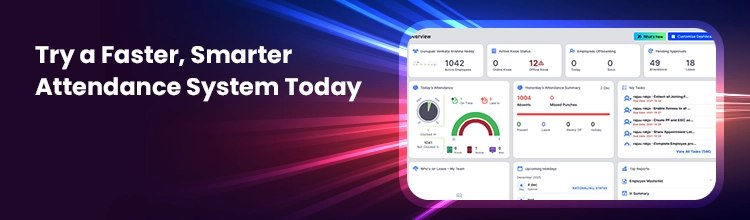
Mewurk is built around these exact operational realities. Its face recognition attendance system combines purpose-built biometric devices with integrated attendance management software. The moment an employee clocks in via the system, the data is synced in real time and made accessible to everyone given access. Mewurk makes attendance reliable, understandable, and usable for HR teams managing growing workforces.
Conclusion
Face recognition attendance systems are fast replacing conventional attendance systems across business scales and sectors. The reason they are being favoured above all is the level of accuracy, speed, convenience, and cost efficiency they offer over the rest. We hope you have found answers to every question you had about this wonderful attendance technology.
Frequently Asked Questions
1. Is using face recognition biometric devices for attendance tracking legal in India?
Yes. Using face recognition biometric devices for attendance tracking is legal in India as long as employee consent is taken and the data is collected, stored, and used strictly for the defined purpose, which is attendance management.
2. Can employees punch attendance from their mobile phones?
Yes. Many face recognition attendance systems allow employees to mark their attendance through mobile apps. This flexibility is especially convenient for remote, field, or multi-location teams. The mobile camera works as a face scanning tool.
3. Can face recognition-based attendance setup work with masks or glasses?
Yes. Modern face attendance software systems can recognise employees wearing glasses or light face coverings. However, heavy obstructions or fully covered faces may affect accuracy and require alternative verification.
4. Do employees need training to use face recognition attendance technology?
No extensive training is required. You just need to instruct them to face the camera properly while clocking in or out. Most users would adapt to the system within a day or two of regular use.
5. How much does attendance software with a face recognition machine cost?
The cost of face recognition biometric systems can vary based on factors like the number of employees, locations, devices required, and software. Most businesses pay for a combination of hardware and a subscription-based attendance software. Solutions like Mewurk offer a combination of hardware and subscription-based attendance software, which keeps the costs predictable for growing teams.

Most Popular Post

Why Accurate Attendance and Leave Management Matters for Business Growth?
Read More →Why Accurate Attendance and Leave Management Matters for Business Growth?
How To Leverage Attendance Data For Better Workforce Management?
Read More →How To Leverage Attendance Data For Better Workforce Management?