Summary
Field, remote, and multi-location employees cannot walk up to an office attendance machine every morning. This guide explains how a mobile-based attendance system works, the features that matter - GPS, geofencing, real-time visibility - the benefits and limitations, and how to evaluate an employee attendance app for your workforce.
It is 9:20 AM, and a service engineer has just reached a customer’s factory on the outskirts of the city. His company’s attendance machine is 30 kilometres away at the head office, so he does what thousands of field employees do every morning: sends “Reached site” on WhatsApp. An admin will mark him present in a spreadsheet in the evening, if the message is not missed. Multiply that by fifteen field employees and twenty-six working days, and month-end attendance becomes a negotiation: disputed half-days, forgotten check-outs, and overtime nobody can verify.
A mobile-based attendance system replaces that chain of messages with a check-in on the employee’s own phone, timestamped, verified, and visible to HR the moment it happens.
What Is a Mobile-Based Attendance System?
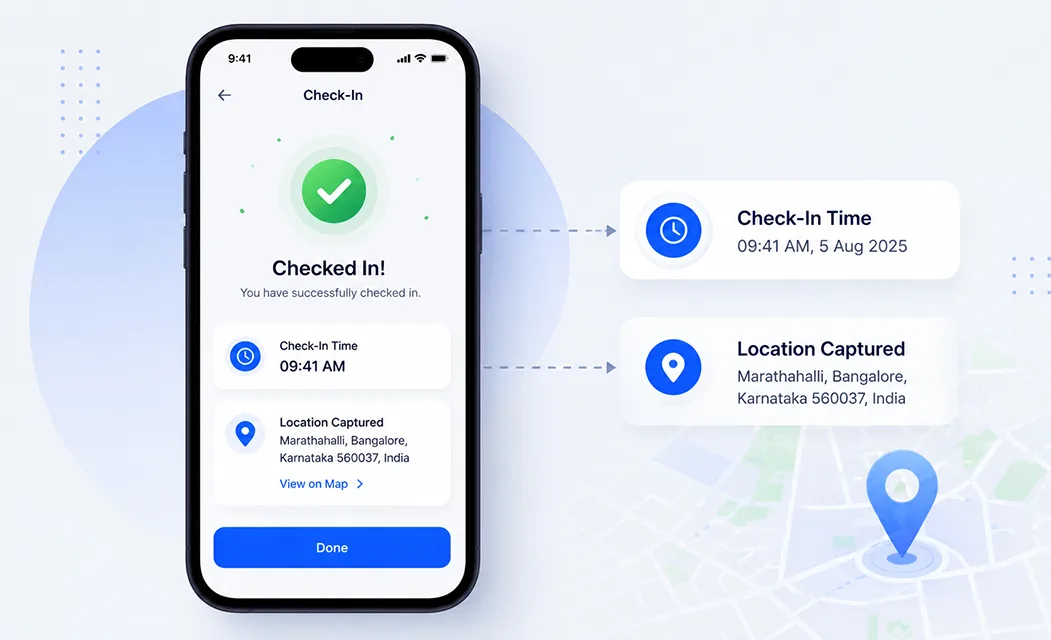
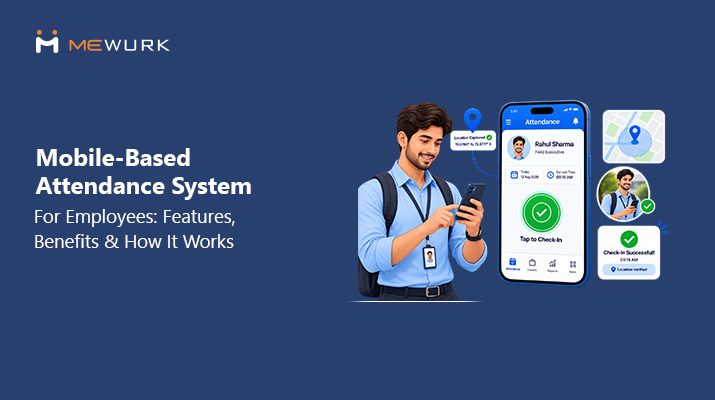
A mobile-based attendance system is software that lets employees mark attendance via a smartphone app rather than a fixed device at the office. The employee checks in and out on their phone; the app records the time and, where configured, the location, and syncs it to a central system that HR and managers can access from anywhere.
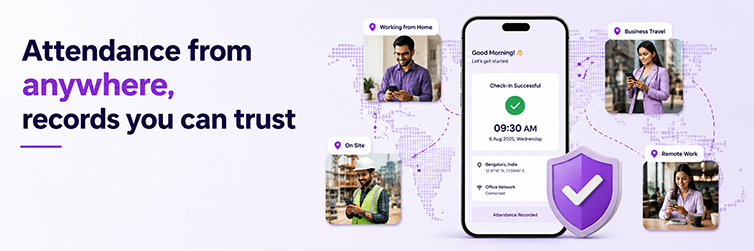
The practical difference is where attendance happens. A wall-mounted machine assumes everyone passes the same doorway. A mobile attendance app assumes the opposite: the attendance point travels with the employee. A medical representative starting the day at a pharmacy in Indore checks in from that pharmacy, and the HR team in Mumbai sees the entry seconds later.
How Does a Mobile-Based Attendance System Work?
Most mobile attendance apps follow the same sequence:
- The employee opens the attendance app on their registered smartphone at the start of work.
- They tap check-in. Some organisations add a confirmation such as a photo.
- The system verifies the request - identity, device, and company rules.
- Location may be validated. With GPS verification enabled, the app captures where the check-in happened.
- Geofencing rules may be applied to check whether the employee is inside an approved area.
- The attendance record is created with the date, time, and captured details.
- HR and managers see the entry on the dashboard, without waiting for a report.
- The employee checks out at the end of the work period, closing the day’s record.
Exactly which checks run - photo, GPS, geofence - depends on how the software is configured; none is mandatory in every setup.
Key Features of a Mobile-Based Attendance System
These are the capabilities that separate a useful employee attendance app from a glorified timestamp button.
Mobile Check-In and Check-Out
The core function: a phone check-in replaces the punch at a machine. Good apps make this a two-tap action, because a slow check-in is the first thing field employees stop doing.
GPS-Based Attendance
When enabled, the app records the location for each punch along with the time. A check-in from the assigned client site and one from a tea shop two kilometres away stop being indistinguishable.
Geofencing
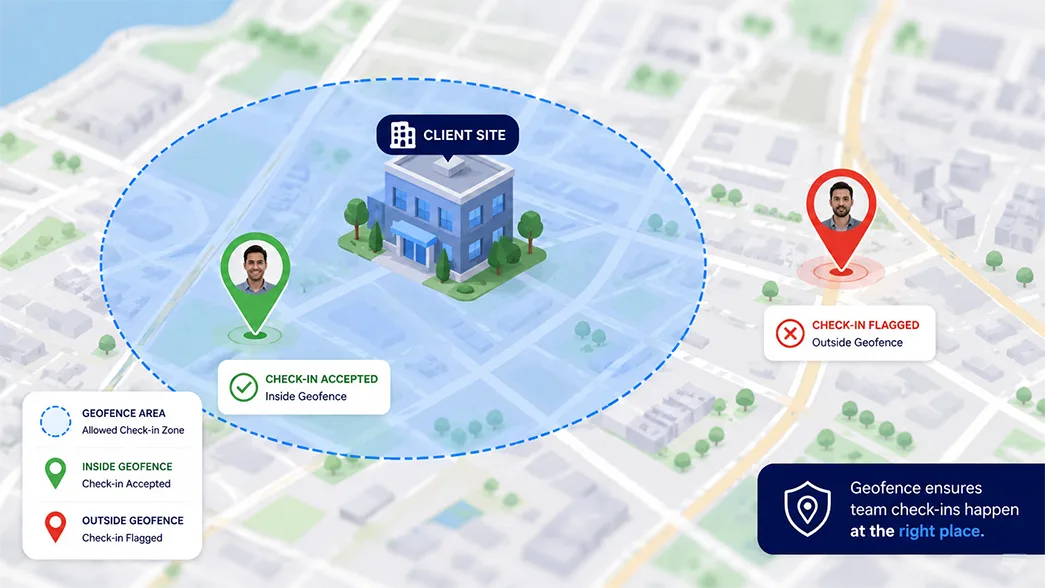
A geofence is a virtual boundary drawn around an approved location - an office, warehouse, or client site. Punches inside it are accepted; punches outside it are flagged or blocked. It turns location data into an actual rule.
Real-Time Attendance Visibility
Managers see who has checked in as it happens rather than discovering gaps the next day. For a supervisor running a ten-person field team, morning visibility replaces a round of calls.
Employee Attendance History
Employees can review their own punches, hours, and corrections in the app, and managers can pull a record without having to ask HR. Disputes shrink when both sides see the same data.
Remote and Field Attendance
Because the phone is the device, one system covers office staff, work-from-home employees, and people who spend the day across client locations - with no hardware installed anywhere.
Attendance Reports
Daily presence, late marks, working hours, and location summaries can be exported as payroll inputs and audit records rather than reconstructed from registers and chat threads.
Attendance and HRMS Integration
When the attendance app is part of a broader HR platform, punches automatically flow into shift schedules, leave balances, and payroll. That connection is what removes month-end reconciliation work.
Benefits of a Mobile-Based Attendance System for Businesses
Supports Field and Remote Employees
Attendance stops being an office-only event. Employees at client sites, project locations, or home are recorded with the same reliability as staff walking past the front desk.
Reduces Manual Attendance Work
WhatsApp confirmations, paper registers, and end-of-day spreadsheet edits disappear. Admin teams stop transcribing attendance and only review exceptions.
Improves Attendance Visibility
HR and managers can answer “who is working today, and from where?” on one screen instead of three phone calls.
Helps Prevent Unverified Check-Ins
GPS capture and geofencing add verification a register or a message cannot: the punch carries evidence of where it happened. Configured well, this quietly discourages proxy punching.
Makes Attendance Management More Flexible
New site tomorrow? Add the location and the team checks in from day one - no machine to ship, install, or maintain.
Helps HR Save Administrative Time
Fewer corrections, fewer disputes, and payroll inputs that arrive as clean data rather than a month-end reconciliation project.
Mobile Attendance for Field Employees: Why It Matters
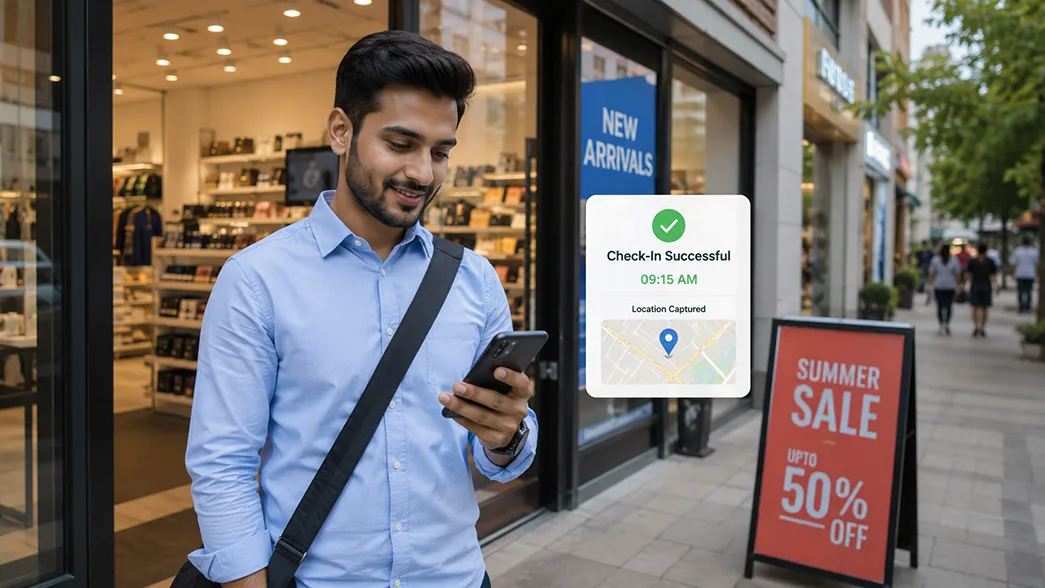
Field roles break the assumptions office attendance is built on:
- The workday starts at a client location, not the office
- One day can span four or five sites in different parts of the city
- Travel is part of working hours, so “arrival” is ambiguous
- There may be no company premises at all in the employee’s city
- Supervisors manage people they rarely see in person
For these teams, attendance is a measurement problem, not a discipline problem. Reporting to an office machine wastes an hour of route time; messages alone leave records nobody can stand behind.
A location-verified mobile check-in fixes the measurement. A sales executive in Ahmedabad covering seven retail outlets a day starts her day at the first store’s check-in - no office detour - and her manager in another city can see by 10 AM which of the twelve territory reps have begun their day.
Mobile Attendance vs Traditional Attendance Systems
Neither approach is universally better; each is built for a different workforce.
| Factor | Mobile-Based Attendance | Traditional Office-Based Attendance |
|---|---|---|
| Attendance location | Multiple locations | Usually a fixed location |
| Employee device | Smartphone | Dedicated machine or register |
| Field workforce | Suitable | Limited |
| GPS capability | Can be supported | Usually unavailable |
| Geofencing | Can be supported | Usually unavailable |
| Remote workforce | More flexible | Less flexible |
| Attendance visibility | Digital, near real-time | Depends on the system |
| Manual work | Lower | Can be higher |
Many organisations run both fixed machines at office entrances and biometric attendance systems, as well as mobile check-ins for everyone working outside them. The right mix depends on where your people spend the working day.
Mobile Attendance System vs GPS Attendance System
The terms are related but not identical. Mobile attendance refers to attendance recorded via a mobile device. GPS attendance is a verification method that uses location data to confirm the location of a punch.
A mobile-based attendance system may use GPS as one of its checks, alongside geofencing or photo capture, or run without location entirely for office and work-from-home staff. GPS alone is not an attendance system; it is useful only combined with check-in records, rules, and reporting. When comparing products, evaluate the whole system first, then decide which verification methods your workforce actually needs.
What to Look for When Choosing a Mobile-Based Attendance System
A practical checklist:
- Easy check-in and check-out - two taps, not a form
- GPS or location verification - punch location captured where needed
- Geofencing capability - approved zones per office, site, or client
- Attendance history - visible to both employee and manager
- Real-time visibility - live dashboard, not yesterday’s report
- App usability - works for a first-time smartphone user in a hurry
- Employee self-service - regularisation requests and history from the phone
- Reports - presence, hours, overtime, and location exports for payroll
- Manager approvals and corrections - a clean workflow for genuine errors
- Multi-location support - many sites, one attendance view
- Data security - encryption, access controls, and a clear data policy
- HRMS integration - attendance flowing into shifts, leave, and payroll
- Scalability - the same app for 40 employees and 4,000
- Admin controls - company-level rules on who must verify what, and where
Common Challenges With Mobile Attendance - and How to Handle Them
Mobile attendance has real limitations, and pretending otherwise is how rollouts fail:
- GPS accuracy. Dense buildings and indoor floors cause drift. Allow a small radius buffer and give managers a clean correction workflow.
- Poor connectivity. Field areas do not guarantee network. Prefer apps that capture punches offline and sync later.
- Battery limitations. Capturing location at punch time costs little; continuous tracking drains phones - avoid systems that demand always-on GPS.
- Privacy concerns. Be explicit that location is recorded at check-in and check-out, not throughout the day, and publish that policy before rollout.
- Fake or manipulated check-ins. Geofencing, photo capture, and mock-location detection - where the platform supports them - increase the effort required; manager review covers the rest.
- Incorrect location permissions. A denied permission fails silently. Make permission setup part of onboarding.
- Device compatibility. Field teams carry every kind of Android phone - test on low-end devices, not just the newest ones.
- Employee adoption. People adopt what saves them time. A two-tap check-in and a visible attendance history do more than mandates.
How Mewurk Supports Mobile-Based Attendance Management
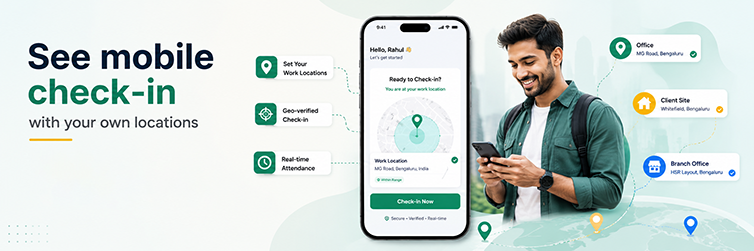
Mewurk treats mobile attendance as part of one connected HR system rather than a standalone punch app. Employees check in and out through the Mewurk mobile app, with GPS-based attendance available for field and remote staff; every punch lands in the same attendance management system office check-ins use.
Because attendance, shift management, leave, and payroll sit on one platform, a mobile punch automatically respects the employee’s shift, updates their attendance record, and reaches payroll without re-entry. Managers get the same visibility across office and field staff, and organisations coordinating customer visits can build further with Mewurk’s field service management capabilities.
Example: How a Field Employee Marks Attendance Using Mobile
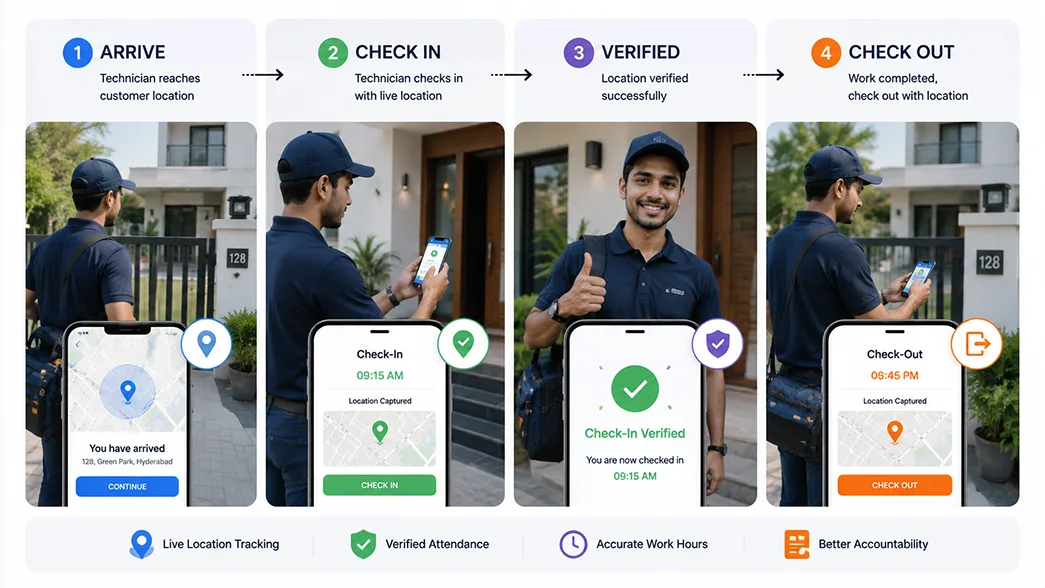
Arrives at location → Opens the app → Checks in → Location is verified → Attendance is recorded → Manager sees the status → Checks out after the last job.
An AC service technician’s first job is at a housing society at 9 AM, the opposite direction from his office. He opens the attendance app on arrival and taps check-in; the app verifies he is at the assigned customer location and records the punch. His supervisor, watching a team of nine technicians, sees him active without a single call. Three service calls later, he checks out of the last site at 6:10 PM.
The value is in what does not happen: no morning detour, no evening spreadsheet, and a working-hours record - including overtime - that both sides trust.
Is a Mobile-Based Attendance System Right for Your Business?
Mobile attendance is worth serious evaluation if several of these apply:
- Employees regularly work outside the office
- Teams operate across multiple branches or cities
- You employ field sales, service, delivery, or site staff
- Part of the workforce is remote or hybrid
- HR still depends on spreadsheets or registers for attendance
- Managers cannot verify where field attendance actually happened
- Attendance data reaches HR a day or more late
- Employees frequently start or end their day at client locations
If only one or two apply, a fixed-device setup may serve you fine. If most do, your attendance system is probably lagging how your people already work.
Conclusion
Mobile-based attendance matters most for employees who are not sitting at a fixed desk - field teams, distributed branches, and remote and hybrid staff. It moves check-in to the devices employees already carry and delivers HR records that arrive verified rather than reconstructed.
Choose based on workforce type, locations to cover, the verification you genuinely need, ease of use on ordinary phones, the reports payroll depends on, and how attendance connects to your other HR processes. To see how this works with your own sites and teams, book a free Mewurk demo and try the mobile check-in flow directly.
Frequently Asked Questions
1. What is a mobile-based attendance system?
It is software that lets employees mark attendance via a smartphone app rather than a fixed office device. Punches are timestamped, optionally location-verified, and synced to a central system HR can access from anywhere.
2. How does mobile attendance tracking work?
The employee opens the app and taps check-in; the system verifies the request, optionally validates GPS location or geofencing rules, and creates the attendance record. Managers see it immediately, and check-out closes the day.
3. What is GPS-based mobile attendance?
It is mobile attendance with location capture: the app records where each check-in and check-out happened. This lets businesses confirm that attendance was marked at an approved site.
4. How does geofencing work in mobile attendance?
The business defines a virtual boundary around an approved location, such as an office or client site. Check-ins inside are accepted; those outside are flagged or blocked, depending on configuration.
5. Is mobile attendance suitable for field employees?
Yes - it is the workforce it fits best. Field employees can check in from their first customer location, with the place verified, instead of reporting to an office machine.
6. What features should a mobile attendance app have?
At minimum: fast check-in and check-out, GPS and geofencing options, offline capture, attendance history, real-time manager visibility, self-service corrections, reports, and integration with shifts, leave, and payroll.
7. Is mobile attendance better than biometric attendance?
Neither is universally better. Biometric devices suit fixed premises with high footfall; mobile attendance suits field, remote, and multi-location teams. Many businesses use both, feeding one attendance system.