Summary
Hotels and retail stores often have employees working at different times and locations. Some work morning shifts, while others work evening or night shifts. Attendance, leave, and payroll can therefore involve employees from several outlets.
HRMS software can simplify daily HR work in hospitality and retail. Employee records, attendance, shifts, leave, and payroll can be managed in one place instead of using separate records and manual entries.
We'll get into why this industry's HR needs differ so much from a typical office, which features genuinely matter for shift-based teams, how attendance data should flow into payroll, and what to actually check before signing up for a platform. One thing worth saying upfront: software won't fix a broken process on its own. What it does is remove a lot of the manual back-and-forth, so long as the underlying policies—leave rules, shift structures, approval chains—are set up properly.
What Is HRMS Software for Hospitality and Retail?
HRMS software for hospitality and retail is a system that manages employee records, attendance, shift scheduling, leave, and payroll in one place, designed for businesses where staff work rotating shifts across multiple locations rather than fixed hours at a single site.
Most HRMS platforms handle:
- Employee information and documentation
- Attendance tracking
- Leave management
- Payroll processing
- Shift management
- Roster management
- Employee self-service
- Recruitment and onboarding
- Performance management
- HR reports and workforce analytics
That list works fine for a typical office. It falls short for hospitality and retail. Why? Because employees here don't work identical hours, they don't sit at one location, and many never touch a company laptop during their shift. A restaurant server or a store associate needs to check their roster, apply for leave, or view a payslip from their own phone—not from a desktop they don't have access to.
Why Hospitality and Retail Businesses Need HRMS Software
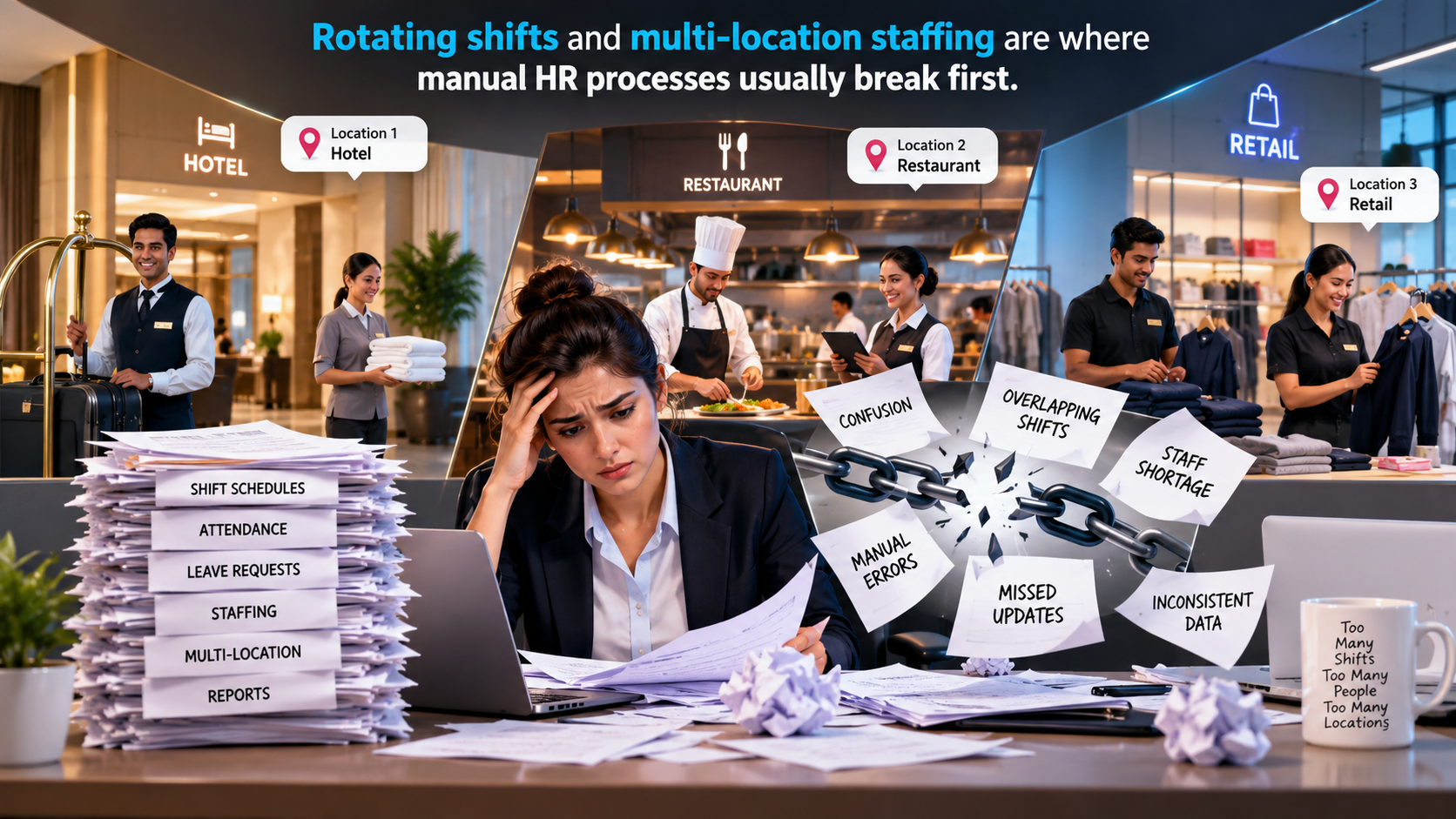
The pressure points in this sector are fairly consistent across hotels, restaurants, and retail chains. Here's where things usually break down first.
Managing Shift-Based Employees
A hotel might run three shifts a day. A retail store staffs up on weekends and during sales, then scales back midweek. Employees rotate between morning, evening, and night slots, and weekly offs move around depending on who's needed when. Try tracking that on a register or a spreadsheet, and you'll find it falls apart the moment someone swaps a shift at the last minute.
Managing Multiple Locations
Once a business has more than one hotel, restaurant, store, or warehouse, keeping track of who's working where gets harder fast. Without a central system, HR ends up pulling data from each site separately—and that slows down everything downstream, payroll included.
Tracking Frontline Attendance
Office attendance is simple: one entrance, one badge reader, done. Frontline staff rarely have that luxury. They might check in at a store counter, a hotel back office, or a warehouse gate, and some move between sites during the week. A single biometric machine at one entrance doesn't cover a business with several access points.
Connecting Attendance With Payroll
When attendance sits in one place and payroll gets calculated separately, someone has to sit down and match the two before every pay cycle—cross-checking late marks, half-days, overtime. It's tedious, and it's one of the most common reasons payroll gets delayed or disputed in shift-heavy businesses.
Managing Leave and Overtime
Leave requests, late arrivals, early exits, overtime hours—all of it needs consistent tracking. Overtime especially spikes during festivals, sales, or peak seasons in this industry, and if it isn't logged the same way every time, disputes over pay or leave balances follow.
Employee Communication
Most frontline staff aren't checking company email during their shift. If leave applications, roster views, and payslips only work through a desktop portal, most employees simply won't use them. Mobile-first self-service isn't a nice-to-have here—it's closer to a requirement.
Key HRMS Features for Hospitality and Retail Businesses
Not every feature in an HRMS carries the same weight for a shift-based business. Some matter a lot more than others.
1. Employee Management
One record per employee—personal details, documents, role, location, employment history—accessible to HR and managers, instead of separate files kept at each outlet.
2. Attendance Management
For teams spread across sites, attendance tools usually need to cover:
- Mobile attendance (check-in and check-out from a phone)
- Biometric attendance at fixed locations
- Location-based attendance
- Geo-fencing, to confirm someone's actually checking in from the right site
- Attendance regularization for missed punches
- Attendance reports by employee, shift, or location
3. Shift Management
This covers building shift templates, assigning people to them, handling rotations, and keeping track of who's scheduled where. For a hotel or restaurant running more than one shift a day, this is the backbone of everything else.
4. Roster Management
Roster management lets a manager organize staff by shift, department, or outlet, so staffing actually matches expected demand—busy dinner hours at a restaurant, weekend crowds at a store, check-in rushes at a hotel front desk.
5. Leave Management
Leave requests, approvals, balances, policy rules—ideally visible to both employee and manager in real time, not buried in an email thread.
6. Payroll Management
Payroll management ties attendance, leave, and overtime data to salary structures, so payroll teams aren't re-entering the same numbers by hand every month.
7. Employee Self-Service
This typically lets employees:
- Apply for leave
- Check their own attendance
- Download payslips
- Update profile details
- Raise HR requests
- Access relevant documents
For frontline staff, this needs to work smoothly on a basic smartphone. A clunky desktop-only portal defeats the purpose.
8. Multi-Location Workforce Management
For a retail chain, hotel group, or restaurant chain, this means location-specific employee records and attendance, with central HR seeing the full picture while local managers handle their own site's day-to-day approvals.
9. Recruitment and Onboarding
Hospitality and retail hire often—sometimes seasonally, sometimes because turnover in frontline roles runs high. A structured recruitment and onboarding workflow helps keep hiring consistent across locations instead of reinventing the process at every site.
10. HR Analytics and Reports
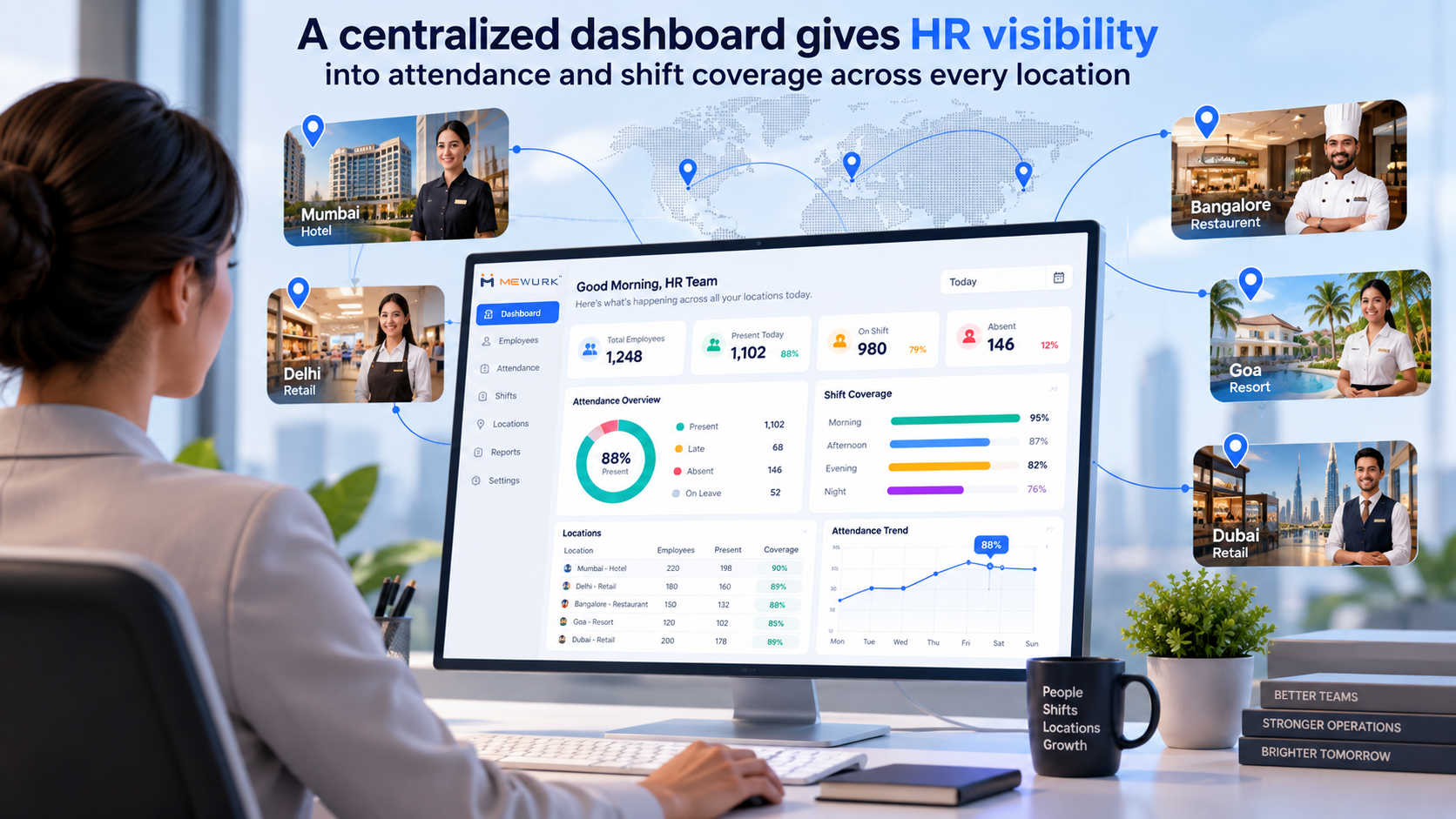
The reports that matter most here are: attendance summaries, headcount by location, attrition trends, payroll cost by site, leave utilization, and shift coverage gaps. Together, they give management an actual picture of what's happening across the business, not just anecdotes from individual managers.
How HRMS Software Helps Hospitality Businesses
Hotels, resorts, restaurants, QSRs, cafes, and catering companies all run on department-based, shift-heavy staffing. Take a single hotel property. It needs to schedule and track:
- Front-office staff working reception shifts
- Housekeeping teams assigned by floor or room block
- Kitchen and F&B staff on split shifts around meal times
- Restaurant floor staff during peak dining hours
- Security on round-the-clock rotations
- Maintenance staff, sometimes on-call
An HRMS lets each department run its own schedule while still feeding into one employee database and one payroll run. If you're managing several properties, head office also gets visibility across all of them without asking every general manager to send in separate spreadsheets.
Worth being upfront about: there's no single HRMS that's automatically right for every hospitality business. A 20-room boutique property has different needs than a 200-room resort or a 50-outlet QSR chain. The right fit comes down to your actual shift complexity and number of locations, not just the fact that you're in hospitality.
How HRMS Software Helps Retail Businesses
Whether it's a single store, a multi-store retailer, a franchise, or a supermarket chain, retail businesses run into a similar set of workforce headaches, just shaped by retail's own patterns.
Some common uses:
- Store-wise attendance, so each outlet's staffing is visible on its own
- Shift scheduling built around store hours, footfall, and weekends
- Employee transfers between stores, with the employee's history moving with them
- Store manager approvals for leave and attendance issues at the local level
- Multi-location employee management from one central dashboard
- Payroll coordination across stores that might run different shift patterns or incentive structures
- Self-service so store staff can check schedules and apply for leave without calling head office
For franchises, keeping HR data structured the same way across outlets—even when daily management varies—makes it much easier to compare staffing costs and performance across the network.
HRMS for Multi-Location Businesses
Once a business crosses a handful of locations, centralized visibility stops being optional. Without it, HR data lives in pieces—a spreadsheet here, an attendance register there, a WhatsApp group for every outlet manager.
A proper multi-location setup usually gives you:
- Location-wise employee records
- Branch-wise attendance data
- Store-wise workforce reports
- Location-based policies (different shift or leave rules per site)
- Manager-level approvals, so local managers handle their own team's requests
- Central HR administration for company-wide policy and reporting
- Employee transfers between locations, with history retained
- Centralized payroll across every site
Here's an example. A retail company runs 20 stores across several cities. With a centralized HRMS, head-office HR can see attendance, leave, and payroll data for all 20 stores from one screen. Meanwhile, each store manager approves leave requests or handles attendance regularization for their own store, without seeing data from the other 19. That split keeps daily decisions close to the ground while HR still has oversight of the whole operation.
HRMS for Shift and Roster Management
These three terms are used interchangeably, but they're not the same thing.
Shift management defines the shift itself—start time, end time, breaks, shift type (morning, evening, night, split). Roster management decides which employee works which shift, on which day, at which location. Attendance tracking then confirms whether that employee actually showed up on time.
Here's the simplest way to picture how they connect:
Employee → Assigned Shift → Roster → Attendance → Overtime/Exceptions → Payroll
An employee gets mapped to a shift type. That shift goes into a weekly or monthly roster across whichever outlets need staffing. Once the shift starts, attendance confirms whether the employee checked in as planned. Any deviation—late arrival, early exit, extra hours—becomes an exception or overtime entry, and that feeds straight into payroll for the cycle.
How HRMS Connects Attendance, Leave and Payroll
For shift-heavy businesses, this is often the workflow that matters most:
Attendance Data → Leave Data → Overtime / Exceptions → Payroll Inputs → Payroll Processing → Employee Payslip
When attendance, leave, and overtime all sit in one connected system, payroll doesn't have to be assembled from scratch every month. The data that's already been recorded through daily check-ins and leave approvals flows straight into the payroll calculation.
That said, let's not oversell it. Connecting these systems cuts down the chances of manual entry errors—it doesn't eliminate them. Payroll accuracy still depends on shifts being set up correctly, leave policies being configured right, and managers actually regularizing attendance exceptions on time. The automation helps the process along; it doesn't replace the need for someone to get the setup right in the first place.
Benefits of Using HRMS Software for Hospitality and Retail
- Centralized employee data. One record per employee that HR and managers can actually rely on, instead of files scattered across locations.
- Better attendance visibility. You can see who's present, absent, or late across every site, close to real time.
- Easier shift management. Building and assigning shifts from one interface beats manually scheduling every outlet separately.
- Simplified payroll. Attendance and leave data feeding directly into payroll cuts down the reconciliation work before each pay cycle.
- Faster HR workflows. Leave approvals and attendance regularization move through a defined process instead of ad hoc calls and messages.
- Better self-service. Employees can check their own attendance, apply for leave, and grab their payslip without going through HR for every small thing.
- Multi-location visibility. Central HR sees workforce data across all sites without waiting on manual reports.
- Better reporting. Structured attendance, headcount, attrition, and payroll cost reports support more informed staffing calls.
- Less repetitive admin work. Compiling attendance sheets or calculating overtime by hand takes far less effort once the data's already centralized.
- Better coordination. Managers across departments or sites get a shared view of who's scheduled, who's on leave, and where the gaps are.
HRMS Software for Small vs Large Hospitality and Retail Businesses
| Requirement | Small Business | Growing Business | Large / Multi-Location Business |
|---|---|---|---|
| Employee records | Essential | Essential | Essential |
| Attendance | Essential | Advanced | Advanced |
| Shift management | Useful | Important | Critical |
| Payroll | Important | Important | Critical |
| Multi-location | May not be required | Useful | Essential |
| Employee self-service | Useful | Important | Essential |
| Analytics | Basic | Advanced | Advanced |
| Integrations | Basic | Important | Critical |
What you actually need depends more on how complex your workforce is—shifts, locations, reporting layers—than on how many people you employ. A 30-person restaurant running three rotating shifts can need more shift-management depth than a 60-person office running fixed hours.
How to Choose the Right HRMS Software for Hospitality and Retail
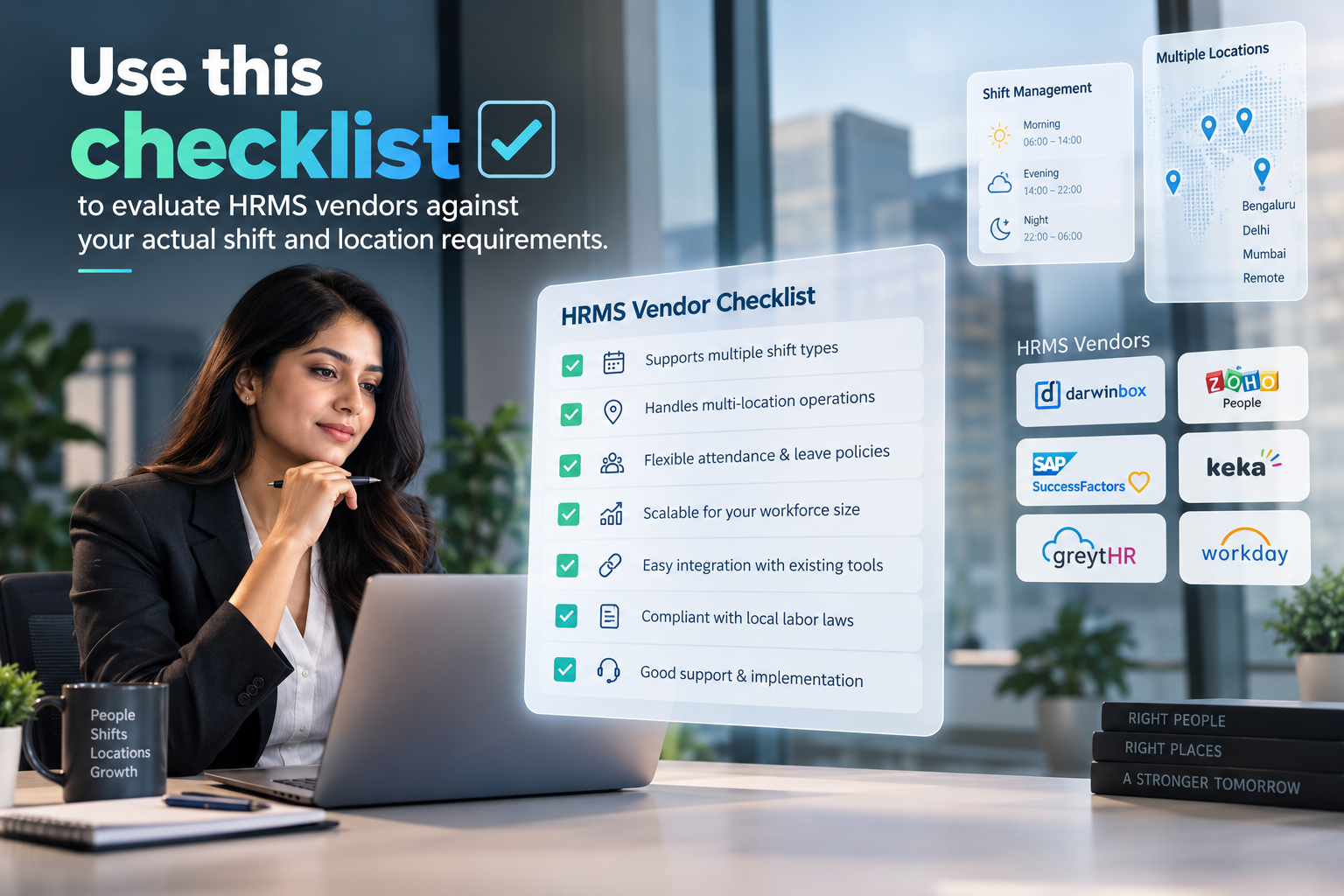
Start with your workforce size, current and where you expect to be in a year or two. Then look at how many locations you run, and whether that number's likely to grow.
Map out your shift complexity—how many shift types you run, how often they rotate, how far ahead you plan rosters. Figure out your attendance needs: biometric, mobile, geo-fenced, or some mix of the three.
Check whether the payroll module actually handles your salary structures, overtime rules, and statutory components—not just a generic version of payroll. Look closely at self-service too. Will it genuinely work for a frontline employee on their own phone, or does it assume everyone has a laptop?
Pick the platform that matches what your operations actually need. A long feature list looks impressive in a sales deck; it doesn't help if half of it goes unused.
How Much Does HRMS Software Cost in India?
Pricing depends on a mix of factors: employee count, number of locations, which modules you pick, payroll complexity (including statutory compliance), whether you need biometric hardware, implementation effort, integrations, support level, customization, and contract length.
The pricing models you'll typically run into in India:
- Per-employee, per-month
- Flat monthly subscription for a set employee band
- Annual subscription, usually cheaper than paying monthly
- Module-based pricing, where you pay only for what you use
- Custom enterprise pricing for large or multi-location businesses with specific needs
Vendor pricing shifts over time, and it varies quite a bit between providers. Rather than relying on a number you saw in an old blog post somewhere, ask the vendor directly for current pricing based on your actual requirements.
Common HR Challenges HRMS Can Help Address
Manual attendance tracking is replaced by centralized attendance across every location and shift.
Complex, constantly shifting employee schedules are handled through shift and roster management tools built for rotation and reassignment.
Running multiple stores or properties stops being a visibility problem once you have multi-location workforce management with local-level approvals baked in.
Manual payroll inputs give way to integrated HR and payroll workflows that pull attendance and leave data automatically.
Too many small HR requests clogging up your inbox? Employee self-service takes care of leave, attendance, and payslip access without HR needing to be the middleman every time.
Limited visibility into your own workforce gets fixed through HR dashboards and reports that pull everything together in one view.
HRMS Implementation Checklist for Hospitality and Retail
Before you start rolling out an HRMS, it helps to have this ready:
Get this organized before implementation starts, and the rollout tends to go noticeably faster, with a lot less back-and-forth during setup.
Frequently Asked Questions
1. What is HRMS software for hospitality and retail?
It's a workforce management system that centralizes employee records, attendance, shift scheduling, leave, and payroll for businesses running shift-based or multi-location teams—hotels, restaurants, and retail stores among them.
2. Why do hotels need HRMS software?
Hotels run several departments—front office, housekeeping, kitchen, security—each with its own shift pattern. HRMS software tracks attendance and schedules shifts department by department while keeping employee and payroll data centralized across the property.
3. How can HRMS help retail businesses?
It handles store-wise attendance, shift scheduling, employee transfers between stores, and centralized payroll, while letting store managers deal with local approvals like leave requests themselves.
4. Can HRMS manage employee shifts and rosters?
Yes. Most platforms include shift management for defining timings and roster management for assigning employees to specific shifts, dates, and locations based on actual staffing needs.
5. Can HRMS manage employees across multiple locations?
Yes. Multi-location features let central HR view data across all sites while giving local managers access relevant to their own location for day-to-day approvals.
6. Can HRMS connect attendance with payroll?
Yes, on most platforms. Attendance, leave, and overtime data feed directly into payroll processing, cutting down the manual reconciliation that would otherwise happen before every pay cycle.
7. Is HRMS suitable for restaurants and QSRs?
It can be, especially for managing rotating shifts, frontline attendance, and multi-outlet operations—though the right fit really depends on the size and complexity of the specific business.
8. What features should a retail business look for in HRMS?
Attendance tracking, shift and roster management, multi-location visibility, payroll integration, and mobile-friendly self-service for store staff are the ones that matter most.
9. How much does HRMS software cost in India?
It depends on employee count, number of locations, modules selected, and payroll requirements. Common pricing models include per-employee monthly rates, flat subscriptions, and custom enterprise pricing.
10. How do I choose the right HRMS for my business?
Map your workforce size, number of locations, and shift complexity first. Then check attendance, payroll, and self-service capabilities against what you actually need, and test the platform with a demo or pilot before committing to it.
Why Choose Mewurk
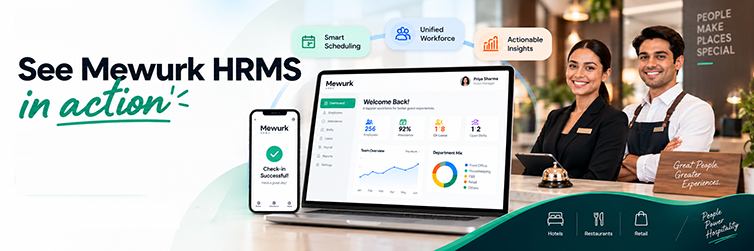
Mewurk is built as an HRMS platform for growing businesses in India, with attendance, shift management, leave, payroll, and employee self-service designed around teams that aren't sitting at one desk all day.
For hospitality and retail specifically, that means:
- Attendance tracking that works across multiple locations, not just one fixed entry point
- Shift management built for rotating and multi-department schedules
- Self-service that runs on a mobile phone, so frontline staff can apply for leave or check a roster without going through HR
- Multi-location management that gives central HR the full picture while letting local managers handle their own approvals
- Payroll workflows tied to attendance and leave data, cutting down manual reconciliation before each pay run
If your business runs shift-based or distributed teams across one or more locations, it's worth checking whether Mewurk's specific setup lines up with how you actually work. The details of your shift structure, location count, and payroll rules will determine the fit better than any generic feature list.
Conclusion
Hospitality and retail HR look different because the workforce itself is different—rotating shifts, multiple locations, frontline staff who need tools that work from a phone rather than a desktop. Bringing employee data, attendance, and shift information into one system won't fix every HR headache, but it does cut down the back-and-forth that comes from managing these pieces separately across outlets or properties.
The workflow that matters most is the one linking attendance to leave to payroll. Get that right, and payroll teams spend less time reconciling numbers and more time actually planning ahead. Add self-service on top, and frontline staff can manage their own leave, attendance, and payslips instead of routing everything through HR.
If you're running a hotel, a restaurant, a retail store, or a chain spread across several locations, the right HRMS software for hospitality and retail is the one that matches your actual shift structure, location count, and payroll complexity—not necessarily the one with the longest feature list on its homepage. Take the time to map out what you actually need, test it against real workflows, and go from there.