Summary
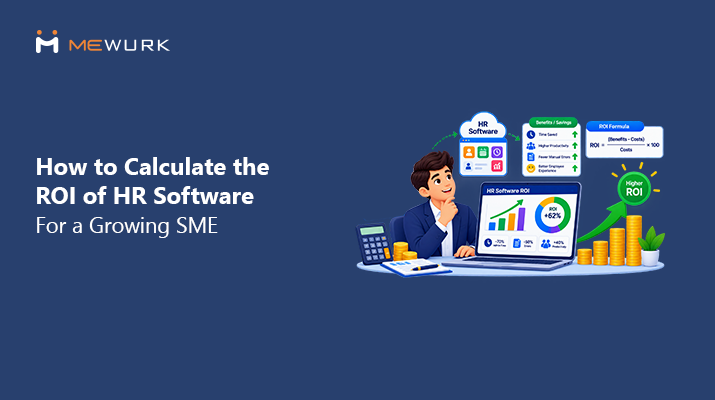
HR software ROI analysis is an equation that helps you determine the benefits of using HR software for your business processes, in terms of financial savings and gains relative to its cost. This guide explains the equation to be used, presents a case study of an Indian SME employing 50 people, and highlights overlooked costs.
Does this company sound familiar? Twenty-eight people. Attendance lives in an Excel sheet that one admin updates from a register. Leave requests arrive on WhatsApp, sometimes to the manager, sometimes to HR, sometimes to both. Payroll means merging three files and praying the overtime column is right. And the owner spends part of each month-end weekend checking numbers that a system should have checked.
Nothing here is broken, exactly. It all works. It just costs hours, and the hours grow faster than headcount does. Corrections creep in. Managers approve the same things again and again. HR chases information instead of using it.
The question isn't whether HR software sounds nice. It's whether the maths works. That's what this guide answers. Not with vague promises, but with a formula, real cost lines, and a calculation you can rebuild with your own numbers in twenty minutes.
What Is the ROI of HR Software?
HR software ROI is the return your business earns on its HRMS spend. It compares the money you save or recover with the full cost of buying, setting up, and running it. If the savings beat the cost, the ROI is positive.
The formula is simple:
HR Software ROI = ((Financial Benefits − Total HR Software Cost) ÷ Total HR Software Cost) × 100.
In plain English: add up everything the software saves you in a year. Subtract everything it costs you that year. Divide the difference by the cost, multiply by 100, and you have a percentage. A result of 100% means the software paid for itself and returned the same amount again. A negative number means it cost more than it saved, at least in that period.
The formula is the easy part. The honest work is in what you count on each side. That's where the next two sections earn their place.
What Costs Should SMEs Include When Calculating HR Software ROI?
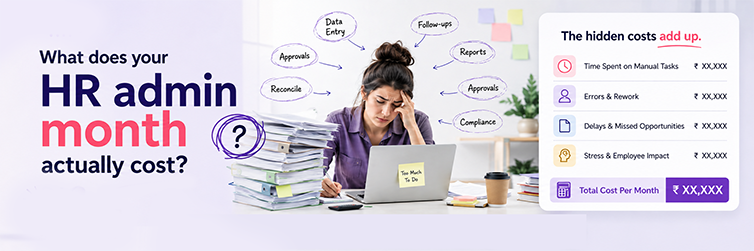
The subscription price is the visible cost. It's rarely the whole cost. Count all of these:
- Software subscription. The per-employee or flat monthly fee. The number on the pricing page.
- Setup and implementation. Configuring policies, rules, and accounts. Sometimes billed, sometimes bundled.
- Data migration. Moving employee records, leave balances, and salary structures out of old files.
- Training. A few hours for HR, a short session for managers, a nudge for employees. Small, but real.
- Integration. Connecting the system to anything you already run.
- Devices, where applicable. Biometric hardware and its installation, if attendance capture is part of the plan.
- Your own time. Someone inside the company will own the rollout for a few weeks. That time has a cost too.
- Support and maintenance. Annual charges, if any, beyond the subscription.
- Extra modules or users. The cost of growing into the system, not just starting on it.
Add these up over a year, and you have the total cost of ownership. That's the denominator your ROI deserves. Judging software on subscription price alone is how companies buy something cheap that turns out to be expensive.
What Benefits Should Be Included in an HR Software ROI Calculation?
Now, the other side of the equation. These are the benefits worth counting, and how to count them.
1. HR Admin Time Saved
The biggest line for most SMEs. Count the hours HR and admin staff spend on repeat work: compiling attendance, entering data, chasing approvals, answering the same questions. Then apply one simple formula:
Hours saved per month × hourly employee cost = monthly labour savings.
If the system returns 25 hours a month and that time costs ₹300 an hour, that's ₹7,500 a month. Not theory. Payroll-visible.
2. Payroll Error Reduction
Every wrong attendance entry, missed leave deduction, or overtime slip becomes rework: redoing the maths, explaining, fixing, sometimes re-running payroll. Fewer errors mean fewer of those hours. Count what fixes cost you in a normal month, then estimate the share that clean data would remove.
3. Attendance Automation
When punches come from a biometric device or a mobile app, nobody types them or matches them at month-end. The matching hours you currently spend are the savings here.
4. Leave Management Automation
A leave request that checks its own balance, routes to the right approver, and updates the calendar removes a chain of small hand touches. Each one tiny. When multiplied across each request each month, they add up to real hours.
5. Employee Self-Service
How often does someone ask HR for a payslip, a leave balance, or their own attendance record? Each answer costs minutes. Self-service moves those questions to the person's own phone. HR's interruptions drop. That recovered focus is part of your return.
6. Less Spreadsheet and Paperwork Handling
Disconnected Excel files, paper registers, and WhatsApp threads all need maintenance, version control, and searching. One connected record removes the shuffling. Hard to price exactly. Easy to feel within a month.
7. Faster HR Reporting
If preparing a headcount, attendance, or leave report means gathering data from four places, reporting has a labour cost. One central record turns hours of prep into minutes of export.
8. Scalability
The quiet benefit. By hand, going from 50 to 100 people roughly doubles the admin work. With software, the workload grows far slower than the headcount. That's not about cutting anyone. It's about growing without hiring purely to push paper.
A Simple HR Software ROI Calculation Example for an SME
Let's run the numbers for a 50-person company. Every figure below is a working assumption, marked illustrative, not a Mewurk claim. Swap in your own numbers.
Before software, HR and admin spend 35 hours a month on repetitive administration at an internal cost of ₹300 per hour. That's ₹10,500 a month in manual admin labour, before counting corrections and reporting time.
| Line item | Illustrative amount |
|---|---|
| Hours automated after software (25 of the 35) | ₹7,500 saved per month |
| Fewer payroll and attendance corrections | ₹3,000 saved per month |
| Less paperwork and faster reporting | ₹1,500 saved per month |
| Total monthly benefit | ₹12,000 |
| Annual benefit | ₹1,44,000 |
| Year-one software cost (subscription plus setup) | ₹72,000 |
| Net annual benefit | ₹72,000 |
| Estimated first-year ROI | 100% |
The ROI lands exactly at 100% here because the assumptions are round numbers. Yours won't be this tidy, and that's fine. Two things matter more than neatness. First, the method: each line is something you can measure in your own company. Second, the direction: year two drops the setup cost from the maths, so the same savings produce a higher return. Software ROI usually improves with age. Spreadsheet chaos usually doesn't.
How to Calculate HR Software ROI Step by Step
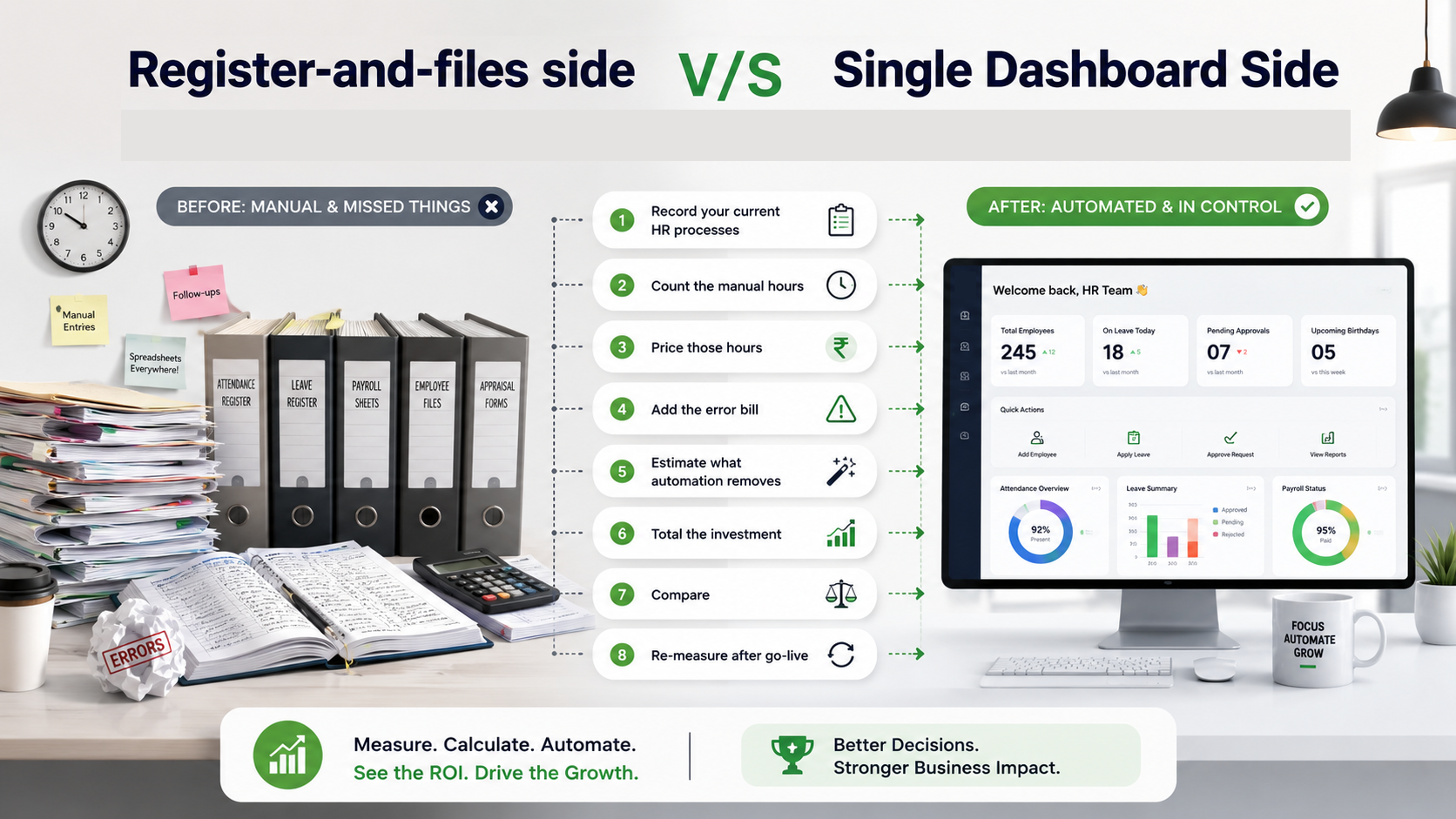
- Step 1: Record your current HR processes. Write down how attendance, leave, payroll inputs, and records actually move today. Not the ideal version. The real one.
- Step 2: Count the manual hours. Track a normal month. How many hours go into compiling, entering, chasing, and correcting?
- Step 3: Price those hours. Use the loaded hourly cost of whoever does the work.
- Step 4: Add the error bill. What did corrections, re-runs, and disputes cost last quarter? Divide by three to get the monthly figure.
- Step 5: Estimate what automation removes. Be conservative. Assume the software takes over the mechanical work, not the judgment work.
- Step 6: Total the investment. Subscription, setup, migration, training, devices, and your own rollout time for one full year.
- Step 7: Compare. Annual benefit against annual cost, through the formula. That's your projected ROI.
- Step 8: Re-measure after go-live. Track the same numbers at 30, 60, and 90 days. Projections are a promise. Measurements are the proof.
An HR Software ROI Calculator Formula SMEs Can Use
Copy this into Excel. Six cells, two formulas, done.
| Variable | What it captures | Your number |
|---|---|---|
| A | Monthly HR hours saved | |
| B | Hourly HR or admin cost (₹) | |
| C | Monthly error and rework savings (₹) | |
| D | Monthly paperwork and reporting savings (₹) | |
| E | Annual software cost (₹) | |
| F | One-time implementation cost (₹) |
Annual benefit = (A × B + C + D) × 12.
Year-one ROI % = ((Annual benefit − (E + F)) ÷ (E + F)) × 100.
From year two onward, drop F from the formula, and the return climbs. Resist the urge to add more variables. A calculation you'll actually maintain beats a fancy one you'll abandon.
Hard ROI vs Soft ROI of HR Software
A good evaluation accounts for both kinds of return and keeps them clearly separate.
| Hard ROI: measurable in rupees | Soft ROI: real, but harder to price |
|---|---|
| Reduced admin hours | Better employee experience |
| Lower rework and correction costs | Faster approvals for everyone |
| Fewer payroll corrections | Clearer HR visibility for owners |
| Reduced paperwork costs | Less frustration for managers |
| Lower operational overhead | More accurate, organised records |
| Faster, more confident decisions |
Hard ROI justifies the purchase on a spreadsheet. Soft ROI is often what people mention six months later when you ask whether the software was worth it. The mistake is either ignoring soft ROI entirely or, worse, inventing rupee values for it. Name it, weigh it, but keep it out of the formula.
When Does HR Software Usually Become Worth Considering?
There's no magic employee count, and be suspicious of anyone who gives you one. Watch for signals instead. Ten of them. Count how many are yours:
- HR spends several hours each week on the same repetitive admin work.
- Attendance still lives in a register or a manually updated sheet.
- Leave approvals travel through WhatsApp or email threads.
- Payroll prep means matching data from multiple sources.
- Employee records sit across multiple spreadsheets and folders.
- Managers keep asking HR for basic information about their own teams.
- Employees repeatedly request payslips or leave balances.
- You have branches or field staff whose records arrive late or are wrong.
- HR's workload is growing faster than your headcount is.
- A simple report takes hours to prepare instead of minutes.
Three or more of these, and the ROI calculation above is worth an afternoon of your time. The signals compound, and they rarely reverse on their own.
How to Measure HR Software ROI After Implementation
The maths shouldn't end at the point of purchase. Measure the same things after go-live that you measured before, or you'll never know what you really earned. Useful KPIs:
- HR admin hours per month.
- Payroll processing time, start to payslips.
- Attendance fix volume.
- Payroll fix count.
- Leave request processing time.
- Self-service usage.
- Report prep time.
- HR queries received per month.
- Hand-entered data volume.
- Hours spent on month-end matching.
Compare your baseline to the 30-, 60-, and 90-day marks. Expect the 30-day numbers to be modest as people adopt the system, and let the 90-day numbers tell the truth. No vendor can guarantee your results, because your processes and adoption drive them. What you can guarantee is that measuring beats guessing.
Common Mistakes SMEs Make When Calculating HR Software ROI
Nine traps. All avoidable.
- Judging solely on the subscription price and ignoring the total cost of ownership.
- Forgetting to price HR's time. If the hours are unpriced, the savings appear to be zero.
- Payroll rework never makes it into the maths, even though it's often the largest error cost.
- Ignoring setup costs, then feeling surprised in month one.
- Counting wildly hopeful savings. Careful assumptions build credible cases.
- Assuming each feature turns into a direct rupee return. Some are soft ROI, and that's okay.
- No baseline was measured before go-live, so "better" can never be proven.
- Ignoring adoption. Software nobody uses saves nothing.
- Comparing tools purely on price instead of what each one really removes from your month.
Is HR Software Worth the Investment for a Growing SME?
The balanced answer: it depends on what your manual processes currently cost you, and now you know how to find out.
When HR admin eats up measurable hours, payroll needs fix cycles, records live in scattered files, and the workload grows faster than the team, the math usually favors software. Often within the first year. That's not marketing. It's the labour maths this guide just walked through.
And the honest other side: a very small company with genuinely simple HR, a handful of people, minimal shift complexity, and rare corrections, may not need a full HRMS yet. Run the calculation. If the benefit line is thin, wait and re-run it in six months. The signals section above will tell you when the moment arrives.
Where Mewurk Fits Into the ROI Picture
Everything above is vendor-neutral on purpose. But the maths depends on what the software really automates. So here's what Mewurk covers, mapped to the benefit lines you just priced.
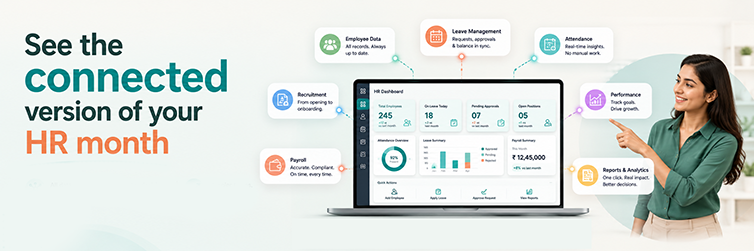
Mewurk's HR management software keeps employee records in one central place. That's your paperwork and reporting line. The attendance management system captures punches via biometric devices and a mobile app, with self-service capabilities. That's your attendance matching line. Leave management runs requests, approvals, and balances on its own. Shift management maps punches to rosters. Together they cover the approval-chasing hours. And verified attendance flows into payroll without retyping. That's the fix-and-rework line.
The point isn't that each rupee in the example lands on its own. It's that each benefit you priced has a named feature responsible for it. Ask for the mapping of any vendor you evaluate, including us.
Frequently Asked Questions about HR Software ROI
1. How do you calculate ROI on HR software?
Add up your yearly money benefits: time saved, error costs avoided, and paperwork reduced. Subtract the full yearly cost of the software, setup included. Divide the result by that cost. Multiply by 100. The formula: ((Benefits − Cost) ÷ Cost) × 100.
2. Is HR software worth it for a small business?
Often, yes, manual HR work consumes measurable hours each week. A very small team with simple processes can reasonably wait. Run the maths with your own numbers rather than trusting anyone's cutoff.
3. What costs should be included when calculating HR software ROI?
The subscription, setup, data migration, training, integrations, any biometric devices, your internal rollout time, and support charges. Together, they form the total cost of ownership. That's the honest denominator.
4. How can HR software reduce HR costs?
Mainly by removing repetitive labour: automated attendance capture, self-service leave flows, self-service for payslips and balances, and attendance data flowing into payroll without retyping. Fewer errors also mean fewer costly fix cycles.
5. How long does it take to see ROI from HR software?
It varies depending on adoption and the complexity of your processes. Many SMEs see time savings within the first quarter, while the full financial picture becomes clearer after 90 days of measurement. Year two often beats year one, since setup costs don't repeat.
6. Does HR software reduce payroll errors?
It reduces the error sources. When attendance, leave, and overtime data reach payroll, already checked, the manual entry mistakes that cause most fixes don't happen. No single system removes every error, but connected data eliminates the common ones.
7. Can HR software help SMEs save administrative time?
Yes, and it's often the largest benefit line. Hours currently spent compiling attendance, chasing approvals, answering routine queries, and preparing reports shrink when those tasks run through one connected system.
8. What should SMEs measure after implementing HR software?
Track the same numbers you measured before buying: monthly HR admin hours, payroll processing time, fix counts, leave processing time, self-service usage, and report prep time. Compare at 30, 60, and 90 days.
Disclaimer: All figures in this article are illustrative assumptions for planning purposes, not guaranteed outcomes or Mewurk claims. Actual results depend on your processes, team, and adoption.