Summary
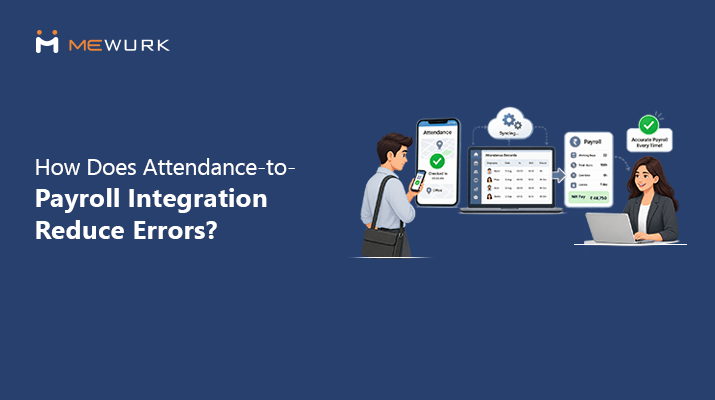
Most payroll errors start life as attendance errors. This guide explains how attendance-to-payroll integration works, why disconnected systems create month-end rework, and how data moves from check-in to salary inputs. It also covers what to check before you pick an integrated system.
Payroll day is three days away. Attendance sits in one system, leave in another, overtime in a spreadsheet, and payroll in a fourth tool. Then HR spots a missing punch.
One missing punch sets off a familiar chain. Attendance correction, manager confirmation, spreadsheet update, payroll adjustment, salary recheck. Each handoff looks small. Together, they turn payroll preparation into a week of copying, checking, and fixing.
None of this is a payroll software problem. It is a data movement problem. This article explains how attendance-to-payroll integration removes those manual handoffs, and what it can and cannot fix.
Why Attendance Data Has Such a Big Impact on Payroll
Payroll does not start with salary structures. It starts with a simple question: what did each employee work this month?
Attendance data answers that question. It feeds most of the inputs that decide pay:
- Days worked and paid days
- Unpaid leave and absence
- Late marks and short hours
- Total working hours
- Overtime hours
- Shift allowances and night shifts
- Holidays and weekly offs
- Approved attendance corrections
Payroll accuracy depends on the quality and timeliness of these inputs. A perfect salary formula still produces an incorrect salary when the underlying attendance is incorrect or late.
What Happens When Attendance and Payroll Are Managed Separately?
Disconnected systems do not break in one loud crash. They fail through small, repeated manual steps. Here is where the rework hides.
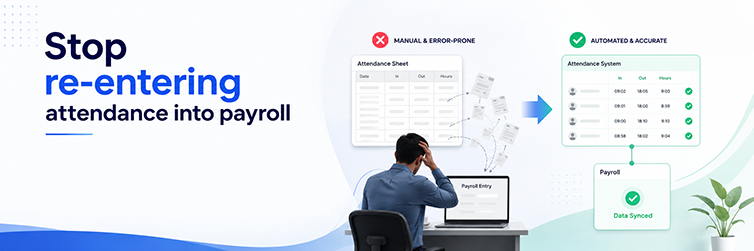
Manual Data Export and Import
HR downloads attendance from one system and uploads it into another every cycle. Each export can carry stale data, and each import can drop records without warning.
Duplicate Data Entry
The same employee details live in two or three systems. Someone types each new joiner, shift change, or exit into every one, and the versions drift apart.
Attendance Corrections Reach Payroll Late
An employee fixes a missing punch on the 28th. Payroll ran on the 27th. The correction becomes next month’s arrear instead of this month’s clean salary.
Overtime Reconciliation
HR compares scheduled hours, actual hours, and approved overtime across three sources. One mismatch means calls, screenshots, and a revised sheet.
Leave and Attendance Mismatches
The leave system shows approved leave. The attendance sheet shows absent. Payroll has to decide which record to trust, and someone has to chase the answer.
Spreadsheet Dependency
The bridge spreadsheet between two systems turns into a third system. It has its own versions, its own formulas, and its own errors.
Payroll Rework
Every error found after processing means the same work twice. Recalculate, revise the register, adjust the payslip, and explain the difference to the employee.
What Is Attendance-to-Payroll Integration?
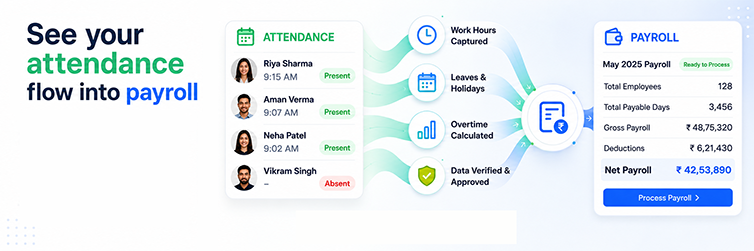
Attendance-to-payroll integration connects attendance records with payroll processing within a single flow. Approved attendance inputs are processed in payroll without repeated manual entry.
The basic relationship looks like this:
Attendance → Working Hours → Leave and Absence → Overtime → Approved Corrections → Payroll Inputs
The exact workflow depends on the software and on your payroll rules. The principle stays the same. Data that payroll needs should travel from the attendance system, not from a person retyping it.
How Integrated Attendance-to-Payroll Works
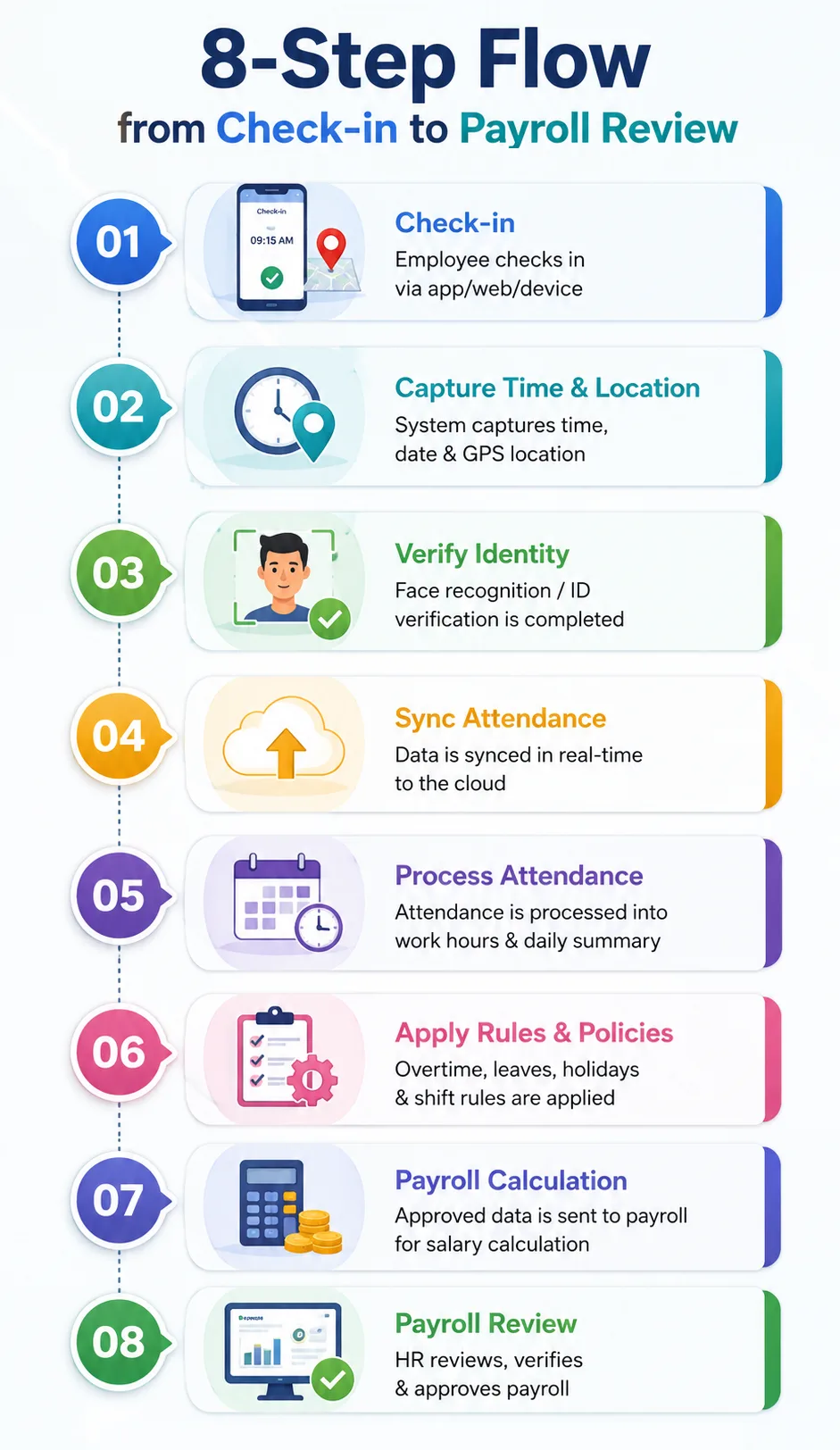
A typical integrated cycle runs in eight steps:
- The employee records attendance. The system captures check-in and check-out from a device or a mobile app.
- The system validates the data. Configured rules flag exceptions such as missing punches or short hours.
- The system calculates working hours. Hours are calculated by comparing actual punches to the assigned schedule.
- Leave and absence flow in. Approved leave and absence statuses are included in the attendance picture for the month.
- The system processes overtime. Approved overtime hours are moved to the correct pay component.
- Managers clear corrections. HR and managers review flagged exceptions before the payroll run, not after it.
- Payroll receives the inputs. The payroll process is based on approved attendance data and allows no re-entry.
- HR reviews before finalising. Integration reduces manual steps. It does not replace payroll review and controls.
7 Ways Attendance-to-Payroll Integration Reduces Rework
Each point follows the same pattern. A manual problem, an integrated workflow, and the time it gives back.
- Less manual data entry. Instead of retyping attendance into payroll sheets, HR lets approved data flow across. Fewer keystrokes mean fewer typos in salary inputs.
- Fewer duplicate records. One employee master serves attendance and payroll. Joiners, exits, and shift changes update once, in one place.
- Faster attendance reconciliation. The month closes against one attendance source rather than three. Matching stops being a project.
- Easier overtime processing. Approved overtime carries its approval into payroll. Nobody hunts for the sanction email.
- Better leave and attendance consistency. Leave approval and attendance status update together. The absent-but-on-leave conflict is removed from payroll prep.
- Faster correction handling. A corrected punch updates the same record payroll reads: no separate note, no parallel sheet.
- Cleaner payroll preparation. Payroll starts with validated inputs, so the team spends review time on exceptions rather than data entry.
Attendance-to-Payroll Integration vs Manual Payroll Workflow
The difference shows up as fewer touchpoints, not magic.
| Factor | Integrated Workflow | Manual Workflow |
|---|---|---|
| Attendance data transfer | Connected, automated where configured | Manual exports and uploads |
| Data entry | Lower | Higher |
| Reconciliation | Reduced | Frequent |
| Overtime inputs | Easier to process | More manual matching |
| Corrections | One centralised workflow | Multiple updates in multiple places |
| Payroll preparation | More structured | More repetitive |
| Error risk from re-entry | Lower | Higher |
Neither column removes the need for payroll knowledge. The integrated column removes the copying.
Common Payroll Errors Caused by Attendance Data Problems
Most salary disputes trace back to one of these. Integration helps by catching them before payroll runs.
- Missing check-in or check-out. Validation flags the gap on the same day, not at month-end.
- Incorrect working hours. Hours come from punches and schedules, not from a typed column.
- Unapproved overtime. Only approved hours count toward the pay component. Everything else waits in the exception queue.
- Wrong leave status. One shared record keeps leave and attendance in step.
- Duplicate attendance entries. Rule checks catch a second entry for the same slot.
- Late attendance corrections. A cutoff and reminders push corrections before the payroll run.
- Incorrect shift assignment. Hours matched to the wrong shift stand out as exceptions.
- Incorrect unpaid absence data. Absence type flows from the approved leave record, not from memory.
- Manual spreadsheet mistakes. The fewer sheets in the chain, the fewer formula and copy errors reach payroll.
Why Attendance Corrections Matter Before Payroll Processing
A correction has a simple, healthy path:
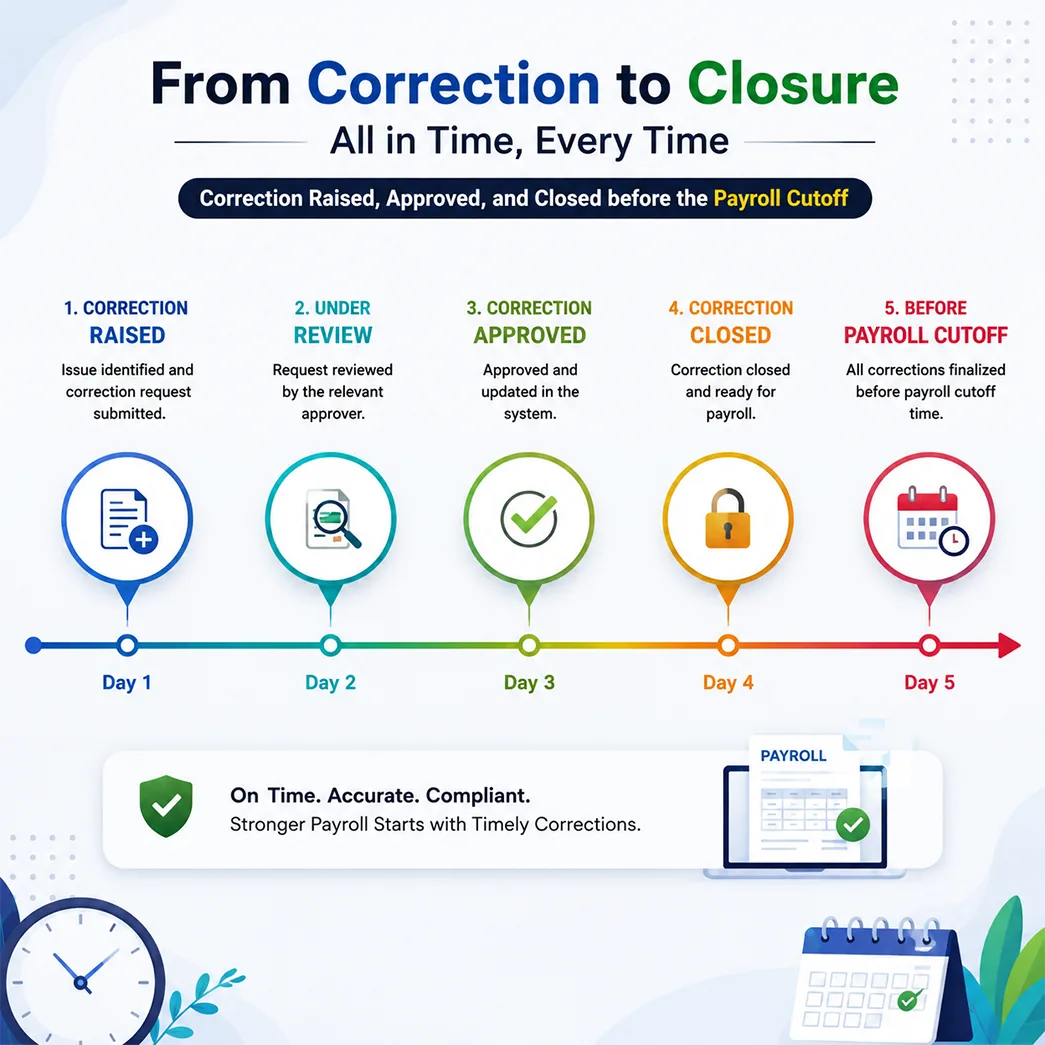
The whole value of that path sits in its timing. A correction approved before payroll finalisation becomes a clean input. The same correction after salary processing becomes an arrear, a revised payslip, a register adjustment, and an awkward conversation.
Set a correction cutoff a few days before the payroll run. Remind employees to review their attendance before it. Most month-end firefighting disappears at this one step.
How Shift and Overtime Data Connect to Payroll
Shift-based teams add real payroll complexity. Pay can depend on the shift schedule, actual hours worked, night shifts, weekly off days, holiday work, approved overtime, and mid-month shift changes.
Managed in separate tools, each of these becomes a reconciliation item. Someone compares the planned roster with actual punches and then checks which extra hours are approved.
When shift management, attendance, and payroll share a single platform, those inputs remain connected. The shift defines expected hours. Punches record actual hours. Approval marks what qualifies for pay. Payroll reads the result instead of reconstructing it. Your wage rules still decide the amounts. Integration ensures the hours behind them are correct.
How Mewurk Can Connect Attendance and Payroll Workflows
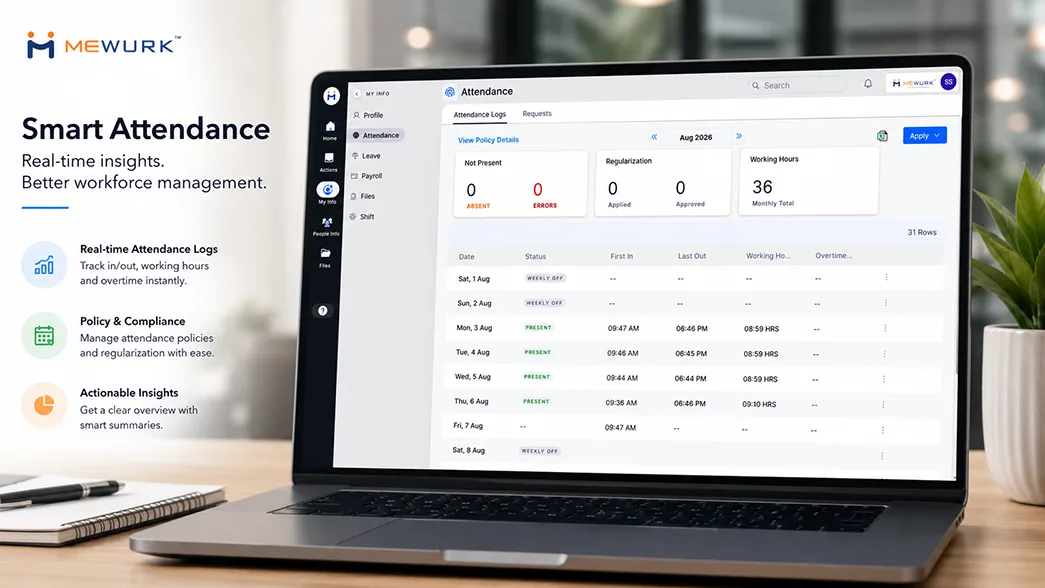
Mewurk runs attendance, shift management, leave, and payroll as modules within a single HR platform. An approved punch, leave, or correction updates the same employee record that payroll reads.
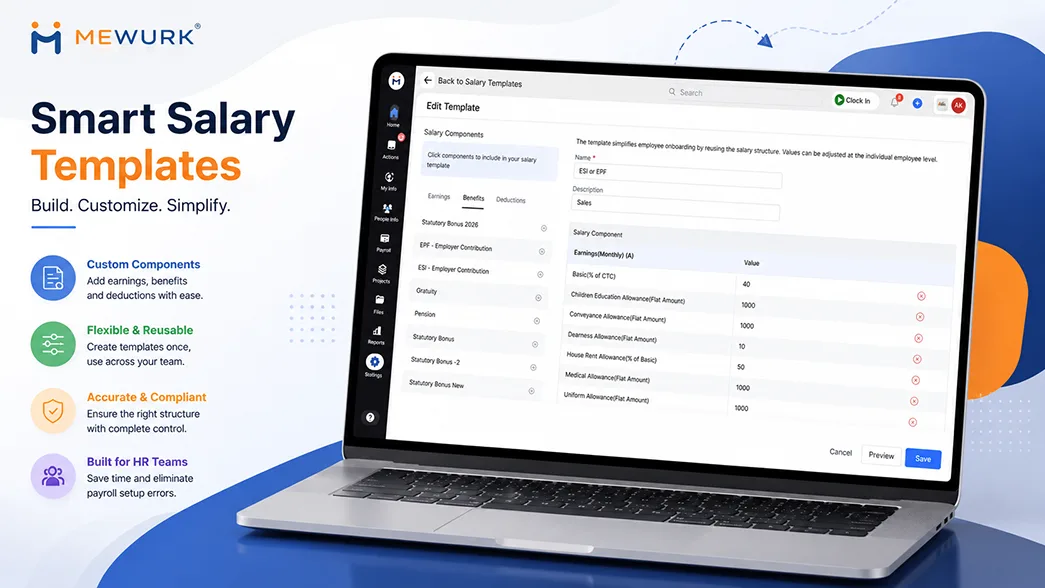
In practice, attendance recorded on devices or in the mobile app is captured in the attendance management system, tracked against the assigned shift, and reflected in approved leave. Payroll preparation then starts from that connected data rather than from fresh exports. Reports and trends give HR one place to review inputs before the run.
Mewurk can help reduce manual attendance-to-payroll reconciliation by integrating these workflows into a single platform. It does not remove the need for clear policies and a final payroll review. No software should claim that.
Example: From Employee Check-In to Payroll
Take one employee with 22 scheduled days in a month. During the month, she has two days of approved leave, four hours of approved overtime, one missing check-out, and one submitted correction.
In a disconnected setup, HR exports her attendance and spots the missing check-out. Then comes the email to her manager, the wait, the spreadsheet update, and the leave match. HR confirms the overtime approval and re-enters the final numbers into payroll. Now repeat that for every employee with an exception.
In an integrated flow, the missing check-out appears as an exception in week one. She raises the correction, her manager approves it, and the record updates. Her leave and overtime are already on the same record, with approvals attached. At cutoff, payroll receives 20 worked days, two days of approved paid leave, and four approved overtime hours as ready inputs. HR reviews the exceptions report and runs payroll once.
How to Reduce Payroll Rework Even With Integrated Software
Integration removes handoffs. It cannot fix unclear rules or late approvals. Pair the software with working habits:
- Define attendance and overtime policies in writing.
- Set approval workflows with named owners.
- Ask employees to review their attendance every week.
- Close corrections before the payroll cutoff.
- Keep shift schedules updated when plans change.
- Approve overtime before the run, not after.
- Audit a sample of payroll inputs every month.
- Keep payroll rules documented and current.
- Train managers and employees on the correction flow.
What to Look for in an Attendance-to-Payroll System
A practical checklist for evaluation:
- Native attendance and payroll integration: one platform, or a proven connector
- Timely data sync: inputs current at the payroll run
- Shift management: schedules for hours to calculate against
- Leave management: approved leave feeding paid-day logic
- Overtime handling: approval before payment
- Correction workflow: request, review, approve, update
- Approval controls: named approvers and cutoffs
- Employee self-service: attendance visible to the employee
- Payroll reports: input registers you can audit
- Audit trail: who changed what, and when
- Role-based access: payroll data on a need basis
- Data security: encryption and clear access policies
- Multi-location support: one view across sites
- Core HR fit: one employee master shared across modules
- Scalability: the same flow at 50 and at 500 employees
Is Attendance-to-Payroll Integration Right for Your Business?
The signals are practical. Consider integration if several of these sound familiar:
- HR exports attendance into payroll sheets every month.
- Payroll preparation depends on spreadsheets.
- Corrections often arrive after payroll processing.
- Overtime needs line-by-line reconciliation.
- Leave and attendance records disagree.
- Payroll staff re-enter employee data across tools.
- Managers spend hours approving scattered corrections.
- Payroll preparation takes most of a week.
- Employees raise salary queries that trace back to attendance.
If two or three apply, tighten the current process first. If most apply, the process itself is the problem.
Conclusion
“Zero payroll errors” is a direction, not a promise. No system removes every mistake. What integration removes is repetition. The fewer times HR has to copy, reconcile, and re-enter attendance data, the fewer opportunities there are for avoidable errors and rework.
So evaluate how attendance, leave, shifts, overtime, corrections, and payroll work together in your setup today. Count the handoffs. Each one is rework waiting to happen. To see how Mewurk integrates with your own policies, book a free demo and walk through one payroll cycle end-to-end.
Frequently Asked Questions
1. What is attendance-to-payroll integration?
It is a connected workflow in which approved attendance data, such as working hours, leave, and overtime, flows into payroll processing without manual re-entry. One record serves both functions.
2. How does attendance affect payroll?
Attendance decides paid days, unpaid absences, working hours, late marks, overtime, and shift-linked pay. When attendance data is wrong or late, salary calculations inherit the same problems.
3. Can attendance software automatically send data to payroll?
Yes, when both run on the same platform or via a supported connector. Approved attendance inputs then move into payroll preparation on a schedule or at cutoff, based on configuration.
4. How does attendance integration reduce payroll errors?
It removes the re-entry and reconciliation steps where most avoidable errors start. Validation also flags missing punches and mismatches before the payroll run, rather than after.
5. How are overtime hours handled in an integrated system?
The system compares actual hours to the shift, routes extra hours for approval, and passes approved overtime to the pay component your rules define.
6. How do attendance corrections affect payroll?
A correction approved before the payroll cutoff is treated as a normal input. A correction after processing becomes an arrear and a revised payslip. Cutoffs and reminders keep corrections on the right side of that line.
7. What is the difference between integrated and manual payroll processing?
Manual processing moves attendance into payroll through exports, spreadsheets, and re-entry. Integrated processing moves approved data across a single platform, so HR reviews inputs rather than rebuilding them.
8. Does attendance-to-payroll integration eliminate all payroll errors?
No. It reduces avoidable data entry and reconciliation errors when attendance data and payroll rules are configured correctly. Policy mistakes, wrong rules, and missed reviews still need human attention.