Summary
Hiring teams are busy. A single job post can bring in hundreds of applicants. Someone has to check each resume. Someone has to run tests, compare answers, and keep records straight. That takes real time. For many recruiters, this hand-done work is the real bottleneck. It slows the path from job post to great hire.
This is where AI candidate assessment helps. Instead of screening by hand, teams use software to shape how people get checked. The tools speed up repeat steps. They add balance to the process too. But they don't replace the recruiter. A person still makes the final call.
This article covers three things. First, what AI candidate assessment means. Second, how automated candidate assessment works in practice. Third, what to look for in recruitment assessment software.
What Is AI Candidate Assessment?
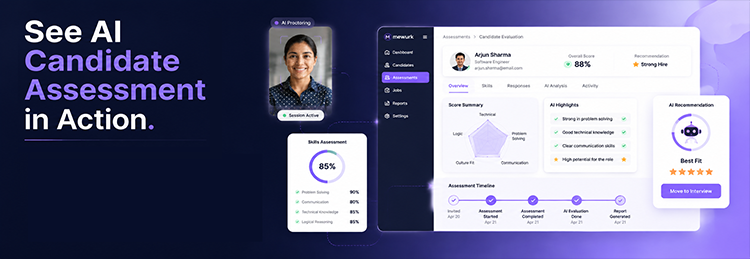
AI candidate assessment uses artificial intelligence to help judge candidates. It looks at test answers, job skills, and set traits. Then it checks them against what a role needs.
In simple terms: nobody on the team reads each answer line by line. The software sorts, scores, and summarises that data instead. It works based on rules the hiring team has already set.
One point matters here. This technology supports hiring decisions. It doesn't make them. Someone still has to read the results. Someone still picks who moves forward.
What Is Automated Candidate Assessment?
Automated candidate assessment handles the repetitive parts of judging people. That includes:
- Sending out assessments
- Running skill tests
- Collecting candidate answers
- Managing scoring
- Comparing candidates
- Generating reports
- Telling the team when results are ready
Without automation, someone emails tests by hand. They track who finished. They copy results into a spreadsheet. Automation takes over these steps. That frees up time for better work, like interviews and building ties with strong candidates.
How Does AI Candidate Assessment Work?
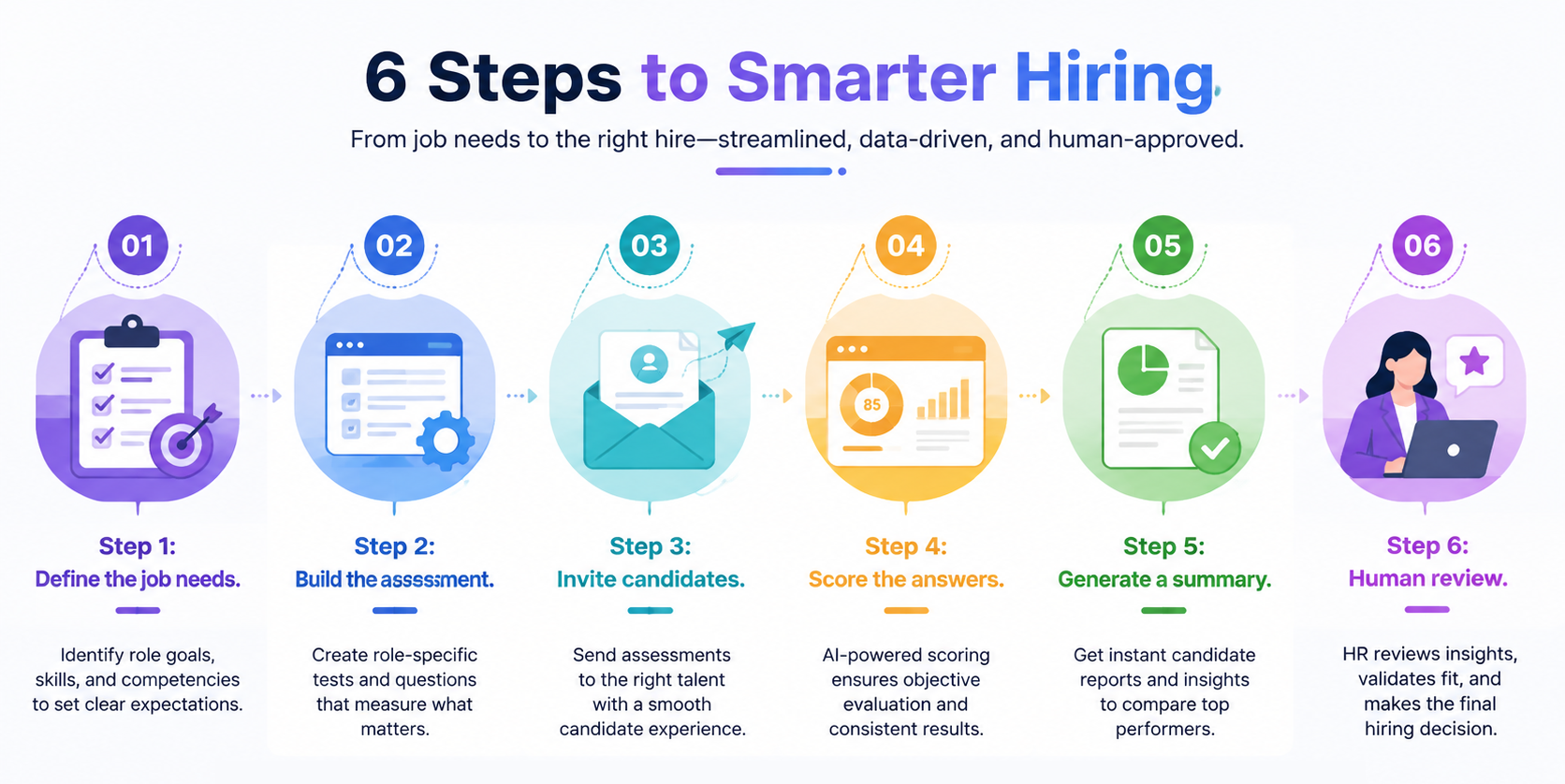
Every platform works a bit differently. But most follow a similar path.
- Define the job needs. The team decides what matters for the role. That might be coding skill, communication, or specific product knowledge.
- Build the assessment. The test gets built around those exact needs. Generic questions don't help much here.
- Invite candidates. Candidates get a link and a deadline. Most complete the test on their own time.
- Score the answers. The system compares answers to a benchmark set.
- Generate a summary. The team gets a clean report instead of raw data.
- Human review. This step matters most. Someone checks the results against other proof, resumes, interviews, references, before deciding anything.
Key Features to Look For
Not every platform has every feature. Common ones worth checking for:
- AI-powered scoring
- Automated assessments
- Skill-based testing
- Custom assessment builder
- Automated invitations
- Tools to compare candidates side by side
- Detailed reports
- Workflow automation
- Candidate tracking
- Integration with your existing tools
- Analytics dashboards
- Role-specific templates
Ask any vendor directly which of these they offer. The label "AI-powered" gets used loosely, so it pays to check.
Benefits of Automated Candidate Assessment
- Faster review. Less time goes into sending reminders and compiling scores by hand.
- More structure. Each person is judged by the same rules. That makes it feel fairer and more even.
- Less manual work. Teams spend less time on admin and more time with strong candidates.
- Easier to scale. Campus hiring and seasonal hiring both involve large candidate pools. Automation makes that volume doable.
- Better side-by-side checks. Standard data makes it easier to compare people side by side.
- Smoother workflow. Tests plug into the rest of the hiring pipeline. That cuts down on manual handoffs between stages.
- Shared data for decisions. Everyone on the hiring team works from the same data, not just personal impressions.
One caveat: automation improves speed and structure. It doesn't guarantee better hires. It doesn't remove bias on its own. Both depend on how well the test was built.
AI Candidate Assessment vs Traditional Assessment
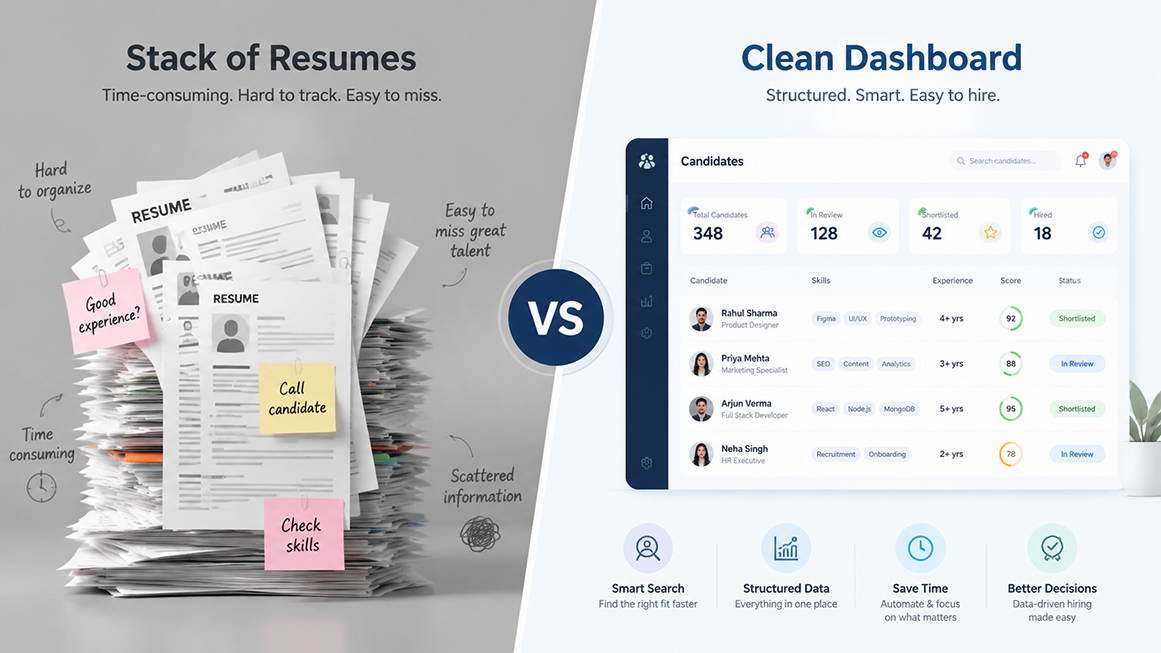
| Factor | Traditional Assessment | AI/Automated Assessment |
|---|---|---|
| Candidate review | Mostly manual | Automated, with human review |
| Processing time | Slower | Faster |
| Candidate volume | Harder to scale | Easier to scale |
| Review structure | Varies by process | Uses set rules |
| Reporting | Manual, often scattered | Often automated |
| Recruiter workload | Heavier, repeat | Lighter |
| Human involvement | High throughout | Still needed for the final call |
The short version: automation handles repetitive work. People still make the final decision.
What Is Recruitment Assessment Software?
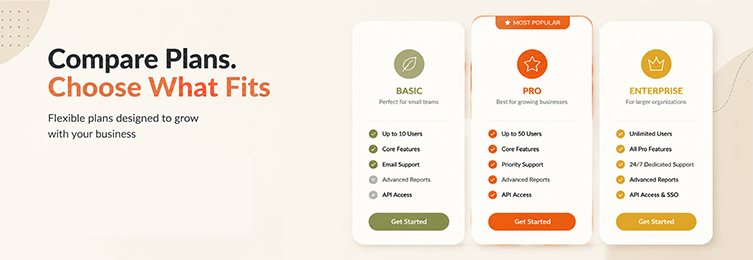
This is the broader category. It covers tools that manage the whole review process, start to finish. That means building tests for each role. It means sending them out. It means keeping records in one place. It means scoring and reports too.
Good platforms connect to your other recruitment tools. That way, data doesn't get lost between stages, which happens a lot with spreadsheets and email.
Where AI Candidate Assessment Gets Used
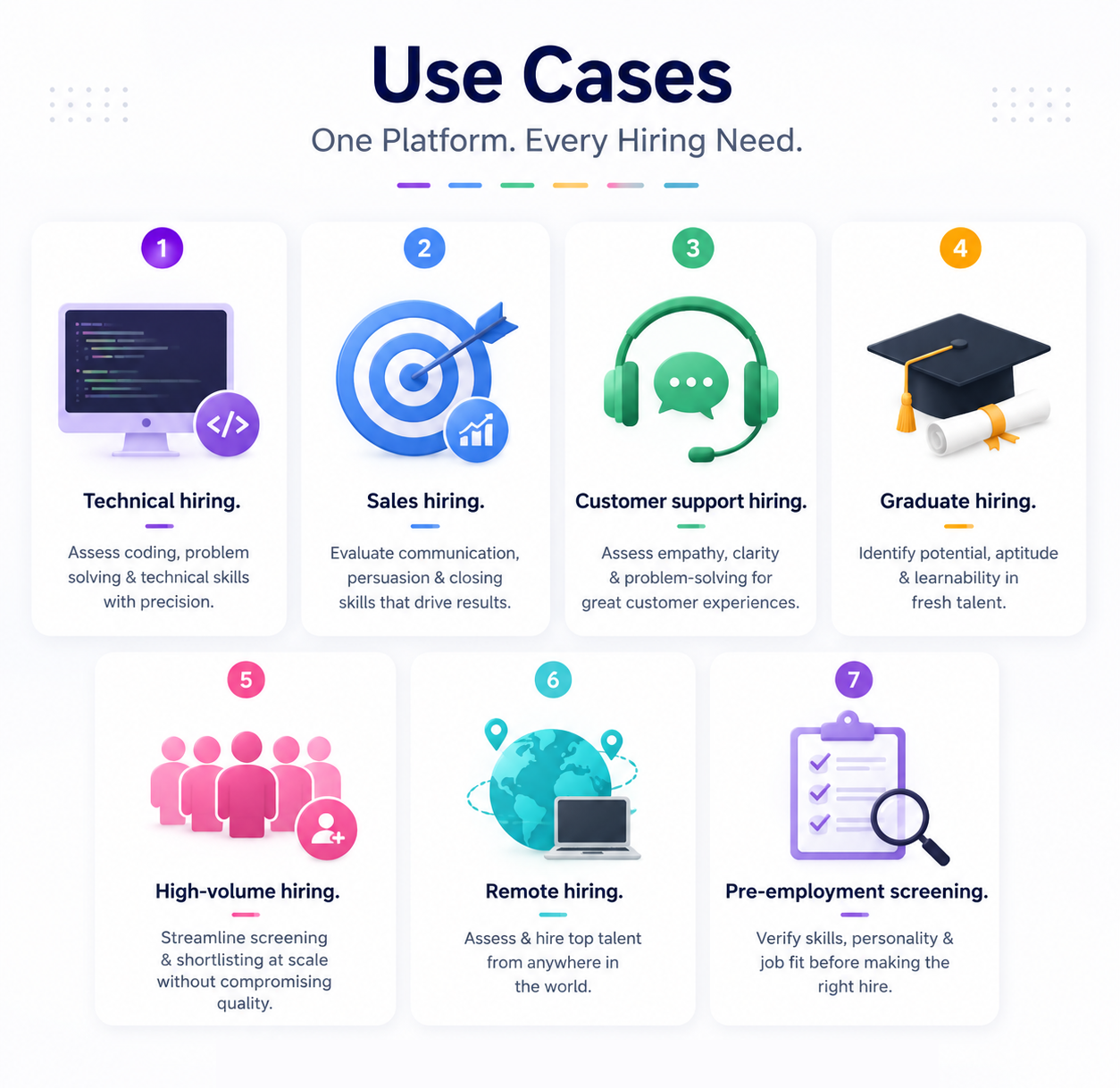
- Technical hiring. Testing coding skill, problem-solving, and technical accuracy for developer roles.
- Sales hiring. Checking communication, objection handling, and judgment in real scenarios.
- Customer support hiring. Looking at tone, empathy, and how someone works through a problem.
- Graduate hiring. Testing core skills and aptitude at scale, often for hundreds of applicants at once.
- High-volume hiring. Standardizing review when a role attracts a large number of applicants.
- Remote hiring. Letting candidates in different time zones complete tests on their own schedule.
- Pre-employment screening. Catching skill gaps before someone reaches the interview stage.
How to Choose the Right Software
A few questions are worth asking before you commit to a platform.
The applicant's side of this matters too. A confusing or unfair test looks bad. It can turn off good people before they even talk to anyone at your company. That control over what the AI produces matters more than most feature lists let on.
The bottom line: choose based on fit with your actual process, not because something is labelled "AI-powered."
Limitations Worth Knowing
This technology isn't perfect, and it helps to say that plainly.
- AI can misread or oversimplify an answer.
- The quality of any test depends on how well someone built the questions and scoring rules.
- A poorly built system can add bias instead of removing it.
- Some people hit access or tech issues during online tests, and those problems have nothing to do with real skill.
- Every score needs a human check before it shapes a decision.
- That data needs ongoing care too, not just a check at setup.
The point stands throughout: a hiring call should rest on human judgment and real proof, not a score alone.
Using AI Responsibly in Hiring
A few practices help keep this fair.
- Keep your rules tied to what the job needs, and use those same rules for each person in the role.
- Check AI output rather than just accepting it.
- Keep a real person in each key call.
- Check test quality often, not just at setup.
- Think about access when you build a test.
- Guard that data like any other sensitive data.
- Leave out traits that have nothing to do with the job.
- Check your process now and then for signs of bias.
Fitting It Into Your Hiring Pipeline
This works best as one piece of a connected pipeline, not a step off on its own:
Job Creation → Applications → Screening → AI Candidate Assessment → Evaluation → Interview → Selection → Onboarding
When assessment data flows into the rest of your pipeline, an AI interviewer, an HRMS, whatever else you use, teams gain time. Less time re-entering data. More time deciding.
Frequently Asked Questions
What is AI candidate assessment?
It's the use of AI to judge candidates' skills and answers. It supports the hiring decision. It doesn't replace the recruiter making it.
How does automated candidate assessment work?
It handles the repeat tasks, sending tests, collecting answers, scoring, reporting. That frees up the team to focus on the results.
What is recruitment assessment software?
Software that helps a company build, send, score, and report on candidate assessments as one connected process.
Can AI assess candidates on its own?
It can score set data on its own. But skipping human review before a final decision isn't a good idea.
Is AI assessment better than the traditional approach?
Usually faster and easier to scale. "Better" depends on how well the assessment itself was built.
What skills can it judge?
Depending on the setup: technical skills, communication, problem-solving, and other job-specific traits.
Does this replace recruiters?
No. It removes manual work. The judgment calls still belong to a person.
How should a company pick this kind of software?
Look at customization, automation depth, integrations, reporting, data security, and fit with your current process.
Does this work for high-volume hiring?
Yes, that's often where it helps the most, since it standardizes review across large candidate pools.
What should recruiters think about before using AI here?
Data privacy, assessment quality, potential bias, access, and keeping a person involved in each key decision.
Ready to Streamline Your Hiring Process?
If manual screening is slowing your team down, it may be worth trying an AI-powered recruitment tool. It can handle assessments, candidate management, and the wider hiring workflow. Your team stays in control of the calls that matter.