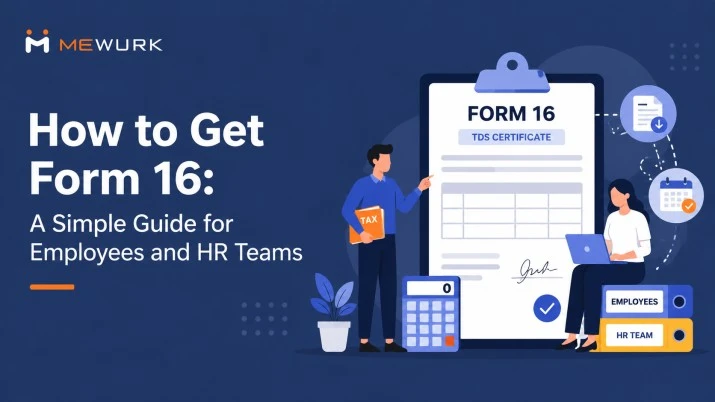
How to Get Form 16: A Simple Guide for Employees and HR Teams
Summary
In this guide, we explain how to get Form 16, when employers must issue it, what to do if you have changed jobs, and how HR teams can simplify the process. Understanding these basics can make tax filing much easier for both employees and payroll professionals.
Every June, the same questions start flooding HR inboxes across India. When will I get my Form 16? Why hasn't it been issued yet? I left the company six months ago. Can I still get it?
If you're an employee wondering how to get your Form 16, or an HR manager trying to issue it on time without errors, this guide answers both sides of the equation. Without any flooding with jargon or runaround, we have presented this blog with precision and exclusively covering what you need to know.
What Is Form 16, and Why Does It Matter?
Form 16 is a TDS certificate issued by your employer under Section 203 of the Income Tax Act, 1961. It shows how much salary you earned during the financial year and how much tax your employer deducted and deposited with the government on your behalf.
For employees, it serves three key purposes:
- Filing your Income Tax Return (ITR) accurately and quickly
- Proving your income when applying for a home loan, a car loan, or a credit card
- Verifying that your TDS has been deposited. Not just deducted on paper
It is the final checkpoint of an entire year's tax compliance for HR and payroll teams. If there are errors in Form 16, they might trace back to errors in the payroll process. Some underlying errors we frequently uncover are mismatched PAN details, unfiled TDS returns, or wrong deduction calculations.
Important update for FY 2026-27: Under the new Income Tax Act 2025, Form 16 has been renumbered as Form 130 starting from Tax Year 2026-27 (April 1, 2026 onwards). For FY 2025-26, employers will continue issuing Form 16 in the existing format as usual.
Who Is Eligible to Receive Form 16?
Any salaried employee from whose salary TDS has been deducted during the financial year is entitled to receive Form 16. If your income fell below the taxable threshold and no TDS was deducted, the employer is technically not obligated to issue it, though many companies issue it anyway as a good practice.
If you worked with multiple employers during the year, each employer must issue a separate Form 16 covering the period you were employed with them. You will need all of them when filing your ITR.
How to Get Form 16: The Employee's Perspective
Step 1: Ask Your HR or Payroll Department
This is the most direct and reliable route. Form 16 cannot be downloaded by an employee directly from any government portal. Only your employer, via the TRACES (TDS Reconciliation Analysis and Correction Enabling System) portal, can generate and issue it to you.
Send a formal email to your HR or payroll team. Keep it simple:
Could you please share my Form 16 for FY 2025-26 at your earliest convenience? I need it for ITR filing.
Most companies will either email you a password-protected PDF or make it available on the employee self-service (ESS) portal if they use a modern HRMS platform like Mewurk.
Step 2: Check Your Company's HRMS Portal
If your company uses a payroll or HR software, Form 16 is often uploaded directly to the ESS portal once it's ready. Log in and look under sections like Documents, Tax Documents, or Payroll. Many modern HRMS platforms allow employees to download Form 16 without raising a request ticket, which saves both employees and HR teams significant time.
Step 3: Know the Deadline
The legal deadline for employers to issue Form 16 is 15 June of the assessment year. For FY 2025-26, that means June 15, 2026. If you haven't received it by then, you have every right to follow up, and your employer is liable for a penalty of ₹100 per day for every day the delay continues.
Step 4: Cross-Check with Form 26AS
Once you receive Form 16, compare the TDS figures in it with your Form 26AS (available on the Income Tax e-filing portal at incometax.gov.in). Form 26AS shows all the tax credits linked to your PAN. If the TDS in Form 16 matches Form 26AS, you're good.
If there's a mismatch, flag it to your HR team immediately because the discrepancy will cause problems when you file your ITR.
How to Get Form 16 from a Previous Employer
This is where many employees get stuck. If you changed jobs during the financial year, you need Form 16 from every employer you worked with.
Here's how to go about it:
Contact the HR or Finance team of your former employer
They are legally obligated to issue Form 16 even after you have resigned, as long as TDS was deducted from your salary during your tenure. No employer can legally withhold Form 16 citing disputes, pending dues, or notice period buyout issues.
Use your old official email or personal email to make the request
Mention the financial year clearly and provide your PAN for reference. Some companies have ex-employee portals where you can retrieve your documents. Others may courier a hard copy or share a password-protected PDF by email.
If they don't respond
If they don't respond to your request, escalate to the Assessing Officer (AO) for your jurisdiction. You can also use your Form 26AS and salary slips to file your ITR in the interim. Form 16 is helpful but not mandatory for filing.
Pro tip: When exiting any company, download your Form 16 for the relevant financial year (if it's already been issued), along with your payslips, offer letter, and relieving letter. Do not wait until tax season to follow up on documents from an employer you no longer work with.
Can You File ITR Without Form 16?
Yes. Form 16 is not mandatory for ITR filing. If you haven't received it, you can use your salary slips and Form 26AS to calculate your taxable income and TDS. The Form 26AS shows all TDS deducted and deposited against your PAN. It's available on the Income Tax e-filing portal under the View Tax Credit section.
That said, Form 16 makes the filing process much faster and avoid the chances of errors. If your employer is delayed, file with what you have and verify details once Form 16 arrives.
How Payroll Software Simplifies Form 16 for HR Teams
Manually managing Form 16 for 50, 200, or 2,000 employees is a significant compliance risk. Even a seemingly negligible error like an unfiled quarterly return or a mismatch in PAN could result in problems that take weeks to untangle.
Cloud-based payroll software like Mewurk handles TDS calculation throughout the year in real time, reconciles salary data with Form 24Q filings automatically, and generates Form 16 (Part A and Part B) in the correct format once the TRACES data is ready.
Employees can download their Form 16 directly from the self-service portal, so they don't need to ask HR for it anymore. This saves the payroll team a lot of time and also puts an end to the usual flood of "where's my Form 16?" emails that come in every June.

Conclusion
That wraps up our guide on how to get Form 16. Whether you're an employee trying to get it or part of the HR team handing it out, this should help you through the process.
We hope you found this post helpful. Did it answer what you were looking for? We'd really like to hear your feedback.
Wishing you all the best for a smooth tax season and a hassle-free ITR filing.
FAQ: How to Get Form 16
1. Can I download Form 16 from the Income Tax website directly?
No. Employees cannot download Form 16 from any government portal. Only employers have access to TRACES for generating it. As we covered in this blog on how to get Form 16, you must request it from your HR or payroll department.
2. My employer hasn't issued Form 16 even after June 15. What should I do?
Make a formal written application as a request to your employer first. If they don't respond, file your ITR using Form 26AS and salary slips. You can also escalate to the Income Tax Department. Your employer is liable for a penalty of ₹100 per day under Section 272A(2)(g) for every day of delay.
3. I changed jobs twice this year. How many Form 16s do I need?
One from each employer you worked with during the financial year. So in your case, you need two. Combine the salary and TDS figures from all Form 16s when filing your ITR to avoid tax notices.
4. Can a former employer refuse to give me Form 16?
No. Withholding Form 16 is illegal if TDS was deducted from your salary. You can approach the Income Tax Department if your former employer refuses.
5. What is the password to open Form 16?
Most employers set the password as your PAN number in uppercase. For example, ABCDE1234F. If it doesn't work, ask your HR team for the password they've set.
6. What if there's an error in my Form 16?
Contact your HR or payroll team immediately. They need to file a revised Form 24Q with the corrected data, wait for TRACES to process it, and then generate and issue a corrected Form 16. Do not file your ITR with incorrect figures, as it can trigger a tax notice.
7. What is the difference between Form 16, Form 16A, and Form 26AS?
Form 16 is the TDS certificate for salary income, issued by your employer. Form 16A covers TDS deducted on non-salary income like interest, rent, or professional fees. Form 26AS is the consolidated annual tax statement on the Income Tax portal that reflects all TDS credits linked to your PAN from all sources.
8. Is Form 16 required for a home loan application?
Most banks and NBFCs ask for Form 16 as proof of income and tax compliance during loan processing. It is one of the most commonly requested documents in loan eligibility checks, as it gives lenders a clear picture of your annual salary and tax history.

Most Popular Post

Why Accurate Attendance and Leave Management Matters for Business Growth?
Read More →Why Accurate Attendance and Leave Management Matters for Business Growth?
How To Leverage Attendance Data For Better Workforce Management?
Read More →How To Leverage Attendance Data For Better Workforce Management?